Operation
OXY5500 Operator’s Manual 3
–21
Calibration
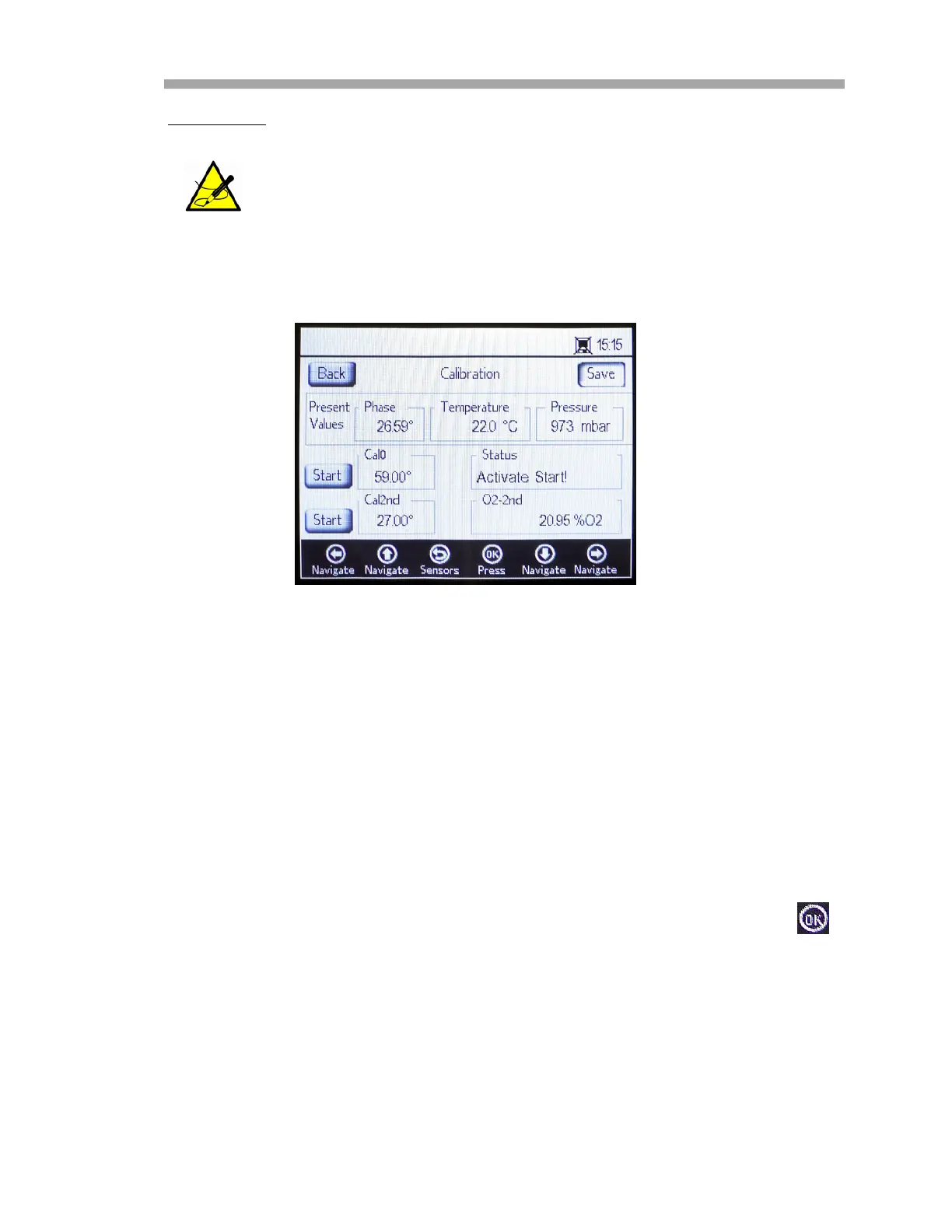
In the upper section of the main screen, the Present Values measured by the
OXY5500 are displayed. Refer to Figure 3–26.
Set the first calibration point Cal0:
1. Place the oxygen sensor (and temperature sensor, if Auto was
selected in the CALIBRATION TEMPERATURE screen) in the medium
for the first calibration point.
2. Press the Start button to the left of the Cal0 value.
The Status field will display the message ‘Wait - Stabilizing!’ Wait for
the phase values to stabilize (the variation of the phase angle should
be smaller than
.01until the Status field shows the message
‘Ready to Set Value!’
3. Move to the Set button to the left of the Cal0 value and press .
Set the second calibration point Cal2nd:
1. Place the oxygen sensor (and temperature sensor, if Auto was
selected in the CALIBRATION TEMPERATURE screen) in the medium
for the second calibration point.
2. In the O2-2nd field, type in the oxygen value (in
C, F or K) of the
second calibration medium.
It is possible to perform an on-point calibration and a two-point
calibration.
Figure 3–26 Calibration screen


 To Next Page
 Loading...