Operation
OXY5500 Operator’s Manual 3
–13
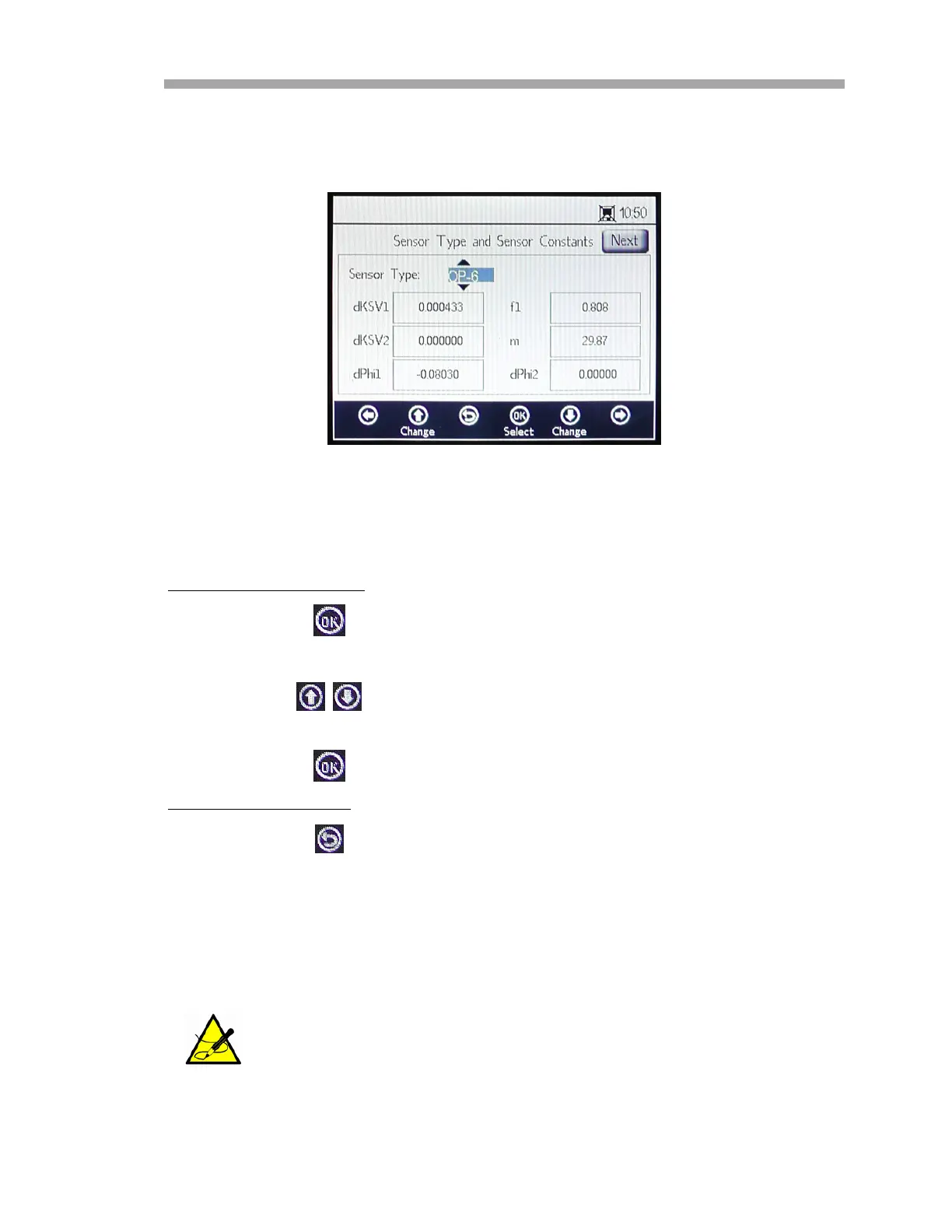
Select Yes to stop the measurement in order to display the SENSOR TYPE AND
SENSOR CONSTANTS window. Refer to Figure 3–17.
Use the arrow buttons to navigate between input fields.
To enter editing mode:
1. Press .
a. Change the setting or value (one digit at a time) by pressing the
buttons.
b. Make the desired change to an input field.
2. Press again to save the changes.
To exit editing mode:
1. Press to cancel and exit.
Changing the Sensor Type
Change the Sensor Type (OP-3, OP-6 or OP-9) according to the sensor that
is connected to the analyzer. The displayed sensor constants (dKSV1, dKSV2,
dPhi1, dPhi2, f1 and m) will change according to the sensor type selected.
The sensor constant values can also be located on the Calibration
Certificate delivered with the optical oxygen sensor. Refer to the
example in Figure 3–18.
Figure 3–17 Sensor Type and Sensor Constants
- Sensor Type menu selected for editing


 To Next Page
 Loading...