Oxygen Analyzer
3–6 4900002239 rev. G 7-11-17
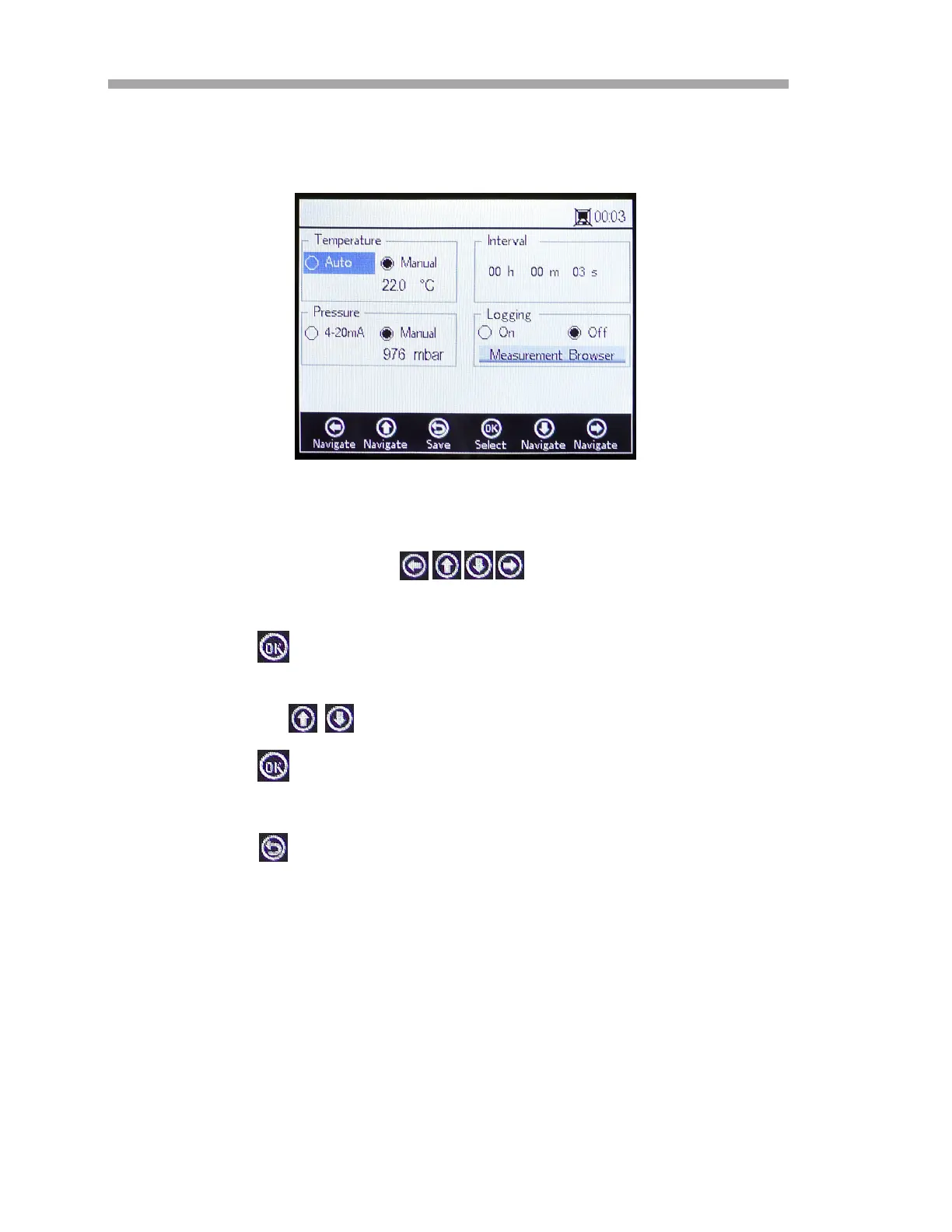
2. Press the Yes button to stop the measurement in order to display
the MEASUREMENT SETTINGS screen. Refer to Figure 3–8.
3. Use the arrow buttons to navigate between screens.
To enter editing mode:
1. Press to enter editing mode.
a. Change the setting or value (one digit at a time) by pressing
the buttons.
2. Press again to save the changes.
To exit editing mode:
1. Press to cancel and exit.
Refer to “Measurement Settings Options” on page 3-26 for more
information on setting temperature compensation, pressure compensation,
interval or logging and data management.
Figure 3–8 Measurement Settings screen


 To Next Page
 Loading...