Oxygen Analyzer
B–8 4900002239 rev. G 7-11-17
Required tools
• Flathead screwdriver (standard size and mini)
• 9/16” open-ended wrench
• Adjustable wrench
• 10” crescent wrench
To remove the pressure sensor:
1. Turn off the power to the analyzer and open the enclosure door using
a standard flathead screwdriver to unlatch the lock.
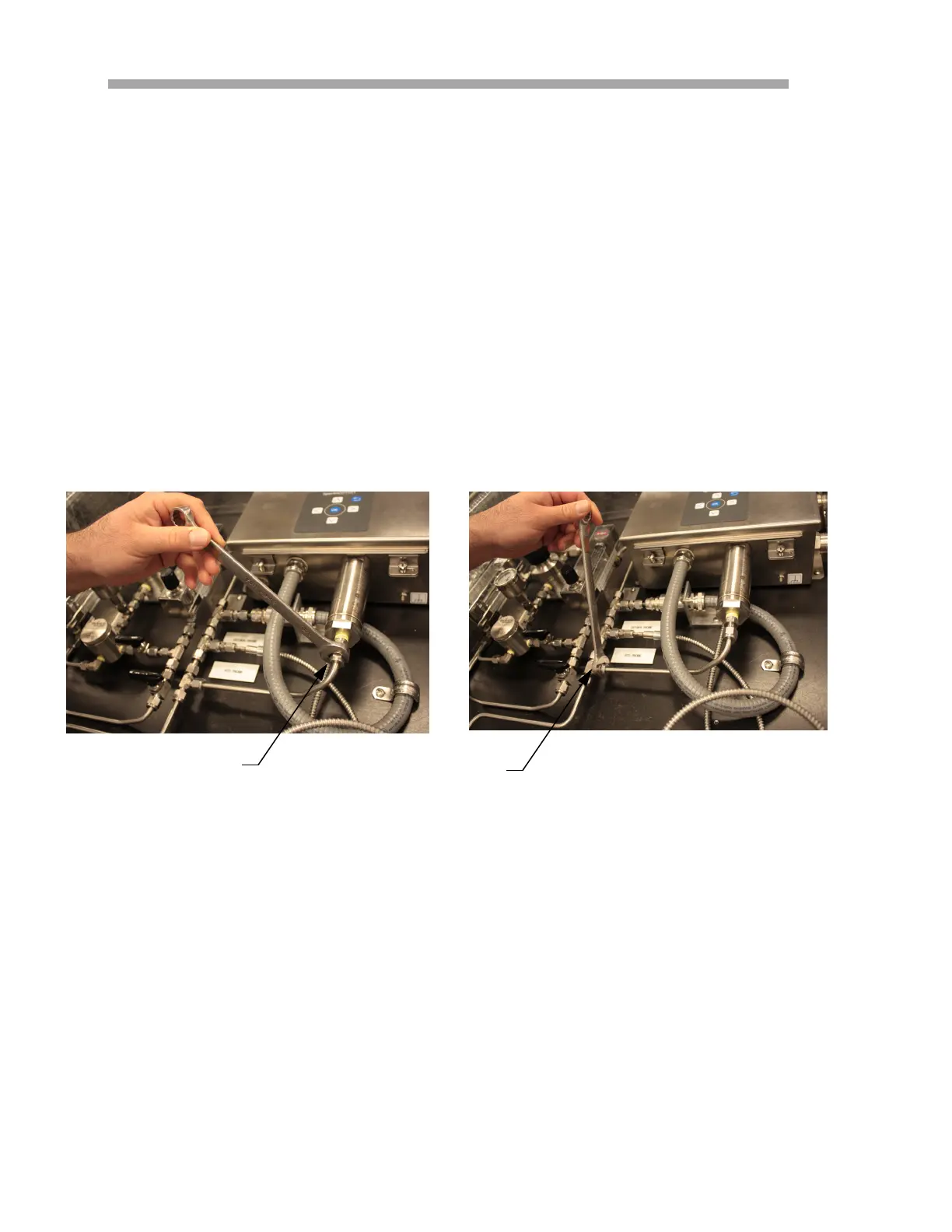
2. With a 9/16” wrench, loosen the Swagelok nut closest to the
pressure sensor.
3. Using the same wrench, loosen the Swagelok nut on the T-fitting.
Refer to Figure B–6.
Figure B–6 Removing the Swagelok nuts
PRESSURE
SENSOR NUT
T-FITTING NUT


 To Next Page
 Loading...