Operation
OXY5500 Operator’s Manual 3
–15
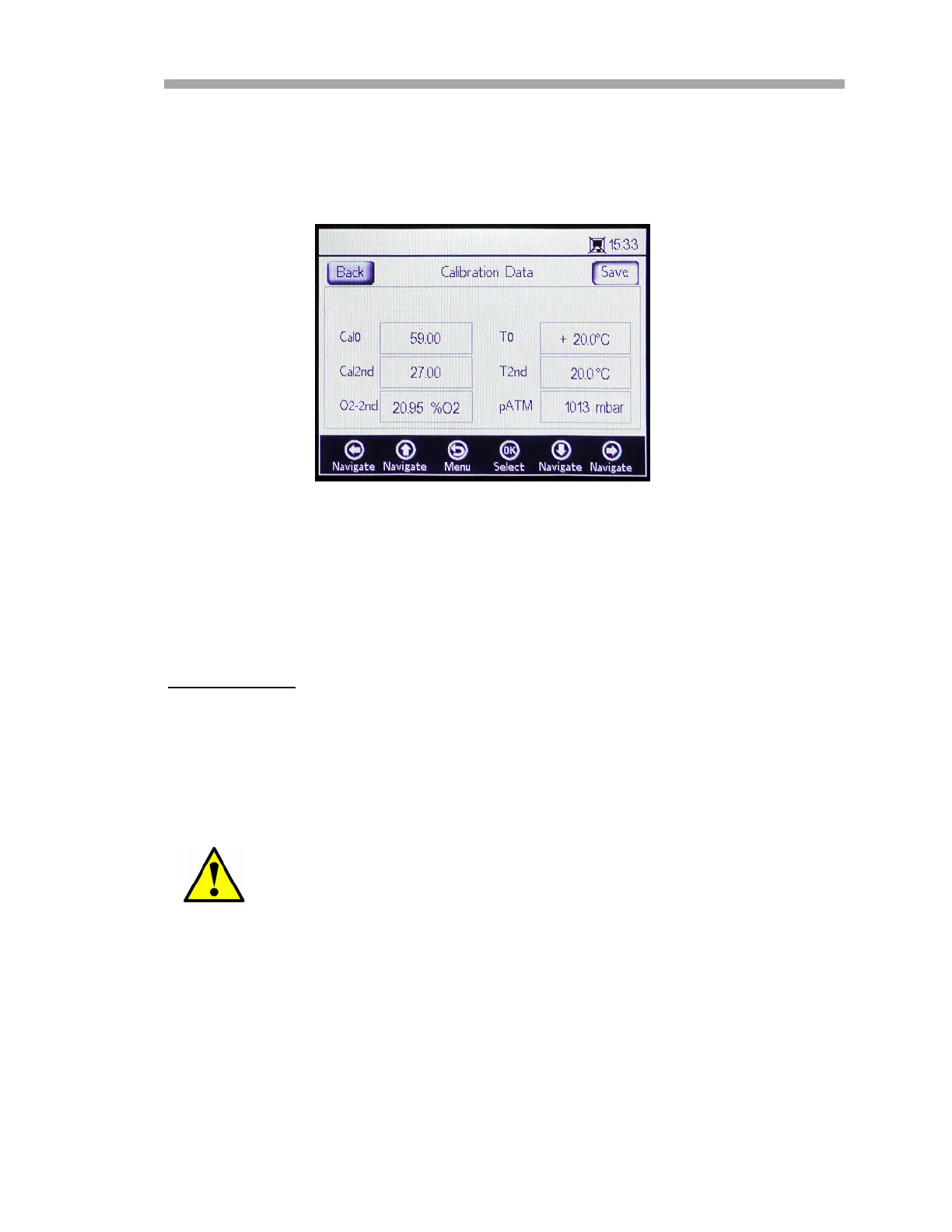
The display will change to the CALIBRATION DATA screen. Refer to
Figure 3–19. If a calibration was performed with a previously
connected sensor, the data from that calibration is shown.
Calibration
Before starting the measurement, the OXY5500 must be pre-calibrated.
Pre-Calibration
Perform the following pre-calibration steps:
1. Connect the analyzer to a N
2
bottle.
2. Set the flow to 1.5 SLPM.
3. Confirm settings for the specified probe being used.
4. Allow 99.9999% pure Nitrogen flow through the system for 30
minutes to purge the system. Refer to Table 3–1.
Settings specified in Table A–1 on page A–1 must be used for
probes.
Figure 3–19 Calibration Data screen


 To Next Page
 Loading...