Operation
OXY5500 Operator’s Manual 3
–29
Interval
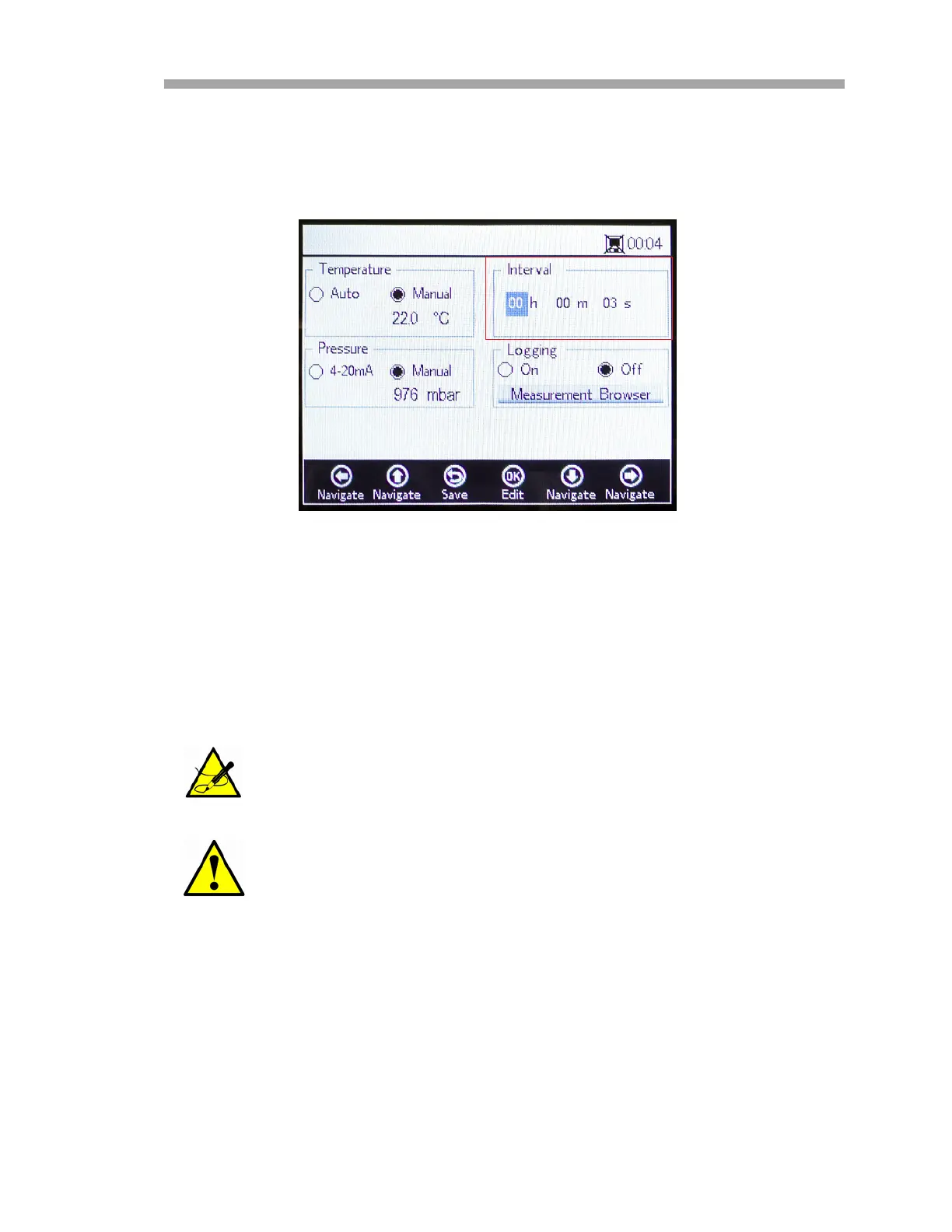
On the MEASUREMENT SETTINGS screen, use the navigation buttons to move
to the Interval box and select the measurement mode. Refer to Figure 3–33.
1. Select Single Scan to initiate one single measurement scan.
2. Select Interval to set a certain time interval for the measure to be
taken.
3. Insert the hours, minutes and seconds for the interval at which
measurements scans are taken.
The recommended default interval value is ‘30 s’ (30 seconds);
the fastest possible interval for OP-3 is ‘1 s’ and for OP-6 and
OP-9, ‘3 s’.
Interval values set to less than 30 seconds can reduce the lifespan
of the probe. Please refer to “Signal Drift due to Photo-
decomposition” on page B-18 for more information.
Figure 3–33 Measurement Settings screen -
Select time interval


 To Next Page
 Loading...