Operation
OXY5500 Operator’s Manual 3
–27
4. Change the settings to the desired unit of measurement in the lower
right corner of the Temperature box. Figure 3–31 shows the
temperature set at 22.0C.
OR
• Select Manual if the temperature during measurement at the oxygen
sensor is known and constant throughout the measurement.
– Switch to the desired temperature unit and change the
temperature value in the input field to the measurement
temperature.
Pressure compensation
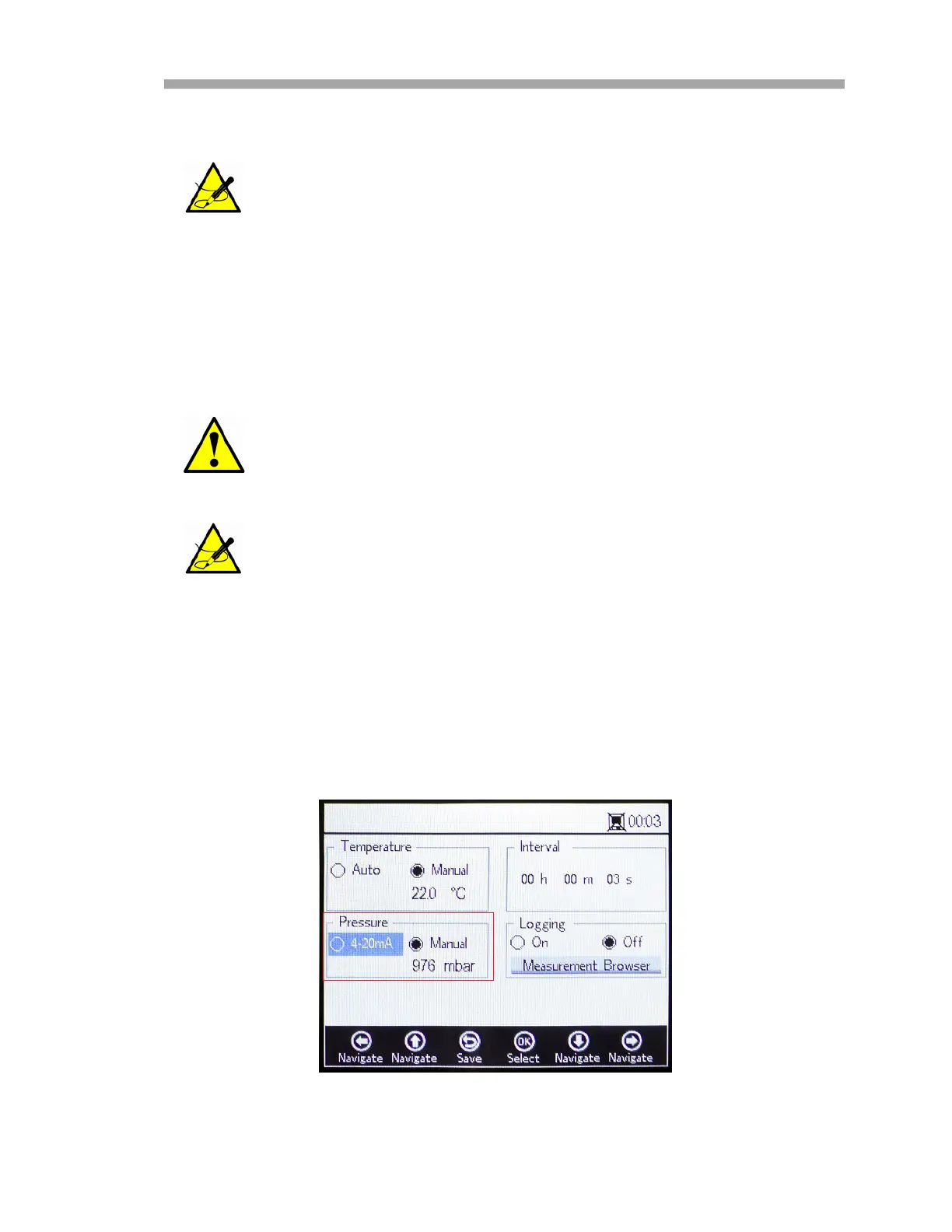
On the MEASUREMENT SETTINGS screen, use the navigation buttons to move
to the Pressure box. Refer to Figure 3–32.
Automatically measured temperature values can be displayed in
C, F or K.
Manual setting is only required if the temperature probe is not
functioning properly. Consult “Customer Service” on page B-20
before using the Manual setting.
Temperature values can be input in C, F or K, in a range from
-99 C to 199 C. Values will automatically be recalculated in the
respective unit.
Figure 3–32 Measurement Settings screen -
Pressure compensation


 To Next Page
 Loading...