Operation
OXY5500 Operator’s Manual 3
–51
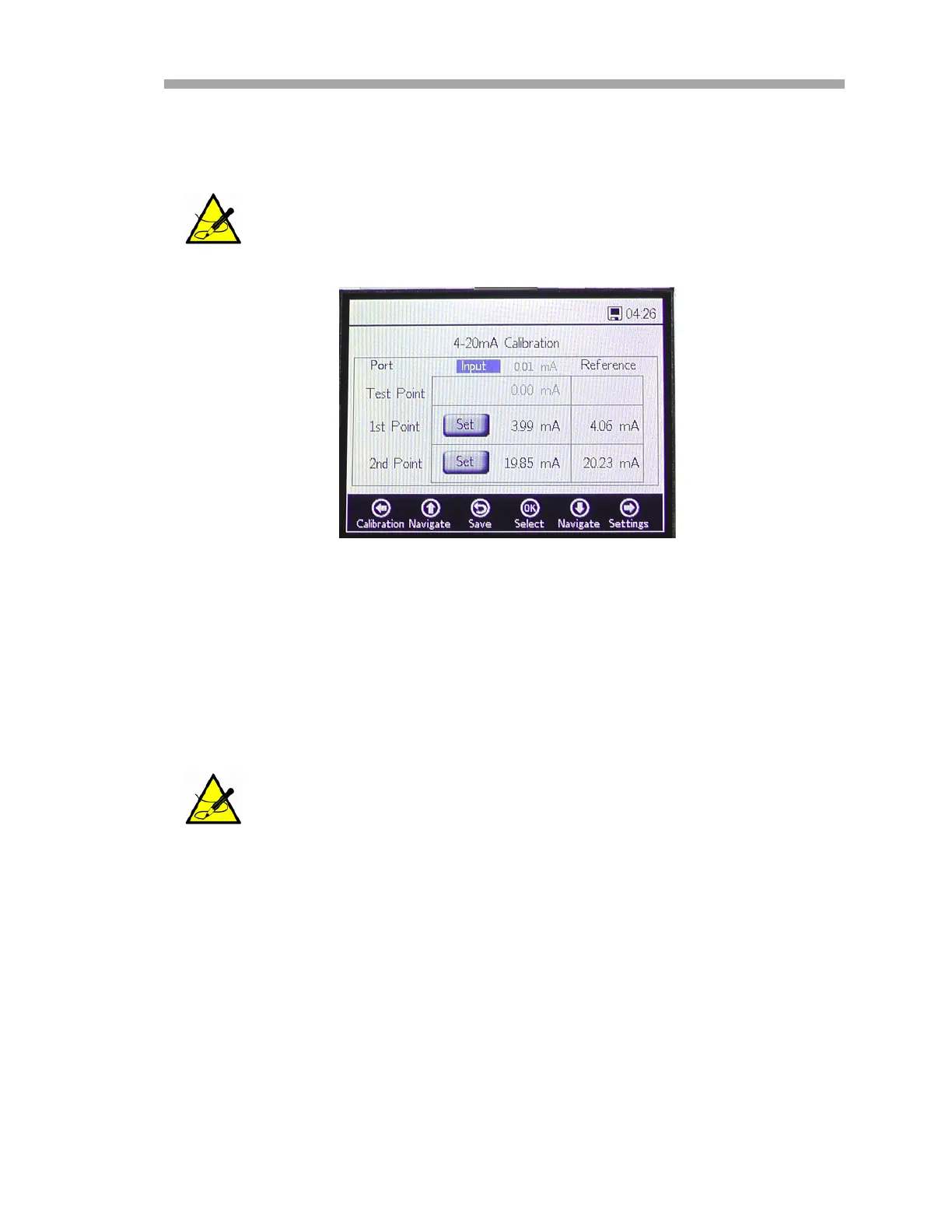
3. Press the Set button next to the 1st Point when the reading is
steady. The last measured value will be displayed in the top row next
to the selected port.
4. Apply a higher value to the OXY5500.
5. Enter this value in the Reference column in the 2nd Point row.
6. Press the Set button next to the 2nd Point when the reading is
steady.
7. The row Test Point displays the calibrated value, which is used for
calculating the pressure value. This value should match the
reference device value by less than 0.05mA.
This value is the uncalibrated value that will be used as the 1st
Point calibration value.
This value is the uncalibrated value that will be used as the 2nd
Point calibration value.
Figure 3–56 Analogues - 4-20mA input
calibration


 To Next Page
 Loading...