10-3
17 370 02 0918
Ultrasound
To disconnect the probe connector
• Turn the lock handle 1/4 turn anticlockwise as far as the stop.
– The colour of the checklamp changes from green to orange.
• Remove the probe connector from the socket.
Telemed Smart US
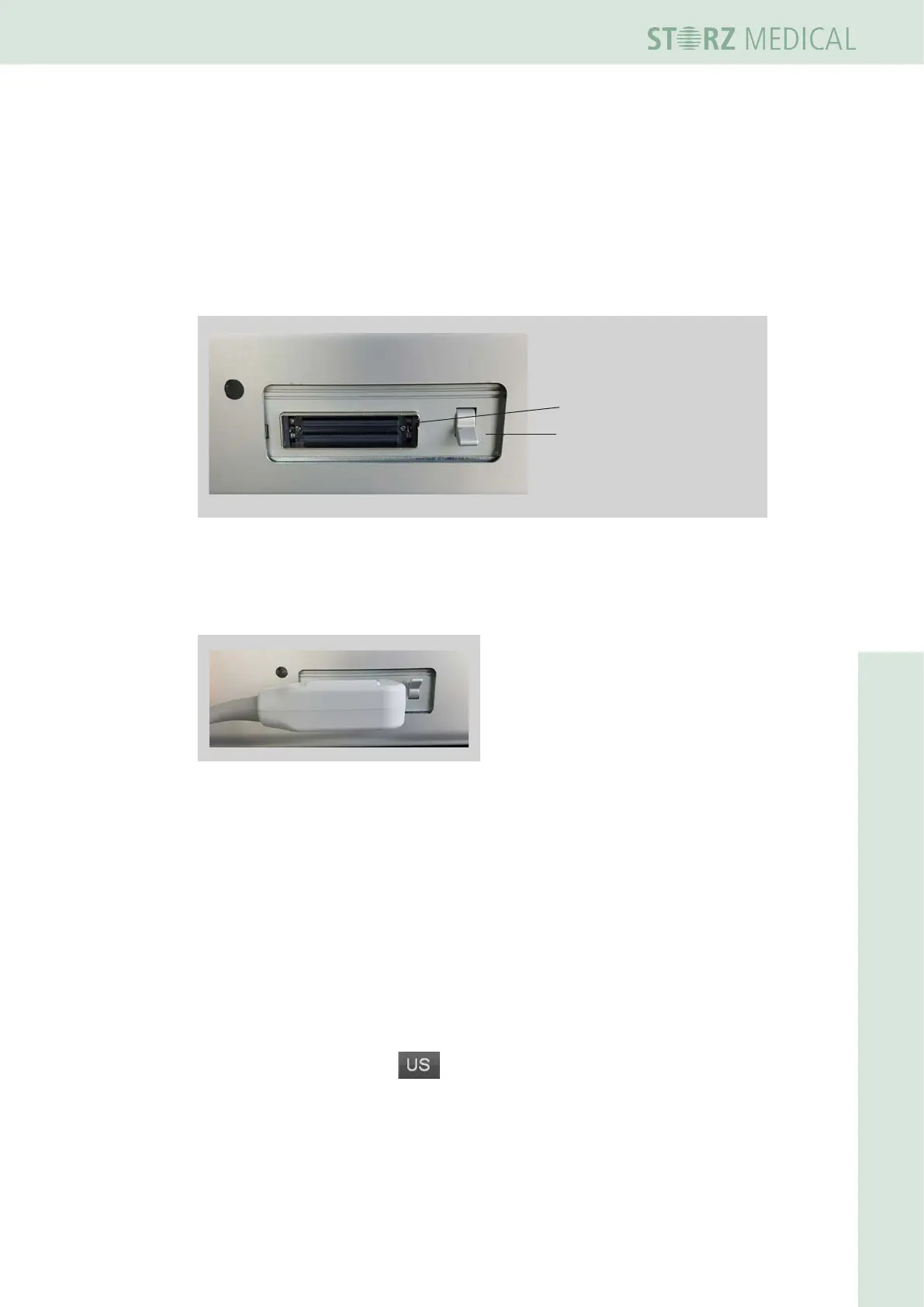
The probe connector is located on the left side wall of the control module.
1
1 Probe socket
2 Interlock switch
2
Bild 10-3 Probe socket
• Insert the probe connector into the probe socket with the cable to the left.
• Set the interlock switch upwards.
Bild 10-4 Connected probe
To disconnect the probe connector
• Set the interlock switch downwards.
• Remove the probe connector from the socket.
10.2 Switching on the ultrasound module
• Switch on the DUOLITH
®
SD1 using the main switch on the rear of the column.
• Press the Standby button on the control module.
• On the display, select the button in the ‘Module selection’ eld.
– The ultrasound user interface appears on the display.














 To Next Page