4-29
17 364 02 0320
Operation
4.5.18 Connecting an external display
• Connect the external display to the HDMI connector on the rear of the Control
Module (see Chapter 3.5.2 COnneCtOrs).
• Press .
• In the open menu list, select the function.
• Select the function.
– The Conguration menu opens..
4.5.19 Saving image data with DICOM
DICOM (Digital Imaging and Communications in Medicine) is an open standard for
transferring and saving patient and image data in a medical environment.
4.5.19.1 DICOM conguration
In order to be able to congure DICOM, you will need a DICOM Upgrade Kit.
Please contact your dealer.
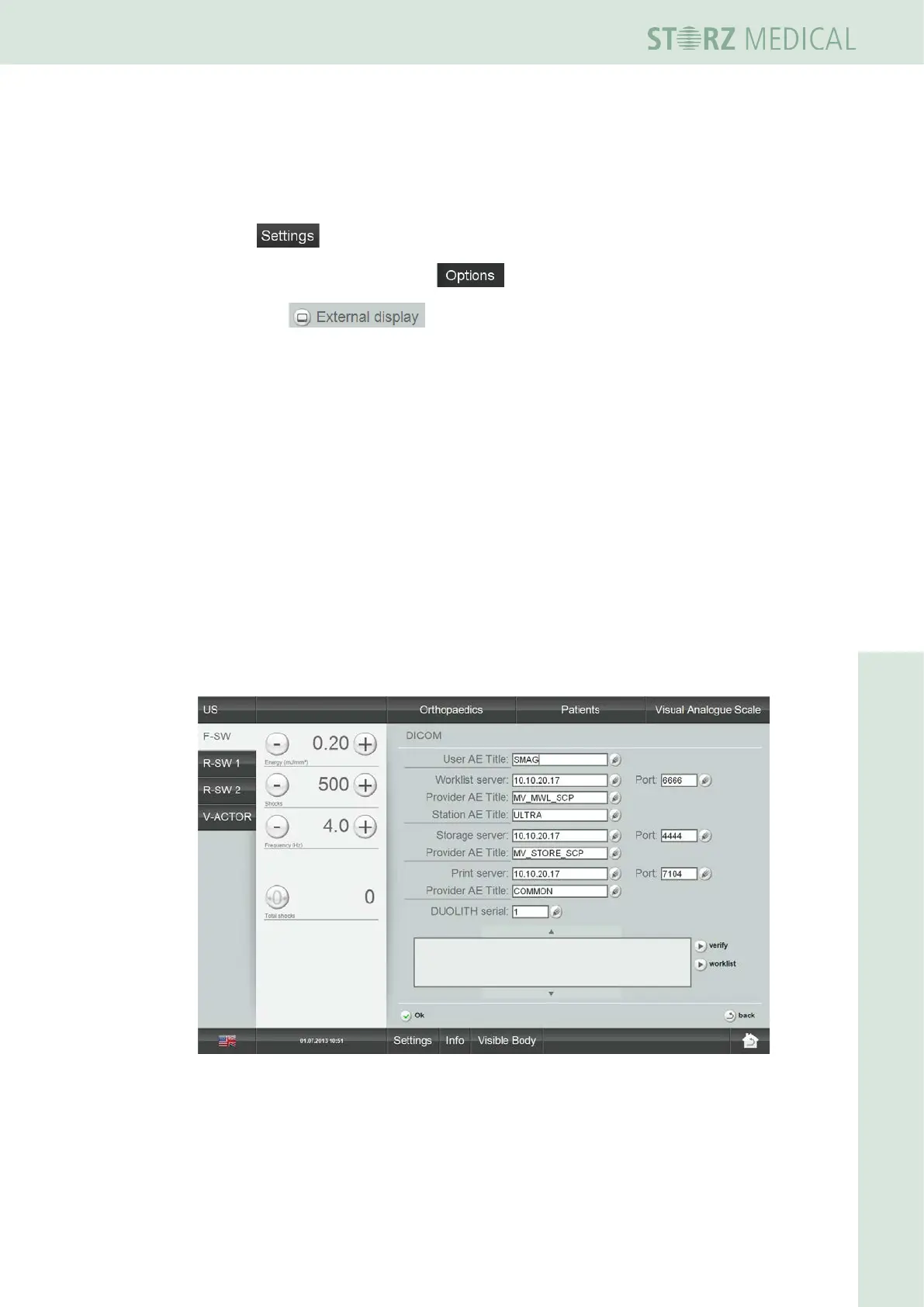
The DICOM conguration of the DUOLITH SD1 is accomplished via
SETTINGS -> OPTIONS -> DICOM.
You obtain the DICOM access data from your DICOM Administrator.
Fig. 4-32 DICOM conguration (example)














 To Next Page