4-18
17 364 02 0320
Operation
Fig. 4-19 Patient dataset has been loaded
The treatment now takes place with the loaded parameters and is recorded in the
patient data as a treatment report.
The
and buttons can be used to switch back and forth between the
indication and the patient dataset.
More information about the patient record can be found in Chapter 4.5.10 patient
treatMent repOrt
is used to close the indication or patient dataset.
4.5.6 Saving indications
In addition to the preprogrammed indications, you can also save your own parameter
presets as an indication.
• Set the required parameters.
• Press .
• Press NEW INDICATION.
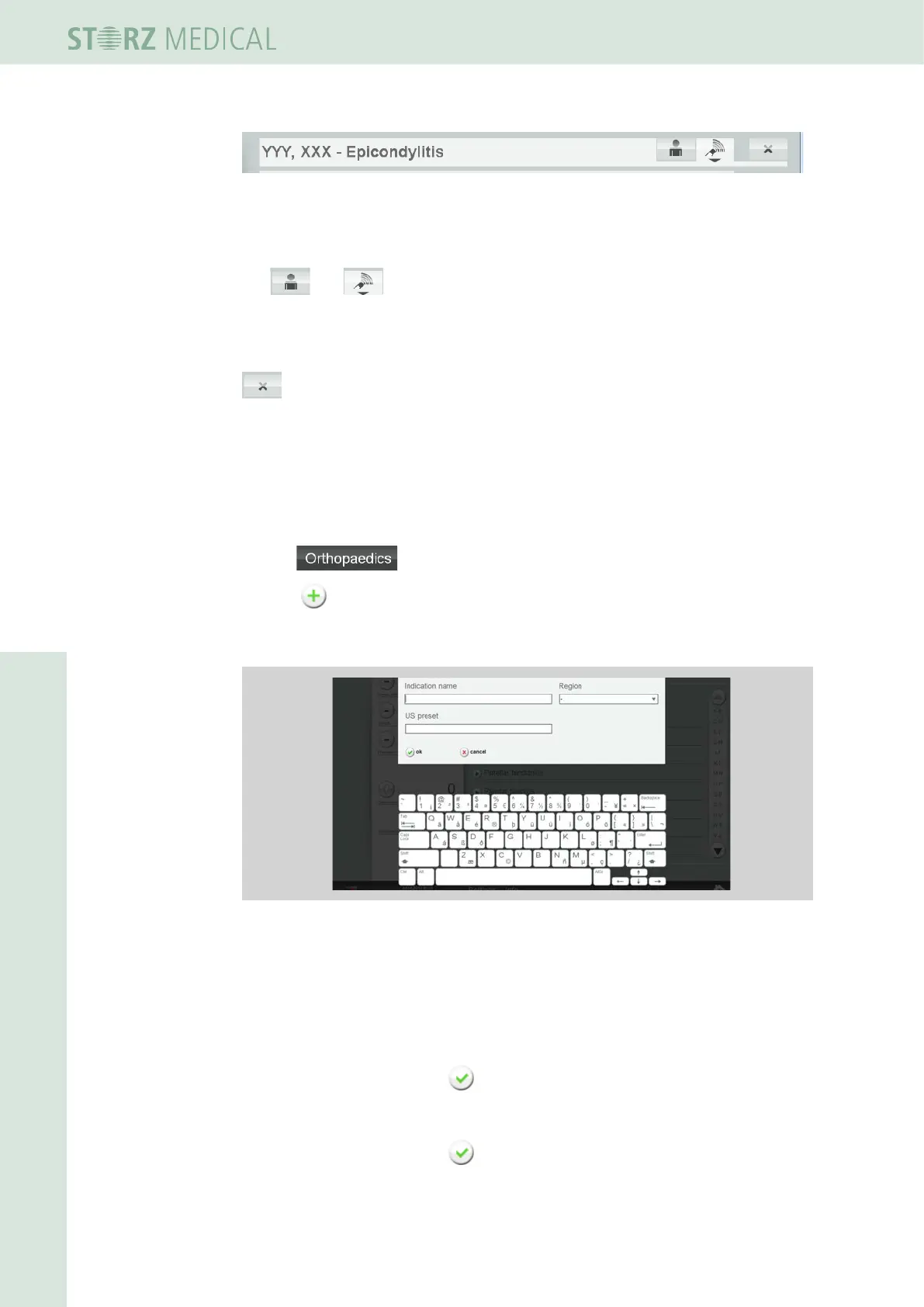
– The dialog box for indications is opened.
Fig. 4-20 Creating a new indication
• Use the onscreen keypad to enter an indication name and treatment region.
You can also assign a presetting of the US to this indication without regard to the
respective name of the indication.
• To accomplish this, enter the name of the desired US presetting in the US PRESET
eld.
• Save your entry by pressing OK.
• Create a treatment .step (see Chapter 4.5.9.3)
• Save your entry by pressing OK.














 To Next Page