4-25
17 364 02 0320
Operation
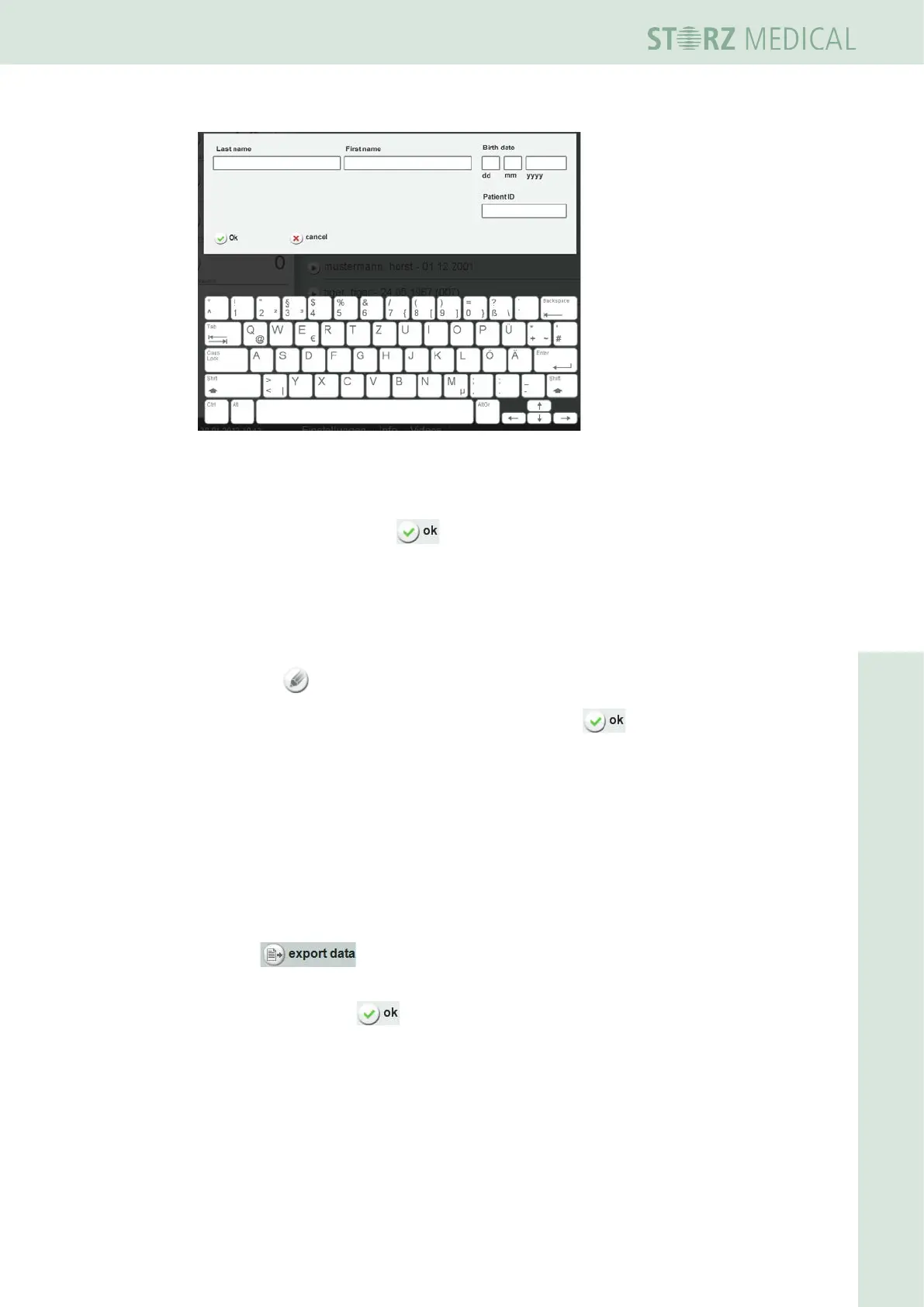
Fig. 4-29 Creating a new patient
• Enter the data.
• Save the entry by pressing .
• You can edit your new patient dataset to
– Store notes
– Add treatment pictures
For information about this, read Chapter 4.5.9.1 stOring treatMent nOtes
and Chapter 4.5.9.2 lOading iMages and/Or videOs.
• Press the button to set the eld you want to change to editing mode.
• Carry out your changes and save the entry by pressing .
4.5.12 Exporting treatment data
This function can be used to export treatment data to a USB memory stick as
Excel-readable les.
• Ensure that your USB stick supports the USB V1.1 protocol. You can order a
validated USB stick from your dealer.
• Load the parameter record for a specic patient.
• Press .
– You will be prompted to connect a USB stick.
• Conrm by pressing .
The data is transferred once the USB connection has been established. The export le
name of the patient record is protocol_name.csv.
• Wait until the ‘Export completed’ message appears on the display and then
remove the memory stick.














 To Next Page