4-7
17 364 02 0320
Operation
Symbols Meaning
Display of the number of pulses administered
Press the Reset button to set the display to 0.
Display of the energy output per F-SW treatment
Table 4-3 Counter readings
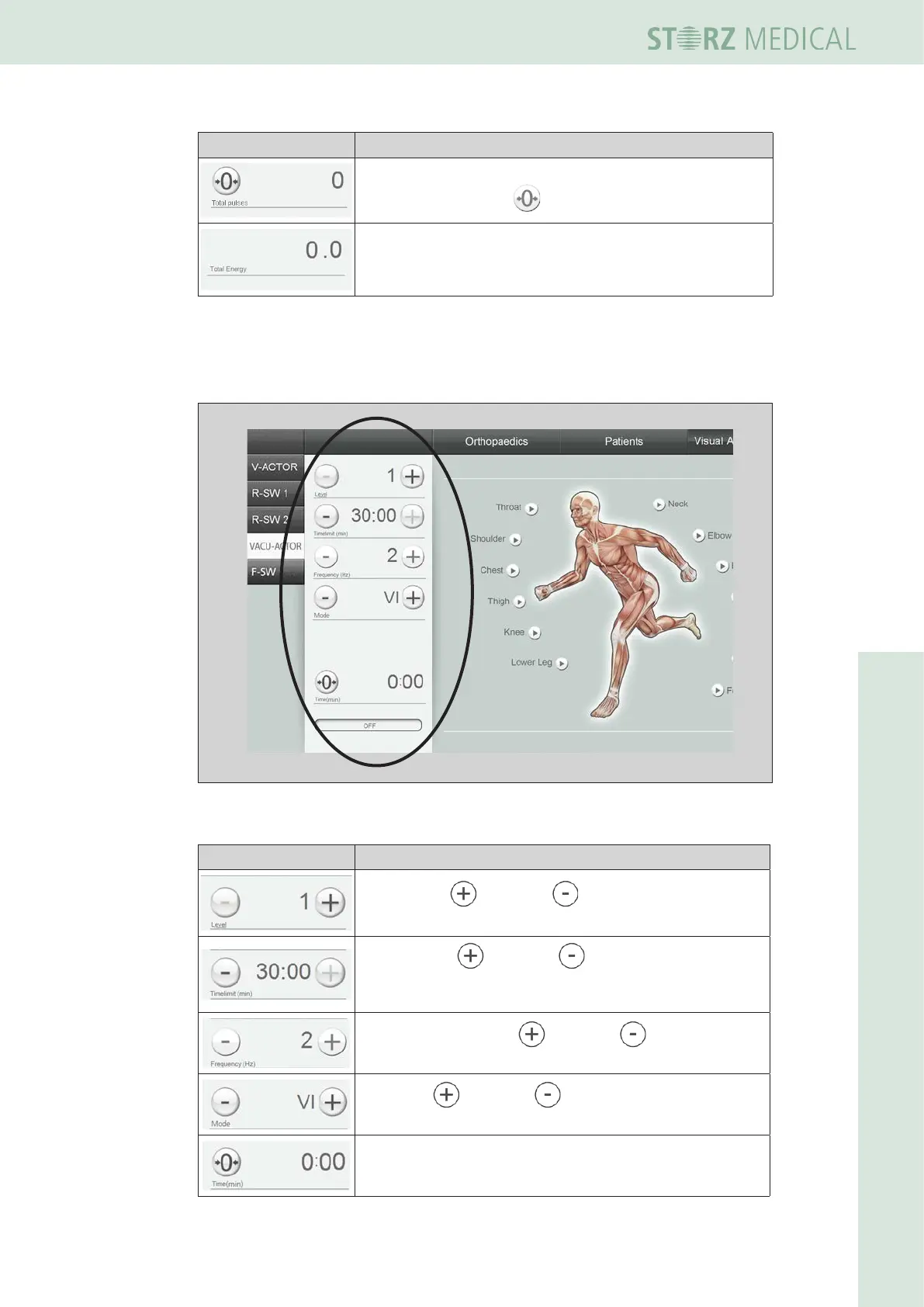
Operating mode VACU-ACTOR
Fig. 4-8 Setting parameters- operating mode VACU-ACTOR
Symbols Meaning
Set intensity: decrease / reduce
It can be selected from 1 to 5.
Set time limit: decrease / reduce
The set time limit is displayed.
Maximum adjustable time limit is 30 minutes.
Set nominal frequency: decrease / reduce
The set frequency is displayed.
Set mode: decrease / reduce
Mode A or B can be selected.
The timer is running during treatment.
It is limited to 30 minutes.














 To Next Page