Objet260 User Guide 6 Operating and Maintaining the Objet260 3DPrinter
DOC-37004 Rev.E 6-57
InstallingtheNewHead
15.Inspectthereplacementhead,andmakesurethattheO-ringsealsarein
place(seeFigure6-77onthepreviouspage).
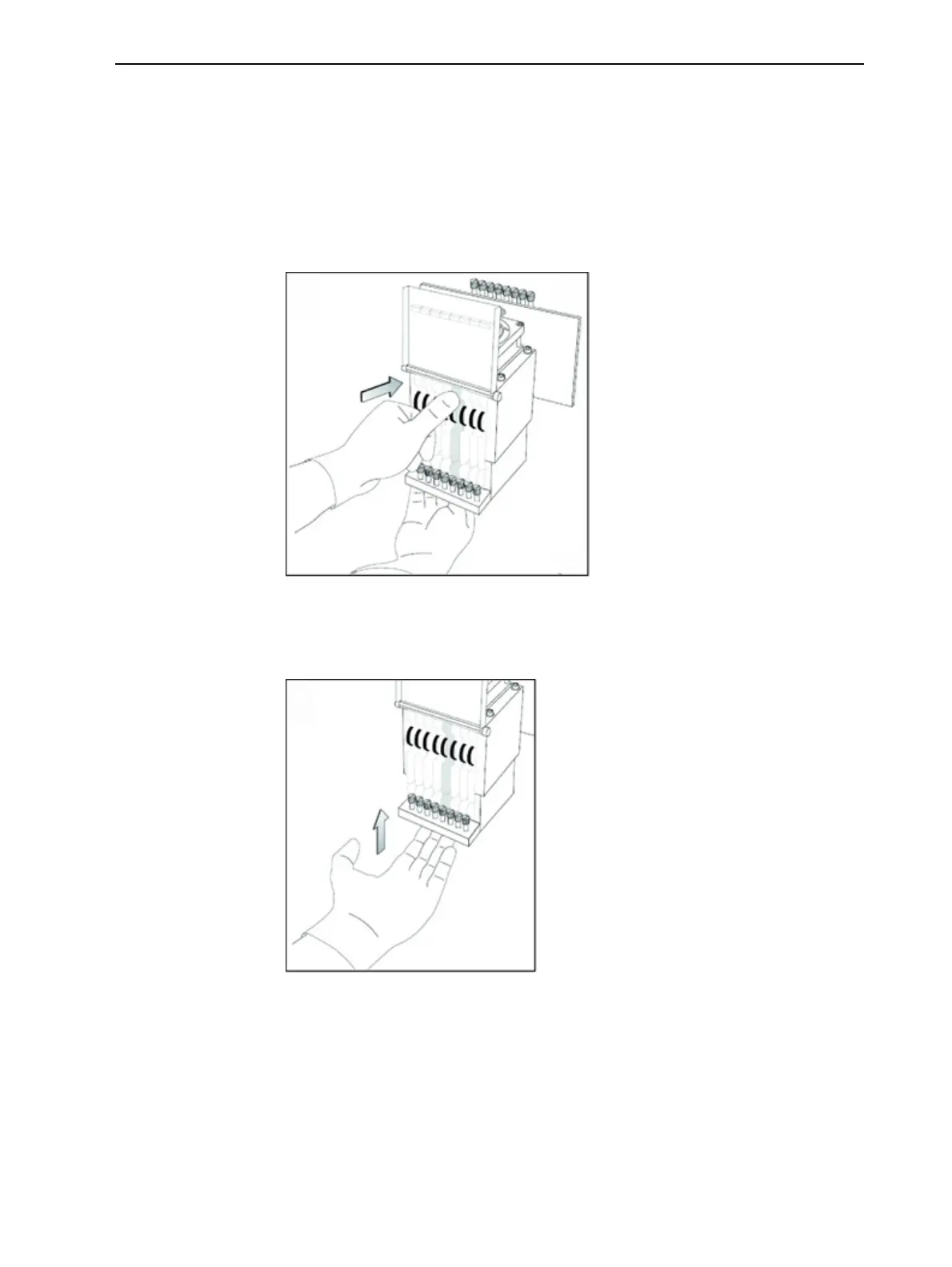
16.Gentlyinsertthereplacementheadintothevacantslotintheprintblock,
andpushtheprint-headdrivercardintoitssocket.
Note:Makesuretoinserttheheadwiththedrivercardfacingitssocket,inthe
rearoftheprintblock.
Figure6-79Insertingtheprint-headdrivercardintoitssocket
17.Pushtheheadupuntilyouhearitclickintoplace,inbothfrontandrear
holders.
Figure6-80Pushingtheheadintoplaceintheprintblock
18.Lowerthedooroftheprintheadcompartment,andtightenthescrewsto
lockitinplace.
19.Tightentheupperandlowerscrewsthatsecuretheprintheadintheprint
block(seeFigure6-73onpage6-54).
Note:Hand-tightenthesescrews.Donotuseascrewdriver.













 To Next Page