Black plate (202,1)
一般Model "A2470GE-B" EDITED: 2010/ 9/ 24
4-8 Climate control
setting, press the “ ” side of the tempera-
ture control button.
Each temperature setting is shown on the
display. When the “ LO” is shown, the
system provides maximum cooling perfor-
mance. When the “HI” is shown, the
system provides maximum heating perfor-
mance.
! DUAL mode
It is possible to make separate tempera-
ture settings for the dr iver’s side and
passenger’s side (DUAL mode).
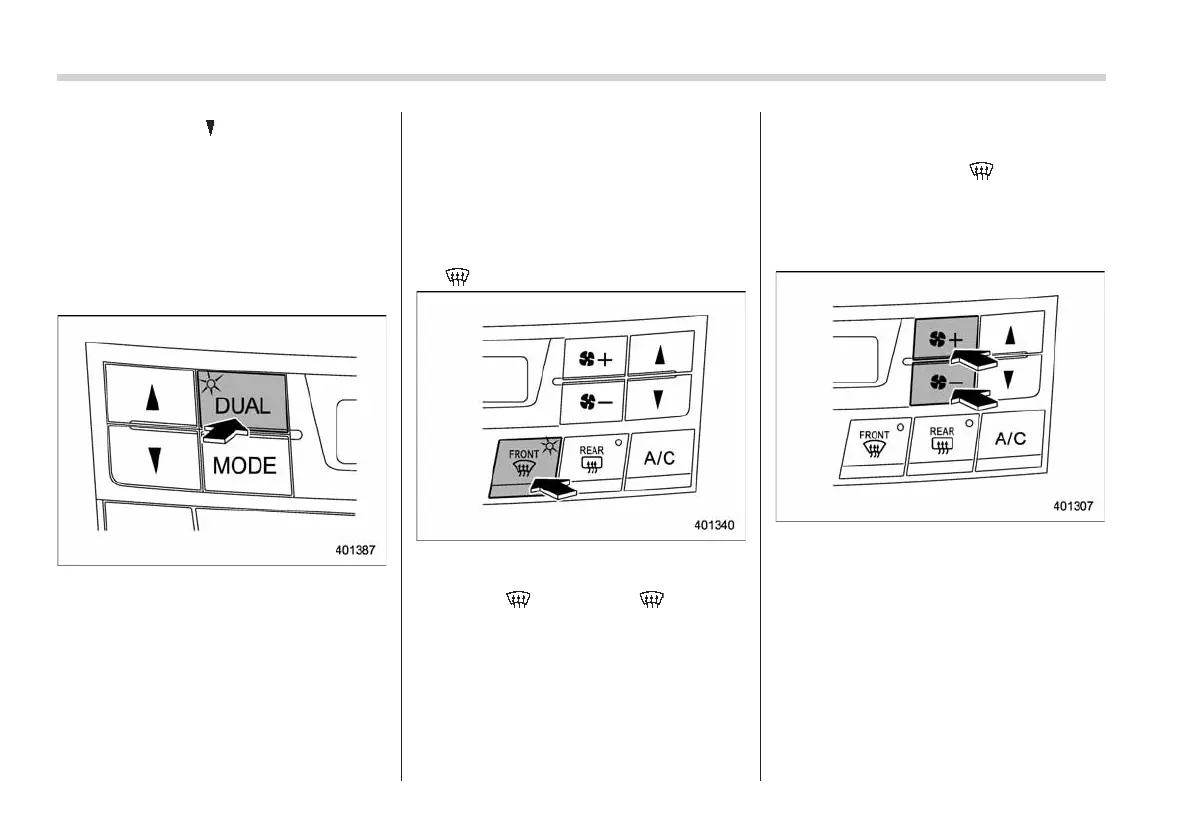
To activate the DUAL mode:
Press the “DUAL” button. When the DUAL
mode is activated, the indicator light on
the “DUAL” button illuminates.
To deactivate the DUAL mode:
Press the “DUAL” button again. When the
DUAL mode is deactivated, the indicator
light on the “DUAL” button turns off and
the temperature setting for the front
passenger’s side becomes the same as
the setting for the driver’s side.
!
– Defroster button
To defrost or dehumidify the windshield
and front door windows, press the defros-
ter button “
”. When the “ ” button is
pressed, the air conditioner compressor
automatically operates to quickly defog
the windshield. At the same time, the air
inlet selection is automatically set to the
“OFF” position (outside air mode).
After eliminating the fogging from the
windshield, return the climate control
system to the FULL AUTO mode by
pressing the “AUTO” button or turn off by
pressing the “OFF” button.
Alternatively, press the “
” button again
to return the system to the setting that was
selected before you activated the defros-
ter.
! Fan speed control button
The fan speed control button has 6
different fan speed positions.
The fan speed is shown by the display.














 To Next Page