6-18 Sun StorEdge 3000 Family Installation, Operation, and Service Manual • May 2004
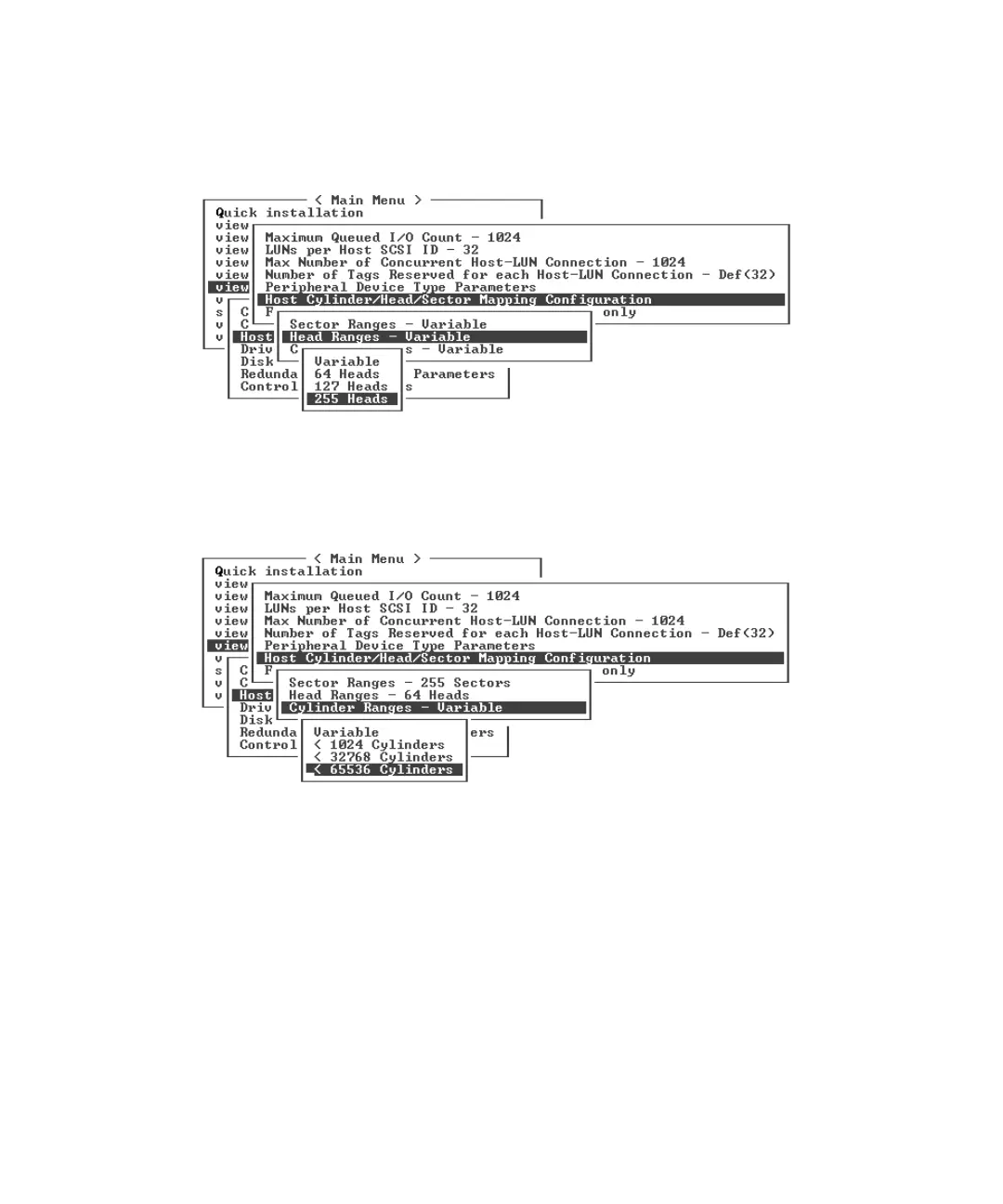
1. Choose “view and edit Configuration parameters → Host-Side SCSI Parameters →
Host Cylinder/Head/Sector Mapping Configuration → Head Ranges - Variable →
255 Heads.”
A confirmation dialog is displayed.
2. Choose Yes to confirm.
3. Choose “Cylinder Ranges - Variable → < 65536 Cylinders.”
A confirmation dialog is displayed.
4. Choose Yes to confirm.
Refer to Sun StorEdge 3000 Family RAID Firmware User’s Guide for more information
about firmware commands used with logical drives.



 To Next Page
 Loading...



