9-16 Sun StorEdge 3000 Family Installation, Operation, and Service Manual • May 2004
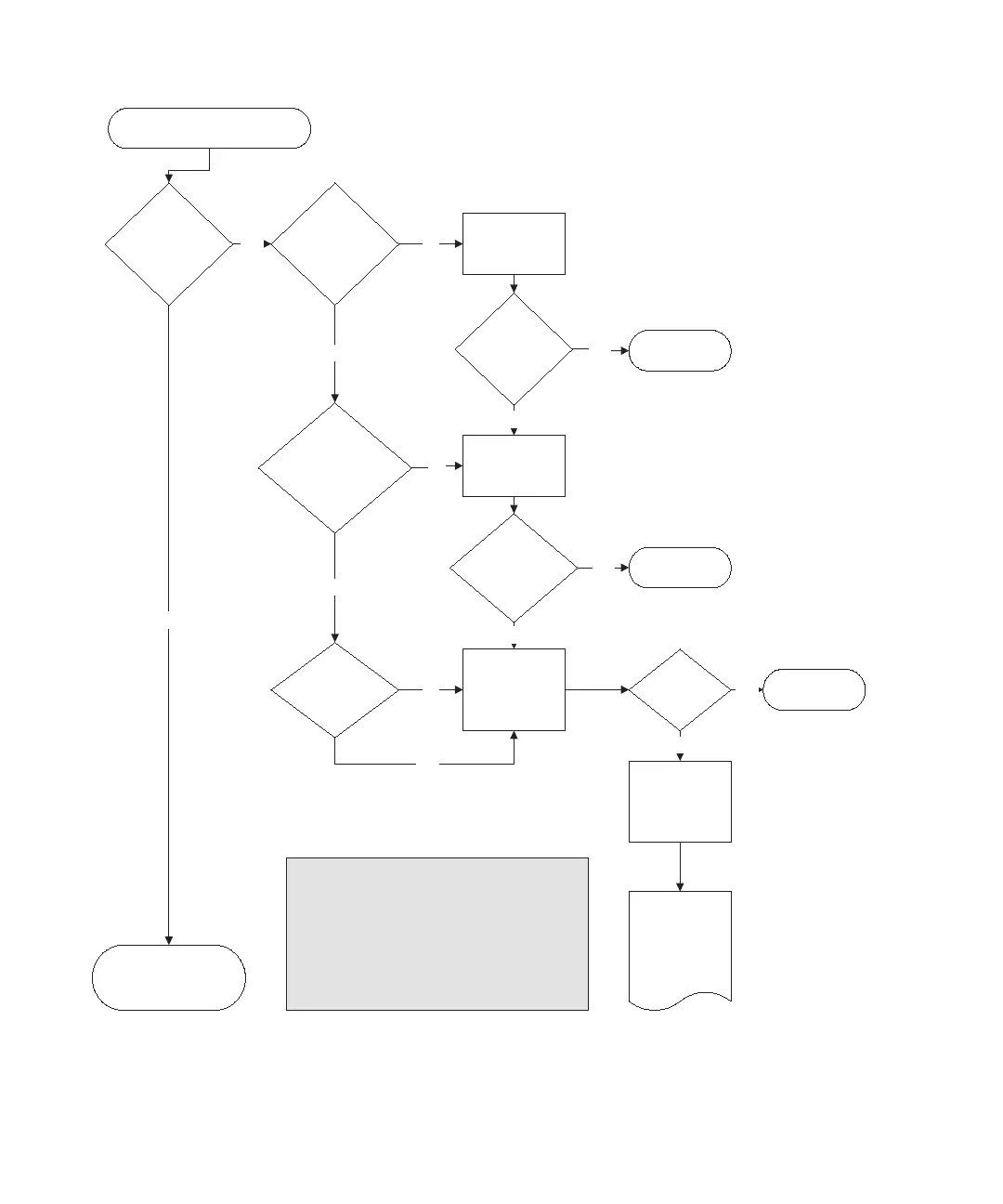
FIGURE 9-2 Power Supply or Fan Module Flowchart, 2 of 2
Is the power
cord connected?
Is the
power supply
module completely
seated and the power
switch turned on?
Ye s
Ye s
Resolved?
No
EndYe s
Resolved?
No
EndYe s
Is the fan
spinning?
Ye s
No
Try a known
good power
supply module
in that slot.
Ye s
No
No
End
Reseat the module
and turn on the
switch.
No
Plug it in.
Resolved?
Replace chassis.
Refer to
FRU Installation
Guide for
instructions.
No
Power supply is working
properly (green LED).
Power supply
module LED
amber?
1B
Power supply or fan problem
Ye s
--Reseat the FRU that is not operating correctly.
--Swap the questionable FRU with a known-good FRU
from the same array.
Notes
When a power supply fails the fans will continue to
operate because their power is pulled from a power bus
on the midplane.
Prior to replacing a chassis, try the following:



 To Next Page
 Loading...



