SWDM40 OPERATION & MAINTENANCE MANUAL
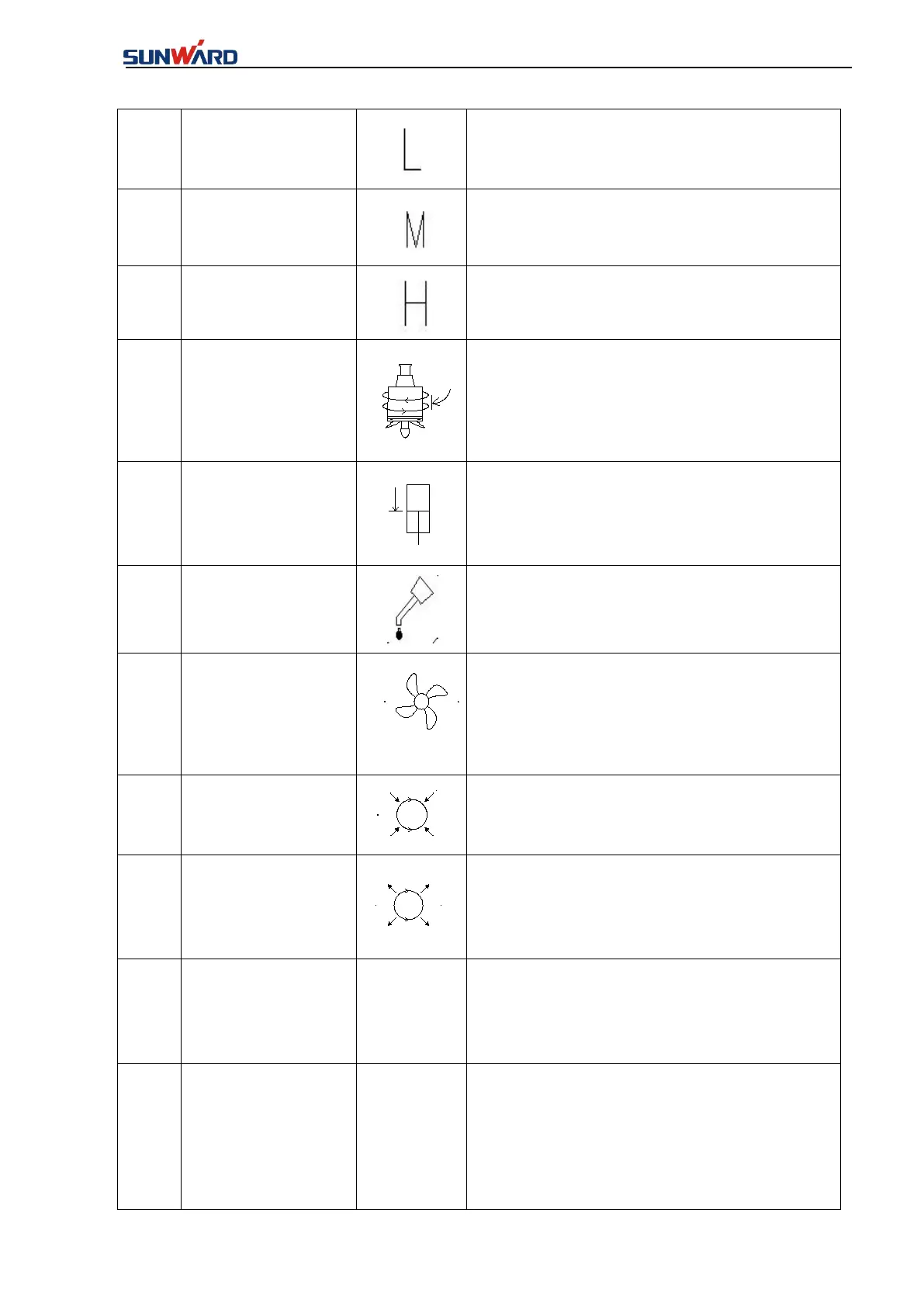
Rotary drive mode L
switch
Rotary drive rotates at normal speed
Rotary drive mode
M switch
Rotary drive rotates at low speed 1.
Rotary drive mode H
switch
Rotary drive rotates at low speed 2.
Rotary drive torque
limit switch
Reduce the Rotary drive rotary pressure.
Reduce the Rotary drive pressurized pressure
★
Note: This feature is not currently configured
on this model.
Centralized
lubrication powers
switch
Centralized lubrication system will be opened.
Fan switch of
electric control
cabinet
Electric control cabinet cooling ventilation fan.
★Note: This feature is not currently configured
on this model.
Rotary brake
cylinder retraction
switch
The rotary brake cylinder retracts.
★Note: This feature is not currently configured
on this model.
Rotary brake
cylinder extension
switch
The rotary brake cylinder extends.
★Note: This feature is not currently configured
on this model. Figure 3.2.1-12
Rotary drive speed
up button
Press the left handle button 1 and press the
Rotary drive speed-increasing switch.For each
time,the current increases by 10mA,the
port(XM3-20) value increase by10.
Rotary drive speed
down button
Press the left handle button 1 and press the
Rotary drive speed-increasing switch. For each
time, the current of Rotary drive control valve
Y52 decreases by 10mA.( Observe from the
displayer monitoring interface-port monitoring
interface 4, Figure 3.2.1-12)



 To Next Page