EasyManua.ls Logo

SYSMEX CyFlow Ploidy Analyser - Data Management; Figure 15: Device Realtime Display; Figure 16: Acquisition Controls; Figure 17: Intermediate Cleaning

SYSMEX CyFlow Ploidy Analyser
76 pages
Print Icon
To Next Page IconTo Next Page
To Previous Page IconTo Previous Page
Loading...
13 Software
52
CyFlow™ Ploidy Analyser | Operating Manual | October 2021
2
1
#
Description
#
Description
1
Open (.fcs)
6
Prime
2
Save (.fcs)
7
DQC
3
Open Configuration (.cfg)
8
Work
4
Save Configuration (.cfg)
9
Clean and shutdown device
5
FCS-File Indexing (Switch indexing
of file names on/off)
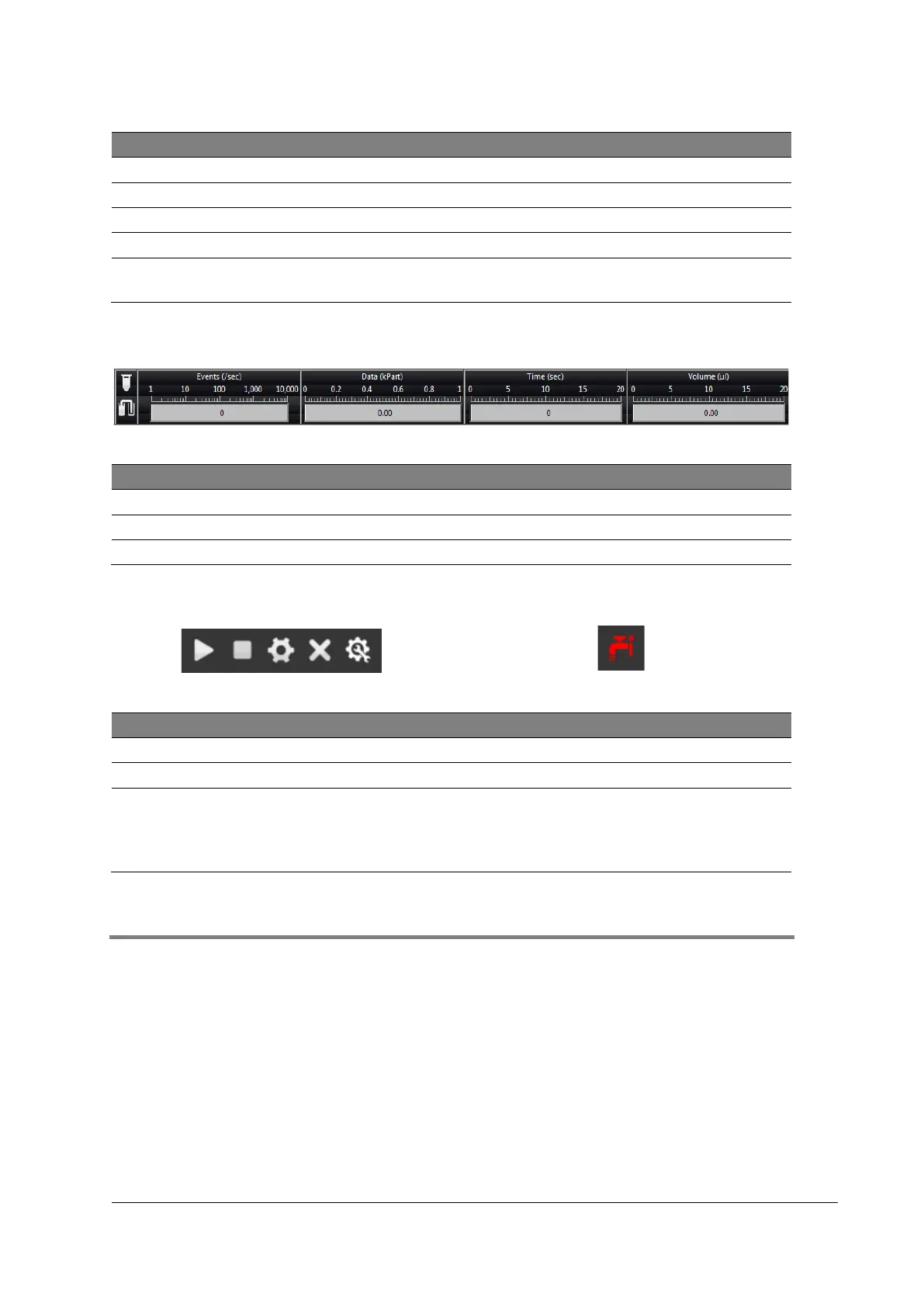
Figure 15: Device realtime display
#
Description
#
Description
1
Fluid level indicator
4
Measured data (kPart)
2
Sample level indicator
5
Elapsed time (sec)
3
Events (/second)
6
Volume consumed (µl)
Figure 16: Acquisition controls
Figure 17: Intermediate Cleaning
#
Description
#
Description
1
Start
4
Clear
2
Stop
5
Expand Settings
3
Acquisitions
Intermediate Cleaning
recommended for device /
Autoloader (depending on
configuration)
13.3 Data management
Data can be managed either using the dropdown menus or the file operations, for more
information please refer to chapter 13.2 Overview.
1 2 3 4 5
3 4 5 6

Table of Contents

Other manuals for SYSMEX CyFlow Ploidy Analyser

Related product manuals