EasyManua.ls Logo

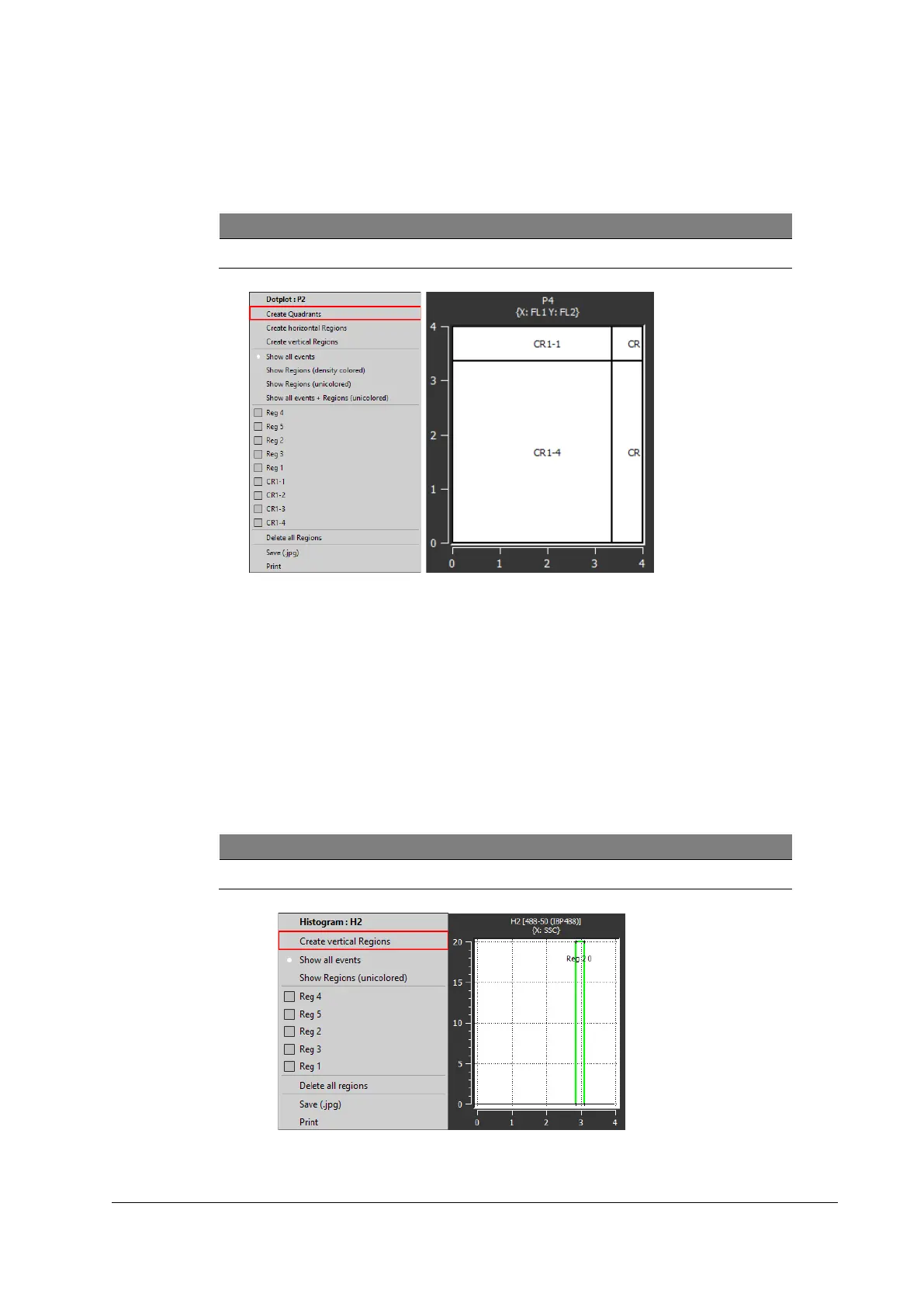
SYSMEX CyFlow Ploidy Analyser - Regions; Figure 22: Creating a Quadrant Region; Figure 23: Creating a Vertical Region

SYSMEX CyFlow Ploidy Analyser
76 pages
Print Icon
To Next Page IconTo Next Page
To Previous Page IconTo Previous Page
Loading...
13 Software
CyFlow™ Ploidy Analyser | Operating Manual | October 2021
61
13.4.7 Regions
Create Quadrants
Figure 22: Creating a quadrant region
Procedure
1. Move the cursor into the dot plot and right-click.
2. Select [Create Quadrants].
Edit quadrant region
Move the cursor into the plot and keep the left mouse button pressed to adjust quadrants.
Approach individual points with the cursor and keep the left mouse button pressed to
create asymetric quadrants.
Creating vertical or horizontal Regions
Figure 23: Creating a vertical Region

INFORMATION
Quadrants are only available within dot plots.
INFORMATION
Horizontal Regions are only available within dot plots.

Table of Contents

Other manuals for SYSMEX CyFlow Ploidy Analyser

Related product manuals