EasyManua.ls Logo

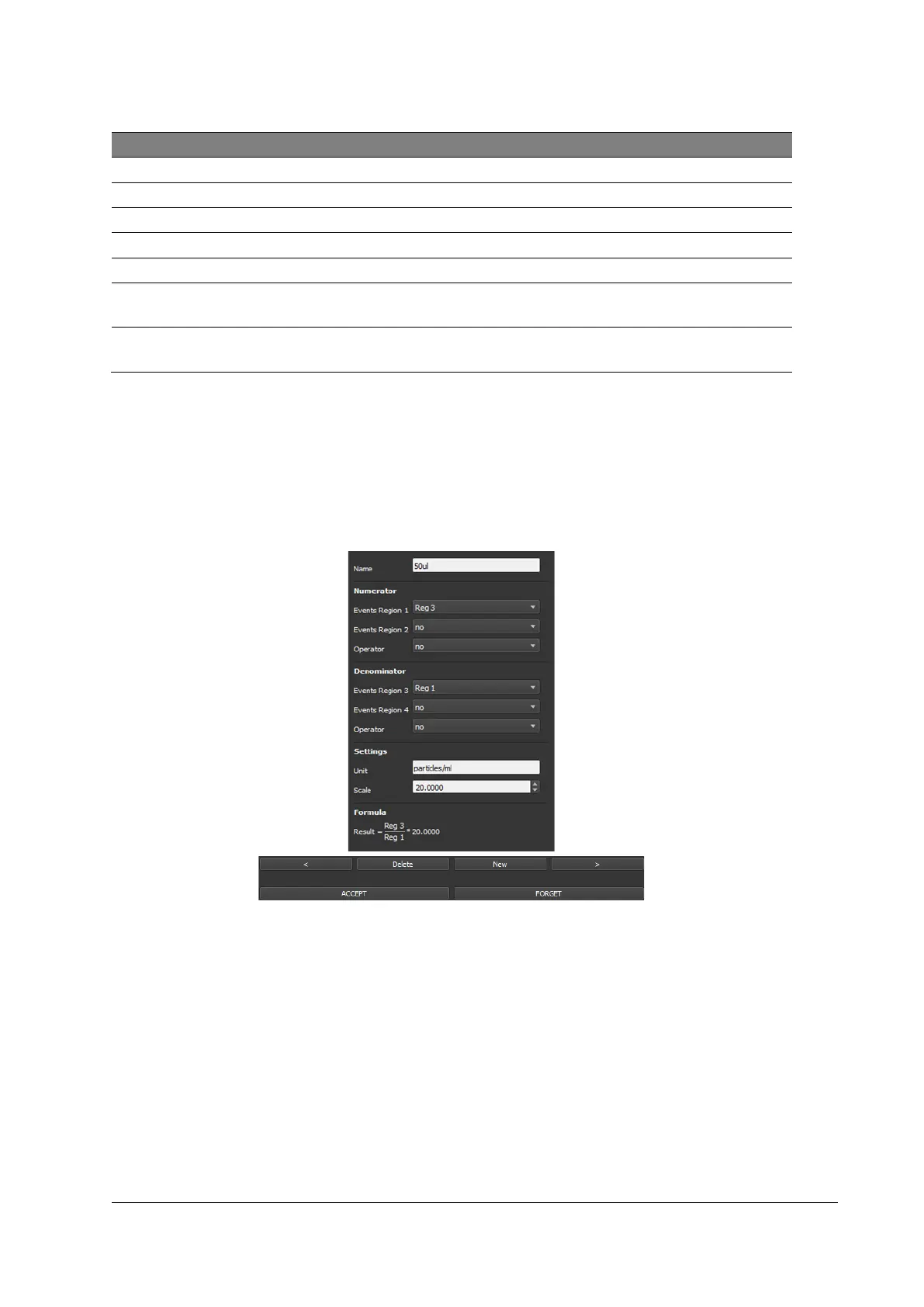
SYSMEX CyFlow Ploidy Analyser - Results; Figure 21: Results Register

SYSMEX CyFlow Ploidy Analyser
76 pages
Print Icon
To Next Page IconTo Next Page
To Previous Page IconTo Previous Page
Loading...
13 Software
CyFlow™ Ploidy Analyser | Operating Manual | October 2021
59
Property
Description
*
Switch autoscale ON/OFF
*
▲ Alt+ / ▼ Alt-
Settings*
Erosion Level*
“0” to “12”
Visualization Mode*
“Density” / “Classic” / “Black”
Channel Resolution
Sets the channel resolution from 6bit (64 channels) up to 12bit
(4096 channels).
Displayed Data
Selects the part of the data to be displayed: All events, Region
only and Color gating are available
* only available for Dot Plots
13.4.6 Results
The Results register defines properties of calculated results displayed in the Results
table.
To accept a result press [New].
Figure 21: Results register

Table of Contents

Other manuals for SYSMEX CyFlow Ploidy Analyser

Related product manuals