EasyManua.ls Logo

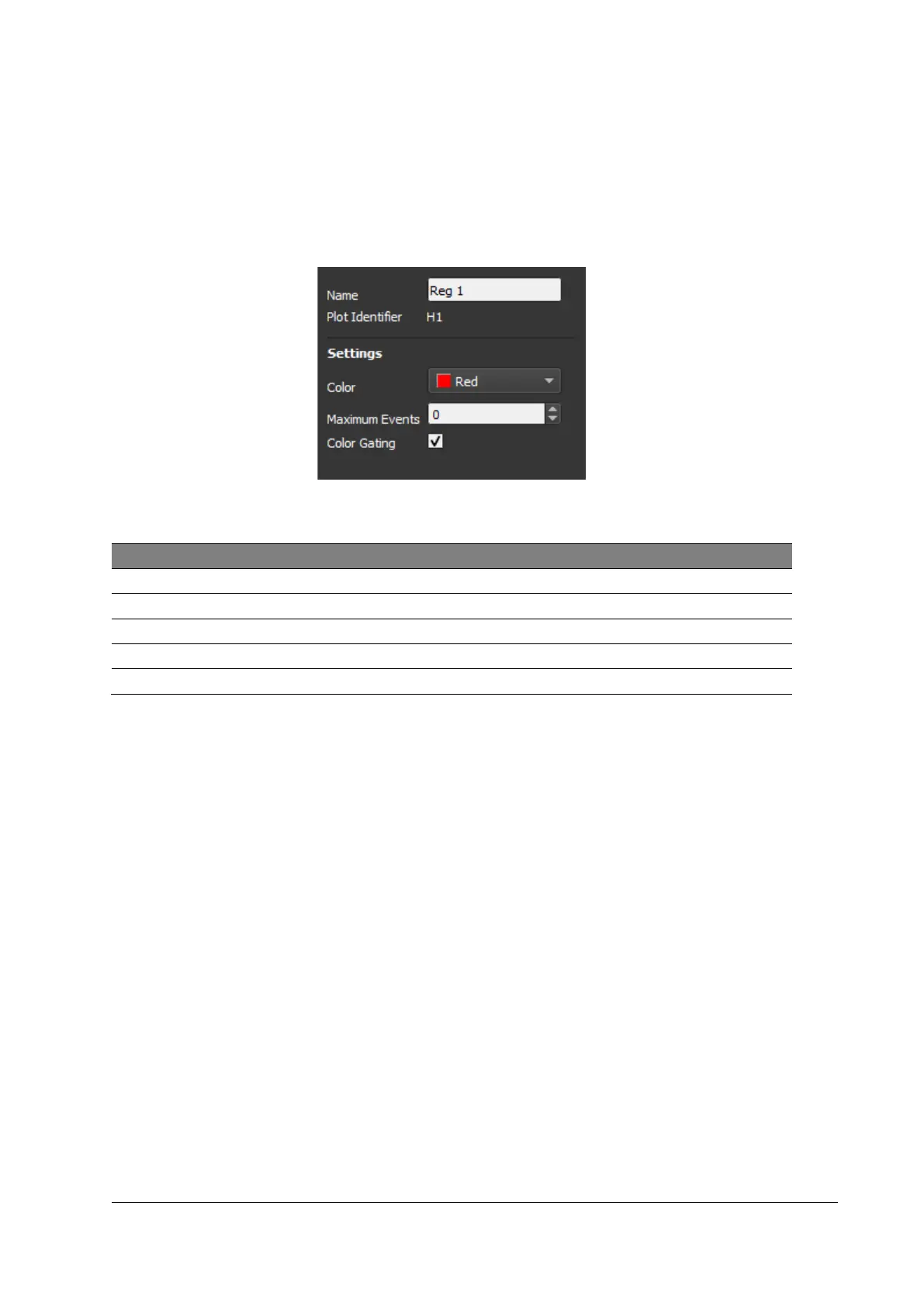
SYSMEX CyFlow Ploidy Analyser - Figure 31: Region Properties

SYSMEX CyFlow Ploidy Analyser
76 pages
Print Icon
To Next Page IconTo Next Page
To Previous Page IconTo Previous Page
Loading...
13 Software
66
CyFlow™ Ploidy Analyser | Operating Manual | October 2021
Region Properties
Edit regions: Use [Alt]+ right-click within the region in the histogram / dot plot to edit
the region.
Use the arrow keys to switch between regions.
Confirm modifications by pressing [Accept].
Figure 31: Region properties
Property
Description
Name
Defines the region name
Plot Identifier
Plot ID above dot plot / histogram
Color
Defines the color of the region
Maximum Events
Sets maximum number of events to be analysed
Color Gating
Activates/deactivates the region for color gating

Table of Contents

Other manuals for SYSMEX CyFlow Ploidy Analyser

Related product manuals