CROSS FORMA: Service & Maintenance Manual - rev. 2.1
Page 7.1
7. DISASSEMBLY OF COMPONENTS
7.1. DISASSEMBLING THE DISPLAY
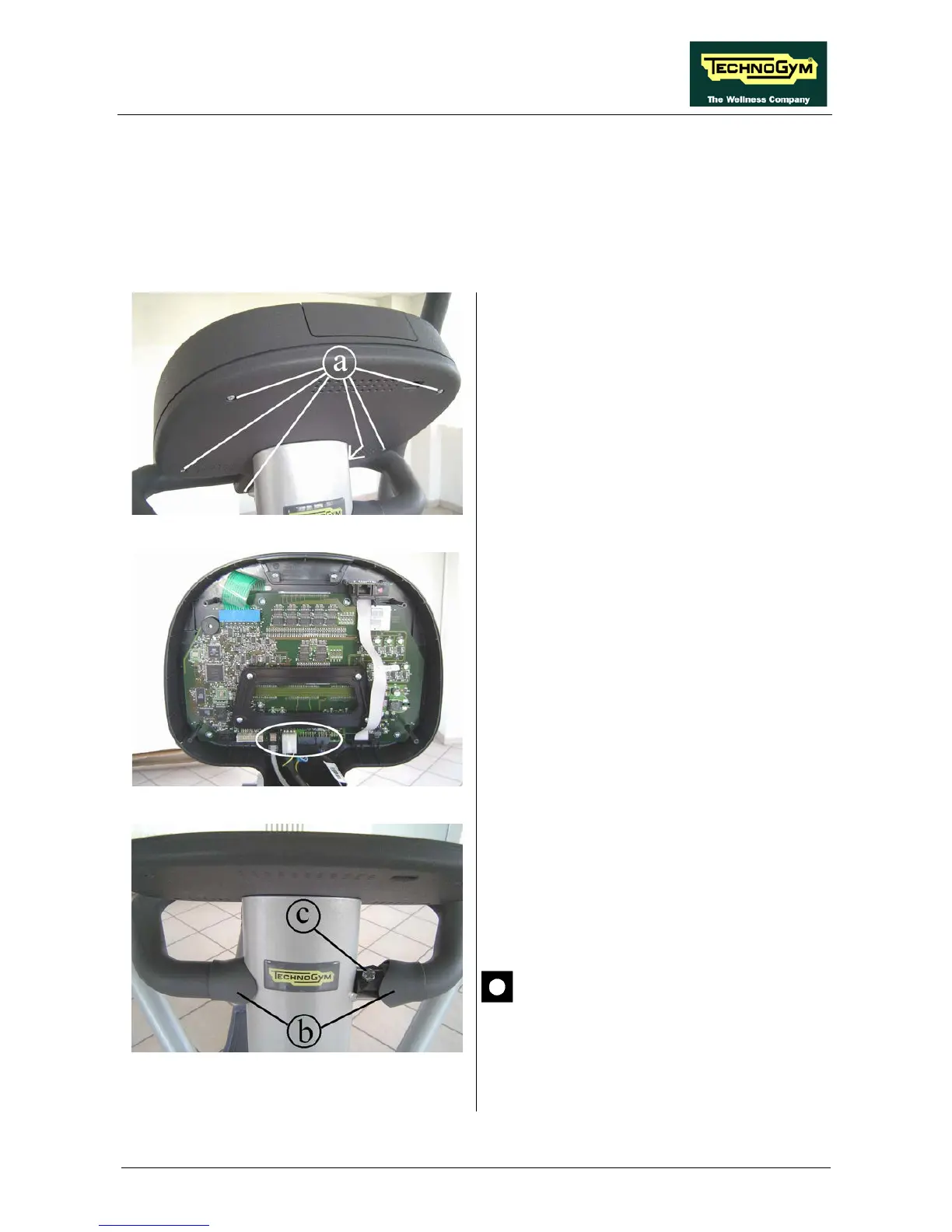
Figure 7.1-1
1.
Turn off the machine and unplug the mains
lead from the wall outlet.
2. Back off the 6 screws a
Phillips screwdriver.
Figure 7.1-2
3.
Unplug the 3 connectors indicated in the
figure at left.
4. Remove the display.
Figure 7.1-3
5. Slide the rubber covers b
handlebar.
6. Back off the two screws c using a 13-mm
wrench.
During reassembly, lock down the
screws c using a torque wrench set for
Continued on following page →









 To Next Page