C
LEAR
P
ATH
-EC
U
SER
M
ANUAL REV
1.11
50
S
COPE
D
ISPLAY AND
C
ONTROLS
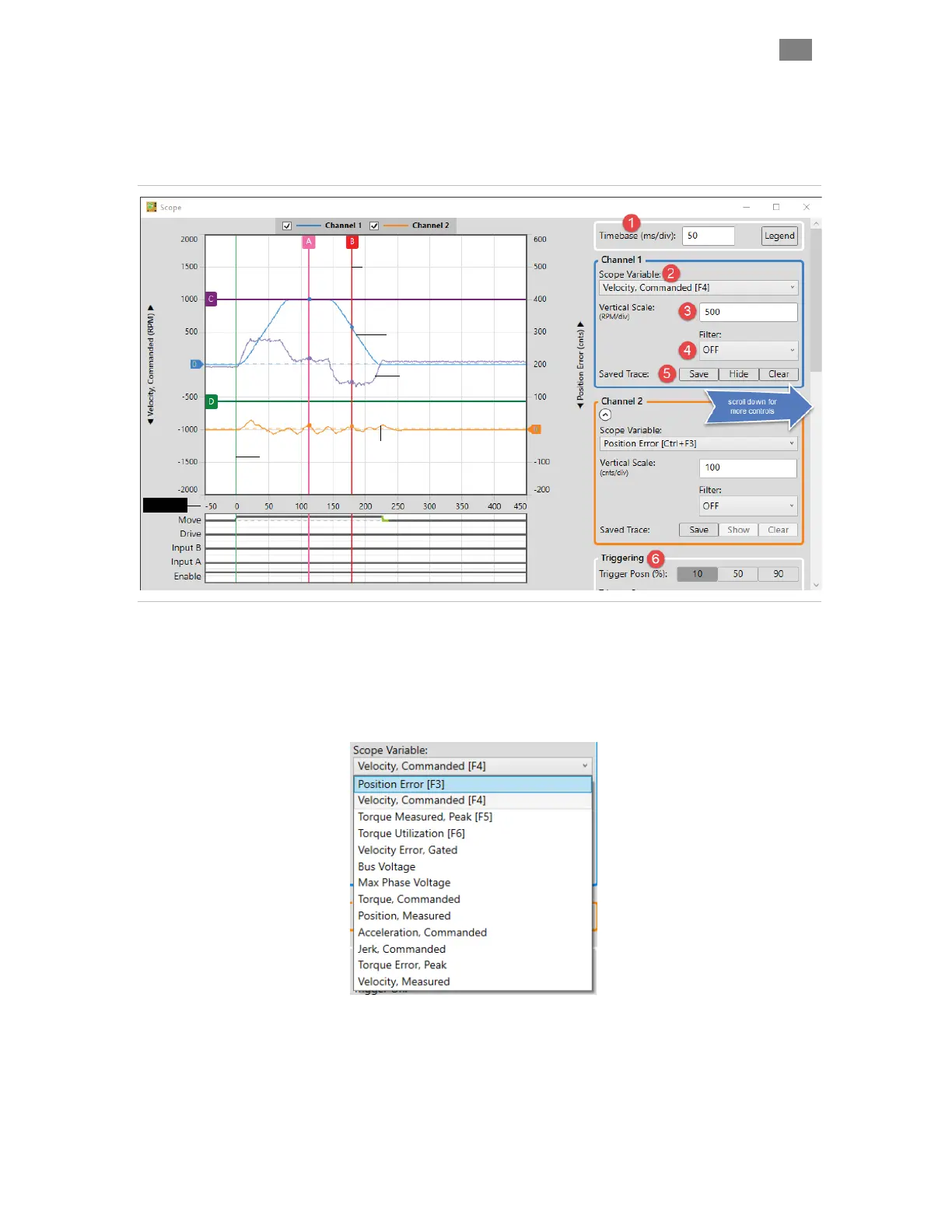
The ClearView Scope display is modeled after a typical hardware
oscilloscope. It has 10 major vertical divisions (the time axis), and 8 major
horizontal divisions (the amplitude axis).
Vertical Cursor (x2)
Horizontal Cursor (x2)
Trigger Point
Channel 1 Trace (Live)
Velocity, Commanded
Channel 1 Trace (Saved)
Peak Torque Measured
Channel 2 Trace (Live)
Position Error (encoder counts)
Time (ms)
ClearView Soft Scope
1 The Timebase field lets you adjust the scale of the time axis in units of
mS/division. This allows you to control how a waveform fits horizontally
on the Scope Display.
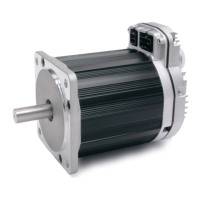
2 The Scope Variable drop down menu lets you select the ClearPath-
EC motion control variables to display. See figure below.
3 The Vertical Scale field lets you adjust the scale of the amplitude axis
(Y-axis). This allows you to control how a waveform fits vertically on the
Scope Display.
4 The Scope Filter “cleans up” or smoothes the appearance of the
displayed trace by removing higher frequency data content. This has an
T
EKNIC
,
I
NC
. T
EL
.
(585)
784-7454


 To Next Page