C
LEAR
P
ATH
-EC
U
SER
M
ANUAL REV
1.11
51
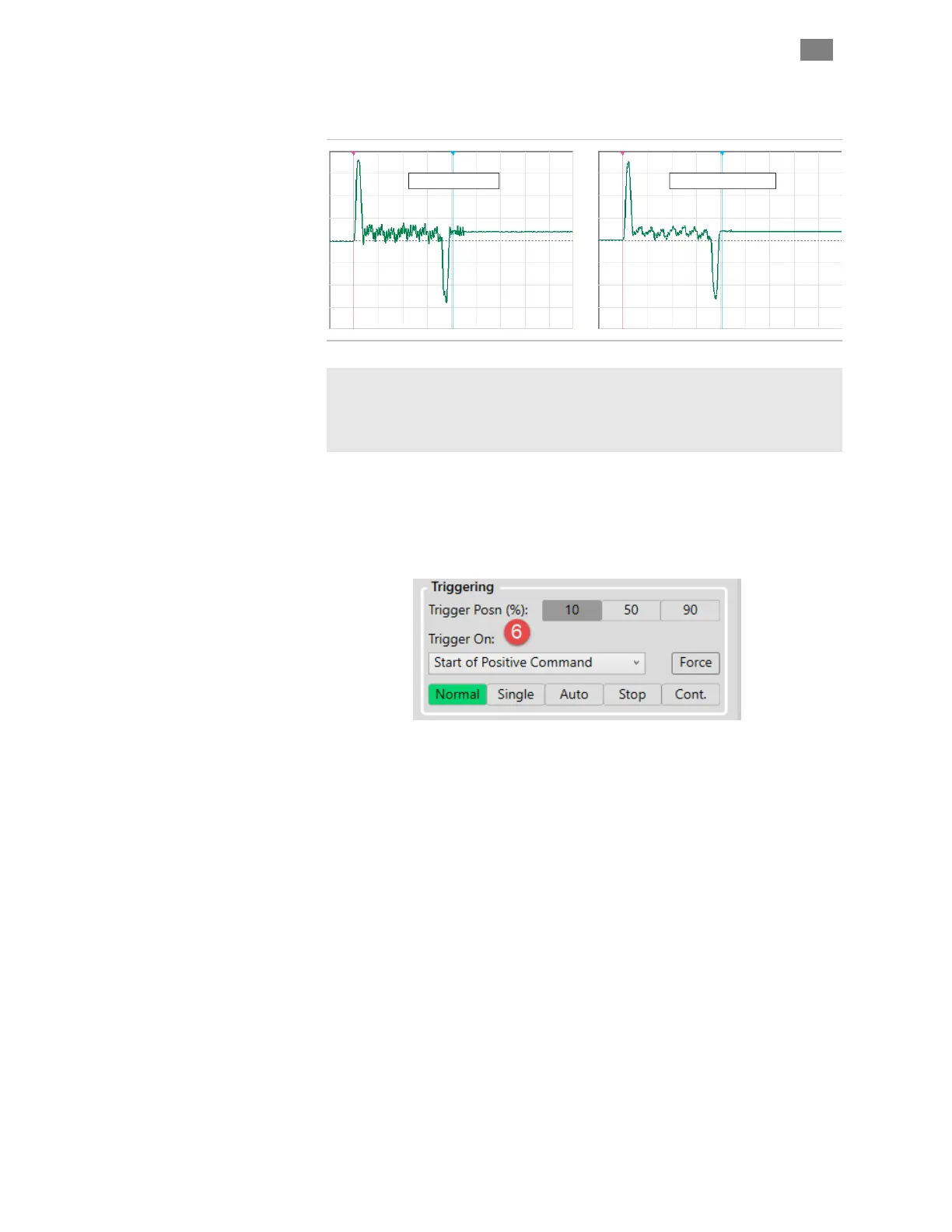
averaging effect on the displayed waveform that can help mitigate the
effect of noise (or just remove visual clutter) on the displayed signal.
Scope Filter = OFF
Scope Filter = MEDIUM
Effect of Scope Filter on trace display
Note: The Scope Filter has no effect on motor performance. It changes
only how scope data is displayed.
Note: Higher filter setting may filter out meaningful data points from the
display, rapid peaks in particular.
5 Save Trace controls lets you save and display a trace on the scope
display. Hide or clear a saved trace with the corresponding button.
6 Trigger Controls Let you set and change Trigger Position on the
scope display. This can help users easily capture events on the scope that
occur before, during, or after the trigger point.
Use Trigger On drop down menu to tell the scope on what event it
should start capturing and displaying scope data. (For use in Normal and
Single modes only.)
Trigger modes determine how the scope displays data as follows:
x Normal - Causes scope data collection to begin when a valid
trigger event is detected.
x Single - Works similarly to Normal mode, except it captures
only a single data set when a valid trigger event is detected.
After the single sweep capture, data collection automatically
stops.
x Auto - Data is continuously collected, refreshed, and displayed
regardless of the trigger source settings.
x Force - Click to force the scope to immediately trigger one
time, regardless of trigger source setting.
x Stop - Immediately stops data collection.
T
EKNIC
,
I
NC
. T
EL
.
(585)
784-7454


 To Next Page