User Manual for Oscar GNSS Receiver v2.4
111
steady green which indicates tilt compensation is valid. Now you can start tilt
survey.
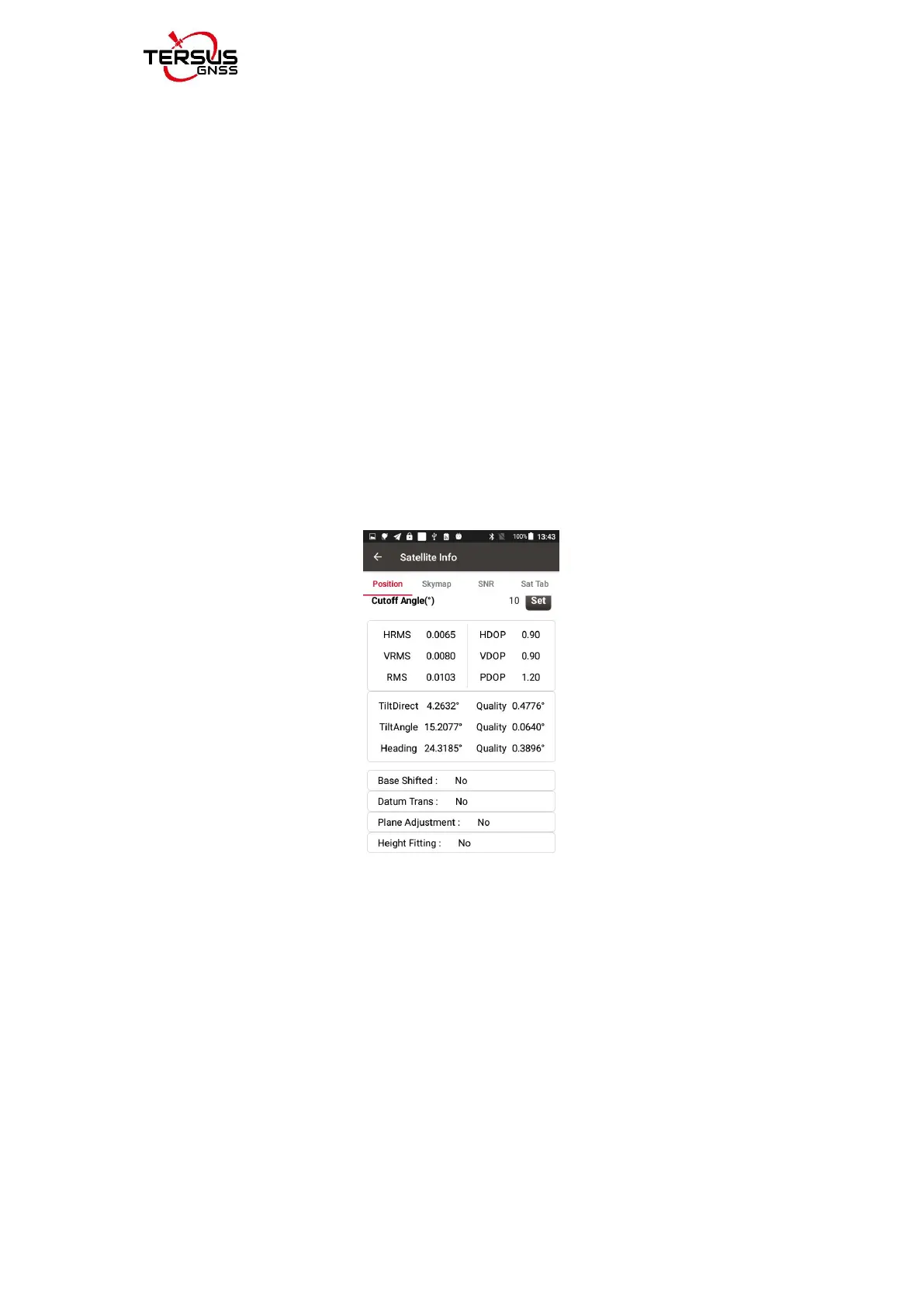
When the tilt compensation is valid, click the Satellite info icon to view the
detailed information of tilt compensation including tilt status, tilt direction, tilt
angle, heading and their quality index. Among them, the tilt direct indicates
which direction is tilted, that is, the angle between the projection of the ranging
pole on the ground and the north direction after tilting; the tilt angle indicates
the degree of tilt, that is, the angle between the tilted pole and the vertical
direction; Heading indicates the surveyor's orientation (the facing of Oscar's
back, we consider Oscar's panel is always facing the surveyor).
Figure 4.19 Detailed information of tilt compensation
4.4.2 Tilt survey
After turning on [Tilt Enable] and tilt initialization is finished, enter Survey
interface and start tilt survey.
The tilt status is displayed at the top of the survey interface. When the tilt
status is ON, it is considered that the tilt compensation accuracy is high and it
is in a usable state. You can start survey using the tilted ranging pole. Please



 To Next Page