User Manual for Oscar GNSS Receiver v2.4
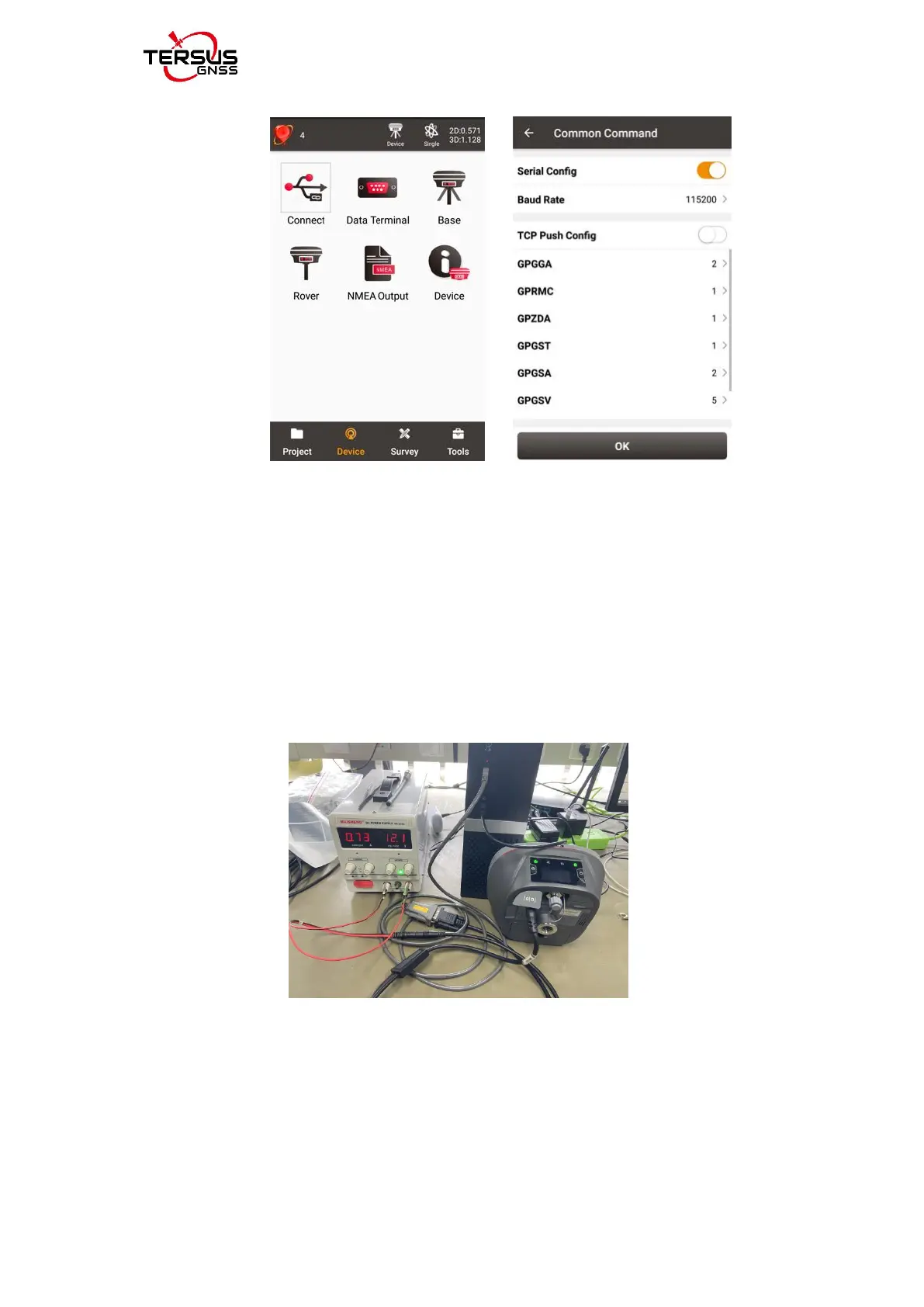
After selecting the NMEA messages to be output, click [OK].
Connect the DB9 male in the 5-pin serial to DC jack and DB9 male cable
(Figure 1.3.5) to the DB9 female in the DB9 female to USB Type A male
adapter cable (Figure 1.3.7), and connect the USB to the computer. If using an
external DC power supply, please refer to section 2.1.4 ( Oscar external power
supply), as shown below.
Turn on the computer, find the corresponding port of the DB9 female to USB A
male adapter cable on the computer, and open TersusGNSSCenter software,
create a corresponding port, select the corresponding baud rate(115200 by
default) and related information, click [Apply] or [Ok], and NMEA information
will pop up, as shown below.



 To Next Page