User Manual for Oscar GNSS Receiver v2.4
82
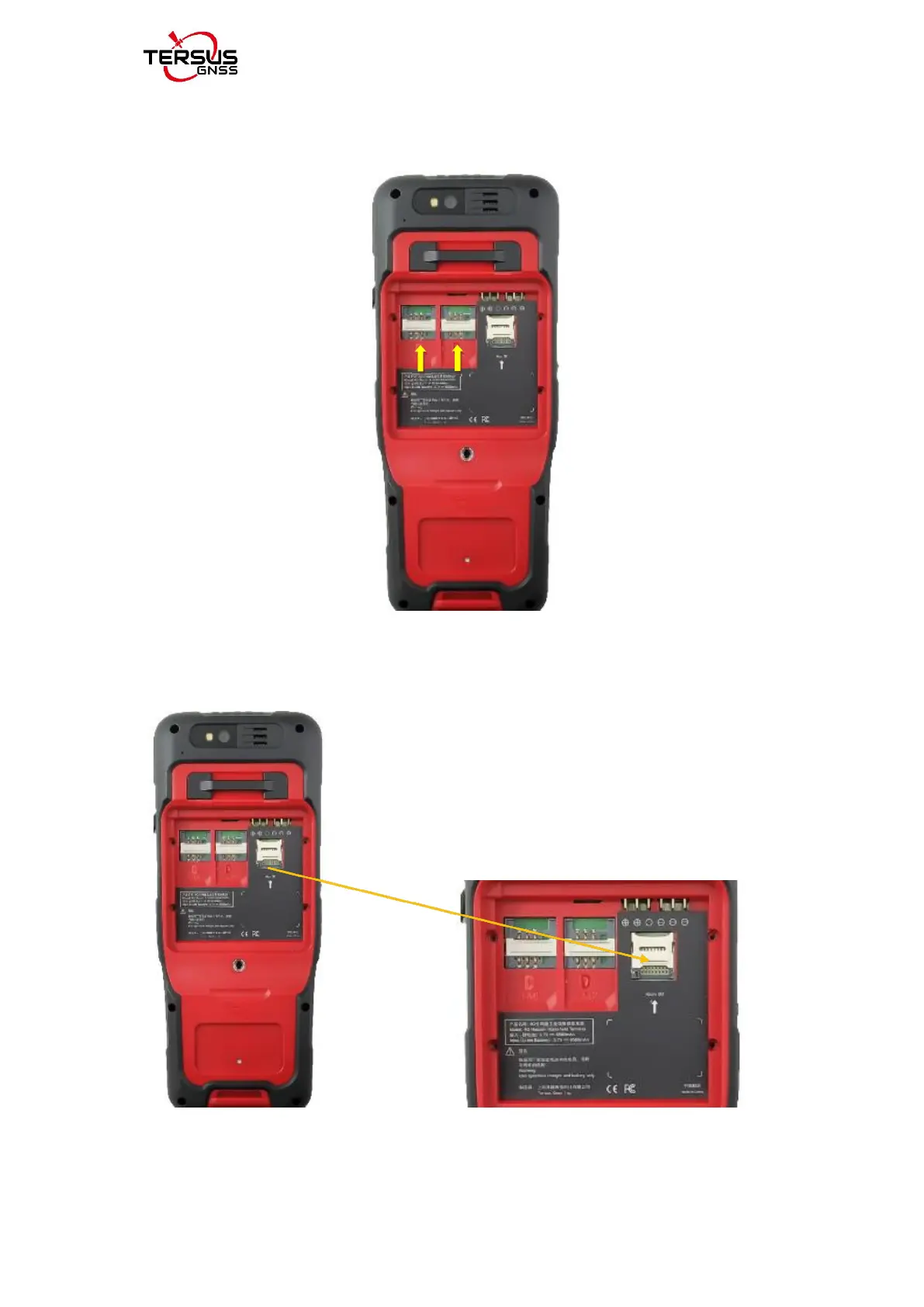
3. Put the SIM card in the holder: Put the SIM card into the slot touching the
SIM contacts of the phone shown as below.
Figure 2.55 Put the SIM card in the holder
4. Insert Micro SD card: Open Micro SD card holder and insert Micro SD
card into the slot, then close Micro SD card holder shown as below.
Figure 2.56 Insert Micro SD card



 To Next Page