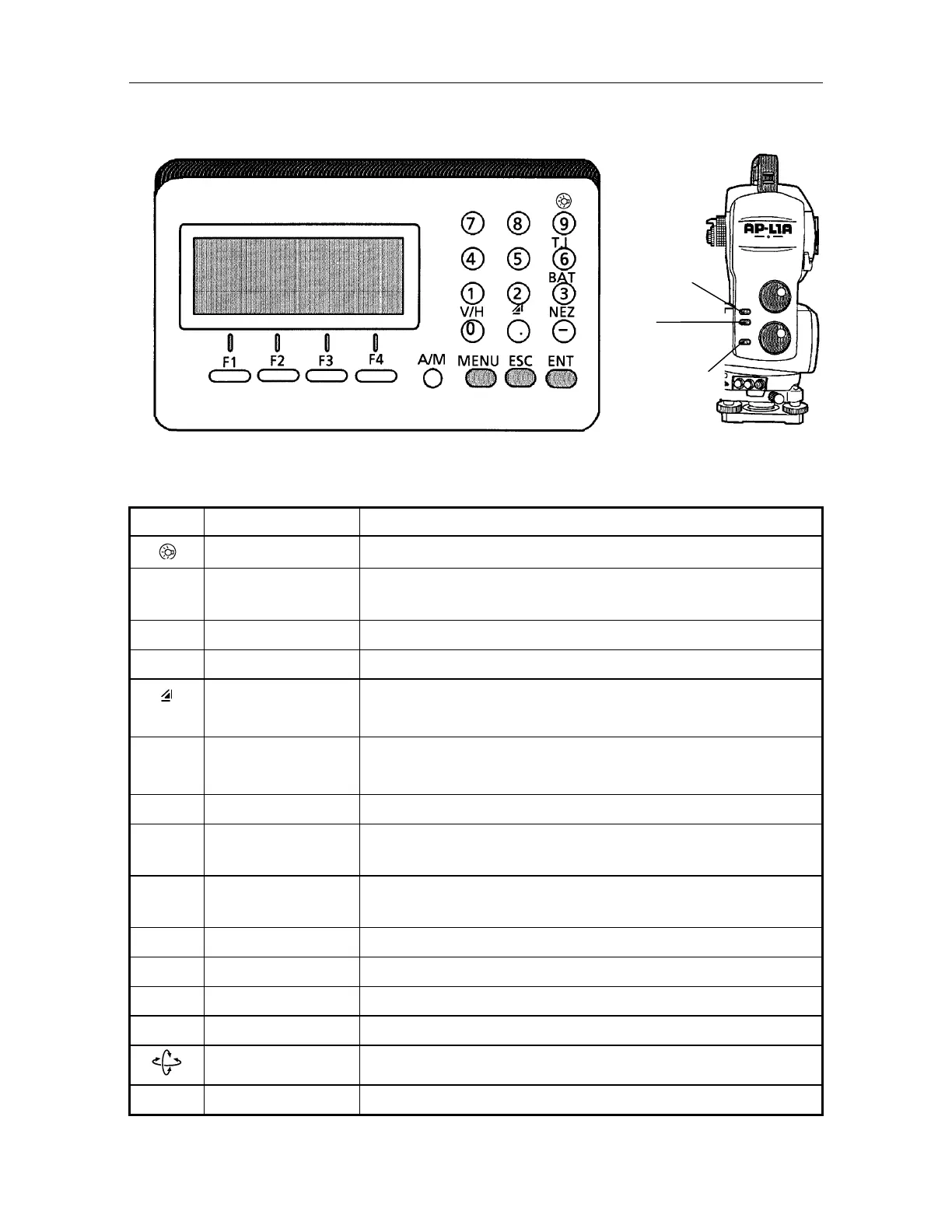
1. NOMENCLATURE AND FUNCTIONS
1-5
1.3 Operating Key
Keys Name of key Function
Luminance key ON/OFF of Illumination for display and reticle of telescope
T.I Tracking indicator On / Off of tracking indicator . It is possible to confirm tracking status
or sighting direction of the equipment from the prism side.
BAT Battery key This indicates the external battery level .
V/H Angle meas.key Angle measurement key
Distance meas.key Distance measurement mode.
Pressing this key switches [ V,HR,SD] / [HR,HD,VD] .
NEZ Coordinate
meas.key
Coordinate measurement mode
A/M Auto/Manual key Switches auto tracking and manual mode
MENU Menu key Switches menu mode and normal mode. It is enable to set an
application measurement in auto tracking by menu mode.
ESC Escape key Returning to the measurement mode or previous layer mode from the
mode set.
ENT Enter key Press at the end of inputting values.
0~9 Numeric key Input values
F1~F4 Soft key Responds to the message displayed.
REC Record key Used to memorize measured data temporarily.
Auto inversion key Turning telescope in both faces forward and reverse automatically.
POWER Power source key ON/OFF of power source
REC Key
POWER Key
uto inversion
Key



 To Next Page