7. APPLICATION FUNCTIONS
7-13
How to Set the Communication Channels
1. Open the cover of wireless modem of AP-L1A, pulling bottom of cover to forward.
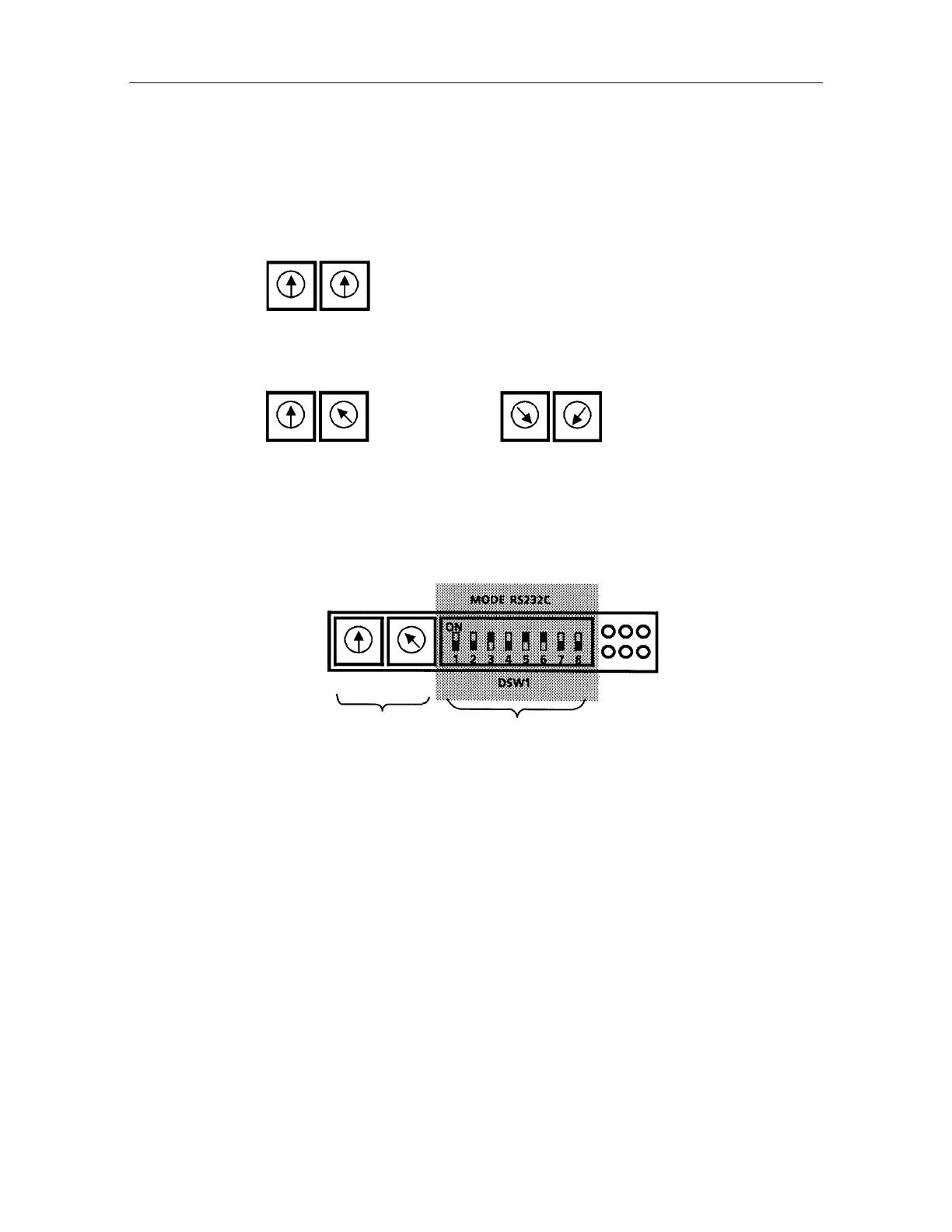
2. Set the channel rotary switch using accessory screw driver as in the following drawing, and
close the cover.
The communication channel for the wireless modem will be set according to the position of
RSW1 and RSW2.
CHANNEL
RSW1 RSW2
[Example]
Channel 8 Channel 46
RSW1 RSW2 RSW1 RSW2
Select the one of the channel number from 07 to 46.
All other DSW1 switches should be left alone UNTOUCHED. If the position changed,
communication may be disabled.
Communication channel Unchangeable switches
In case to change channel number, carry out in normal mode or power off state. Whatever the
rotary switch is changed in remote mode (wireless communication mode), the actual channel is
not changed.
Same as WT-1A/1B, it is required to carry out in power off state.
Note 1) Do not use the channel 00 to 06 and 47 to 99. Even if you select one of these numbers,
the channel is set to 07 or 46 by force.
2) The transfer frequency for channel 7 is 429.2500MHz, and increases 12.5 kHz every 1
channel, and it is 429.7375MHz at channel 46.
For some markets, wireless modem with fixed radio frequency may be attached to AP-
L1A, and is built in WT-1A/1B.
3) Set position at shipping time is ; It is set to channel 8 with wireless modem.
RSW1 ........... 0
RSW2 ........... 8
DSW1 (Unchangeable switches)
............ "OFF, OFF, ON, OFF, ON, ON, OFF, OFF"
RSW1 : The tens digit
RSW2 : The units digit
CHANNEL
RSW1
TX PW RX
RSW2
6
4
0
8



 To Next Page