1. NOMENCLATURE AND FUNCTIONS
1-12
1.8.3 Auto Inversion Key
Pressing the inversion key causes the instrument to reverse and turn the telescope and instrument
automatically.
To stop auto rotating by auto inversion key in case of emergency, press any keys except
POWER key.
During auto rotation, don't disturb the instrument.(Stopping the rotation with a touch of the
hand). Such action may cause trouble or harm to instrument or operator.
1.8.4 Telescope Rotating Free Lever and Horizontal Rotating Free Lever
In storing the instrument, the power is off or disconnected, rotate these rotating free levers to
counterclockwise certainly to match the storage marks or to rotate the telescope before loading
into the case.
Insufficient use of levers may cause damage to the drive unit.
Do not use these levers except for storing.
Never touch these levers while the instrument is rotating electrically.
The horizontal rotating free lever is designed idle running in clockwise to protect accident in
rotating time of instrument.
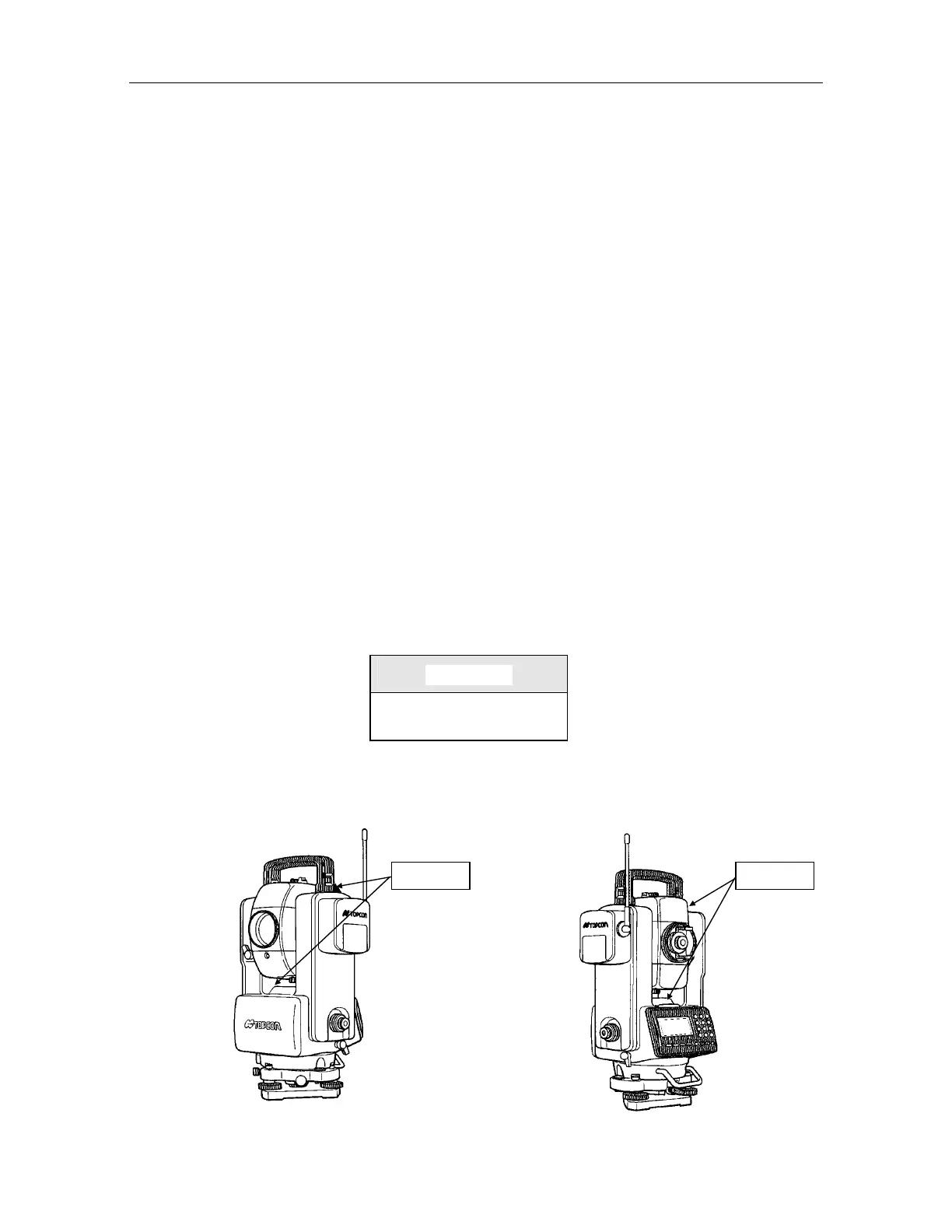
Attaching Precaution Label
Attach 4 precaution labels to the instrument in specified places to avoid the unexpected accident
such as pinching fingers between telescope and body of instrument or telescope and hand grip
during automatic rotation.
Caution label
CAUTION
Do not place fingers near
telescope during rotation.
Attach upper side of instrument and on the front cover. Attach upper side of instrument and near the plate
level.
Caution label Caution label



 To Next Page