1. NOMENCLATURE AND FUNCTIONS
1-11
1.8 Rotating Method of AP-L1A
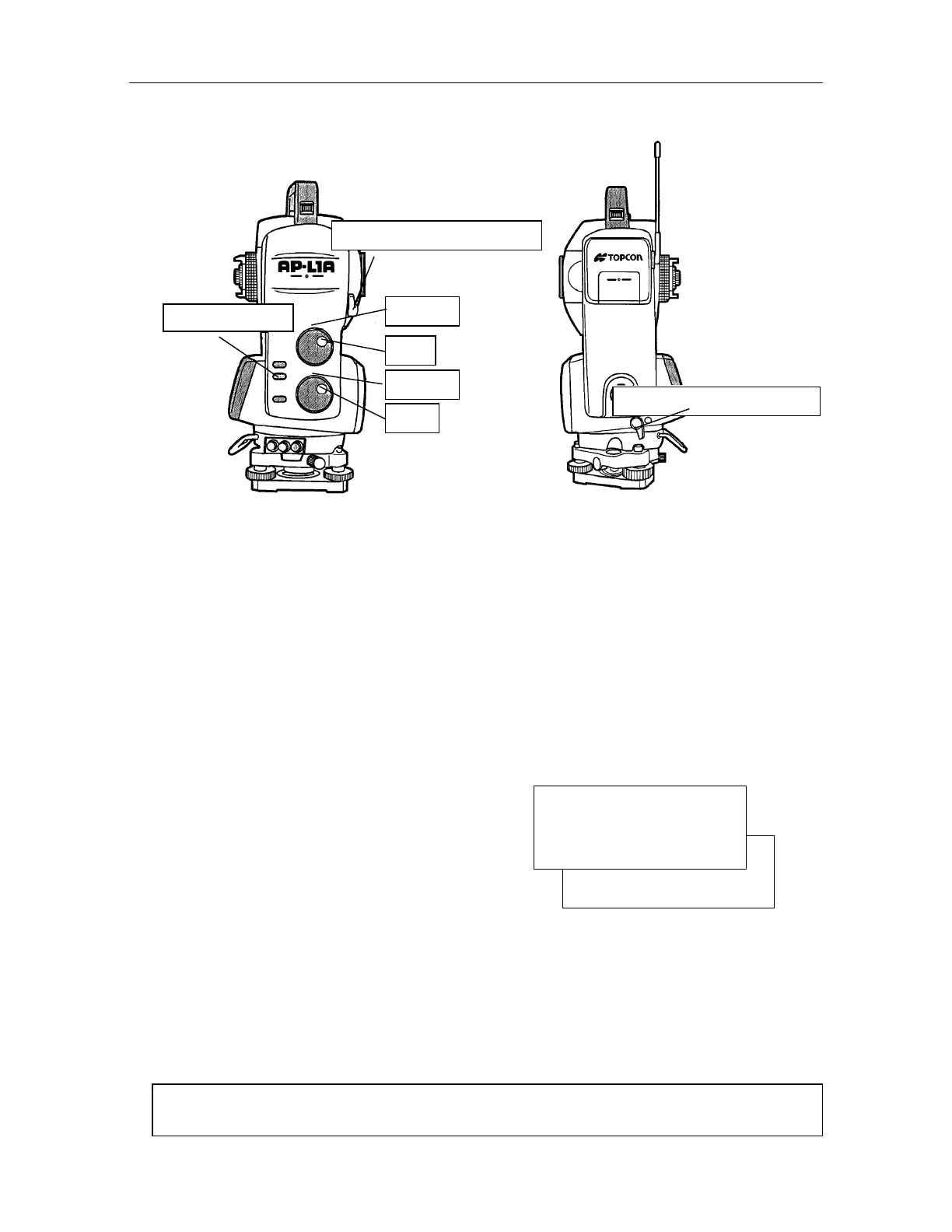
1.8.1 Rotating of AP-L1A by H/V Shuttle and H/V Jog
H/V shuttle or H/V jog can be used to rotate the instrument manually. The shuttle movement or
displacement is proportional in speed and size of angle desired. A small, slow turn of the shuttle
will result in a slow small angle displaced. Likewise, a larger abrupt turn of the shuttle will result in
a coarse angle displacement. H/V jog can be used for accurate collimating of the target much like
a standard tangent screw.
1.8.2 Using Software Key to Rotate AP-L1A
The instrument can be rotated in the directions of +90,-90,180 by operating soft keys. This
function can be used to level the instrument very accuracy with plate level after power ON.
Go to page two of the options by pressing
[F4] key .
Select the required rotating angle by [F1] to
[F3] key respectively.
90
-90
180
2
V:90
10' 20"
HR : 120 30' 40"
0SET HSET R/L 1
[F1] [F2] [F3] [F4]
During auto rotating by soft keys, other operation keys or function keys do not function. Press
any keys except power key to stop rotation in progress.
During auto rotating the instrument, don't disturb it by touching the instrument. Such action
may cause trouble or harm to the instrument or operator.
AP-L1A is able to rotate automatically to a required horizontal angle or vertical angle set. Refer
to Chapter 4.4 "Rotating automatically to a required Horizontal and Vertical angle".
Auto inversion key
V-Shuttle
V-Jog
H-Shuttle
Telescope Rotating Free lever
H-Jog
Horizontal Rotating Free lever



 To Next Page