7. APPLICATION FUNCTIONS
7-2
7.2 Area Setting
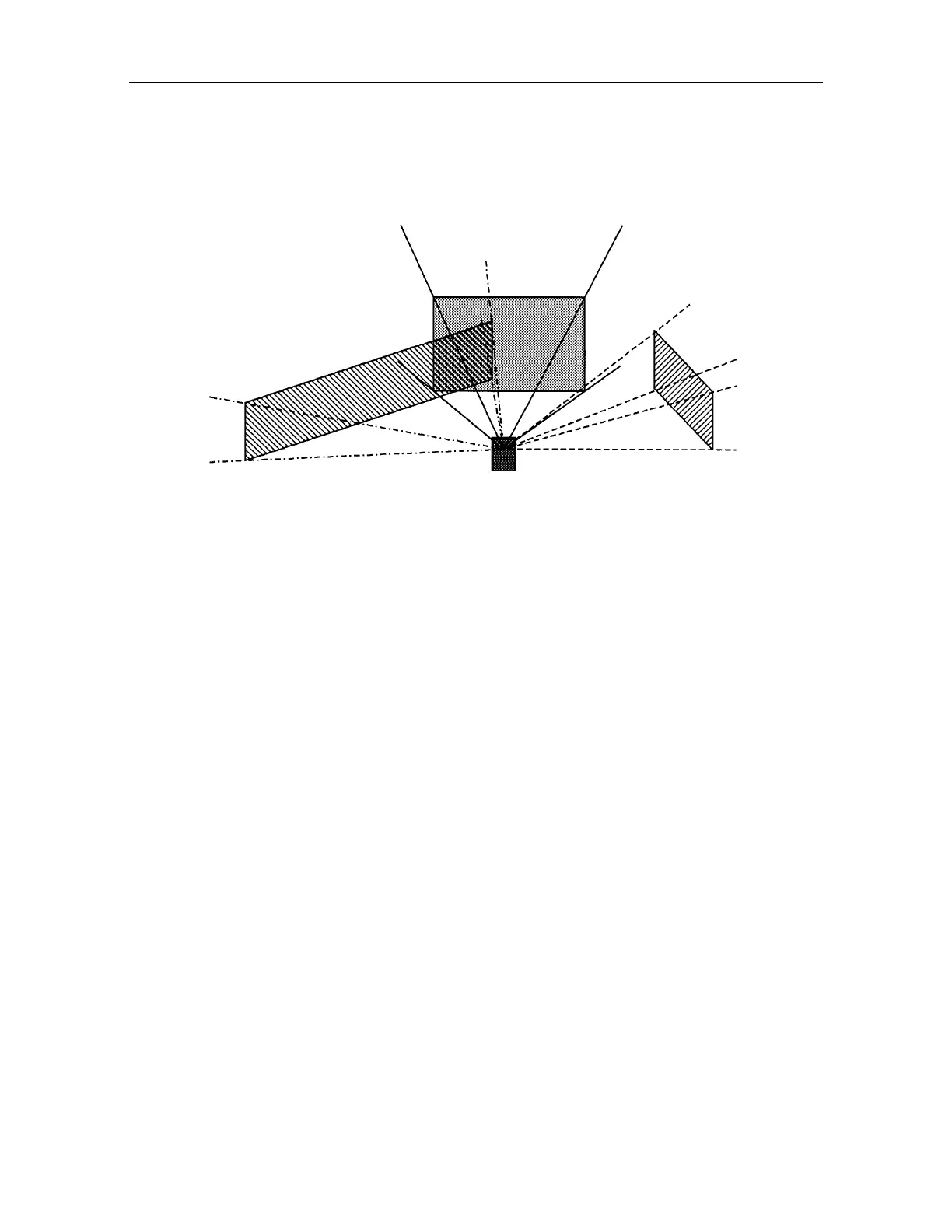
Setting a predetermined surveying area to AP-L1A beforehand, AP-L1A sights and tracks set area
only. This function protects mistracking to the other prisms that might be near the measuring site or
the refraction off objects running near the site. This function is also effective for finding a lost
prism.
To set specified area, input vertical and horizontal area by sighting or entering a coordinate
value
The maximum setting area is 4, [and specified are can be doubled each other. ]
Specifying a number to each area, enables user to change effective areas by numbers.
When area set is On, you can not sight outside the area set even in manual mode.
Reversing the telescope is possible with set area by auto inversion key or turn over command.
Don't use telescope rotating free lever or instrument rotating free lever when Area set is being
ON.
Operating procedure
Set area range (see 7.2.1 Setting Area")
Turn Area set ON, and set effective area No. (see 7.2.2. Area set function ON, and set
effective area Number." )
Sight specified area by the manual mode.
When collimating to the effective area is done once after area setting is ON, it is impossible to
collimate to the other area which already is set.
To collimate to the out of setting area, change the setting of effective area to another area or
make area setting function OFF.
Setting area NO.2
Setting area
NO.3
Setting area NO.1



 To Next Page