1. NOMENCLATURE AND FUNCTIONS
1-6
1.4 Function Key (Soft Key)
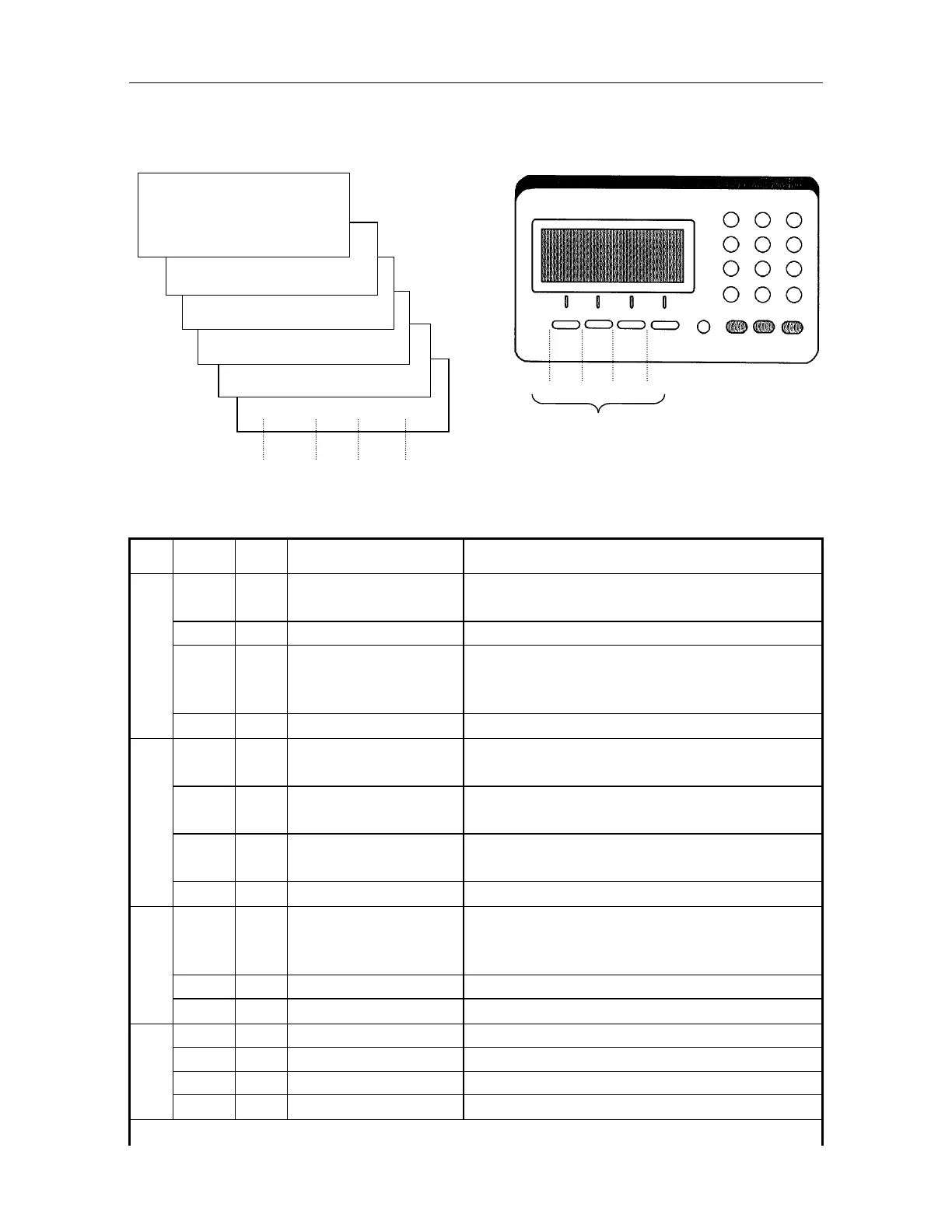
Soft key message is displayed at the bottom line of display. Functions are according to the
displayed message.
FINE CRS S/A 4
BS CSET RST 5
MOVE R.HT – – – 6
TILT m/f – – – 3
90 -90 180 2
V: 90
10'20"
HR : 120
30'40"
0SET HSET R/L 1
[F1] [F2] [F3] [F4]
[F1] [F2] [F3] [F4]
Soft keys
Page
Display
mark
Soft
key
Name Function
1 0SET F1 Horizontal angle of
0set
Angle of Horizontal is set to 000'00"
HSET F2 Setting H-angle Sets horizontal angle by input value.
R/L F3 Right/Left
rotation in
Horizontal angle
Switches R/L rotation of horizontal angle.
1
F4 Page The function of soft keys shown in the next page.
2
90
F1
90Rotation Instrument rotates 90 horizontally to the clockwise
direction .
-90
F2
-90rotation Instrument rotates 90 horizontally to the counter-
clockwise direction .
180
F3
180Rotation Instrument rotates 180 horizontally to the
clockwise direction.
2
F4 Page The function of soft keys shown in the next page.
3 TILT F1 TILT Switches ON/OFF of auto tilt correction for vertical
and horizontal angle. It also displays both axis
correction values in mgons or degrees.
m/f F2 Distance unit Switches meter or feet in unit.
3
F4 Page The function of soft keys shown in the next page.
4 FINE F1 FINE Fine measuring mode. 0.2mm / 1mm
CRS F2 Coarse Coarse measuring mode. 1mm / 10mm
S/A F3 Set audio To be set audio mode
4
F4 Page The function of soft keys shown in the next page.



 To Next Page