7. APPLICATION FUNCTIONS
7-12
7.6 Setting AP-L1A Wireless Modem
The wireless modem specifications will differed by market. The setting function of
following communication channels is not consistent in some markets.
7.6.1 Setting Wireless Communication Channels
In the case where multiple AP-L1A's with wireless terminal WT-1A/1B's or using other wireless
terminals are being used, avoid mixture of information by changing the setting of the
communication channels of AP-L1A and wireless terminal WT-1A/1B.
Set the channels to be same for AP-L1A and wireless Terminal WT-1A/1B.
How to Select the Communication Channels
To select channel number to be used, consider following 2 items.
(1) To avoid radio interference, select the channel number of frequency as far as possible to the
frequency of other AP-L1A and WT-1A/1B, or other radio transmitter.
(For example) : Select not 7CH and 8CH, but 7CH and 46CH in case using 2 sets of AP-
L1A and WT-1A/1B.
(2) Avoid radio disturbance by tertiary intermodulation in case using 3 radio sets or more.
Radio disturbance by tertiary intermodulation meaning that if radio wave of more than two
different frequencies are transmitted in the same time, a discrepancy (or sum) of these
frequencies will be produced. This affects as interrupt of radio wave on the 3rd receiver. That
is why you should avoid from using the channel which a discrepancy produced between 2
channels.
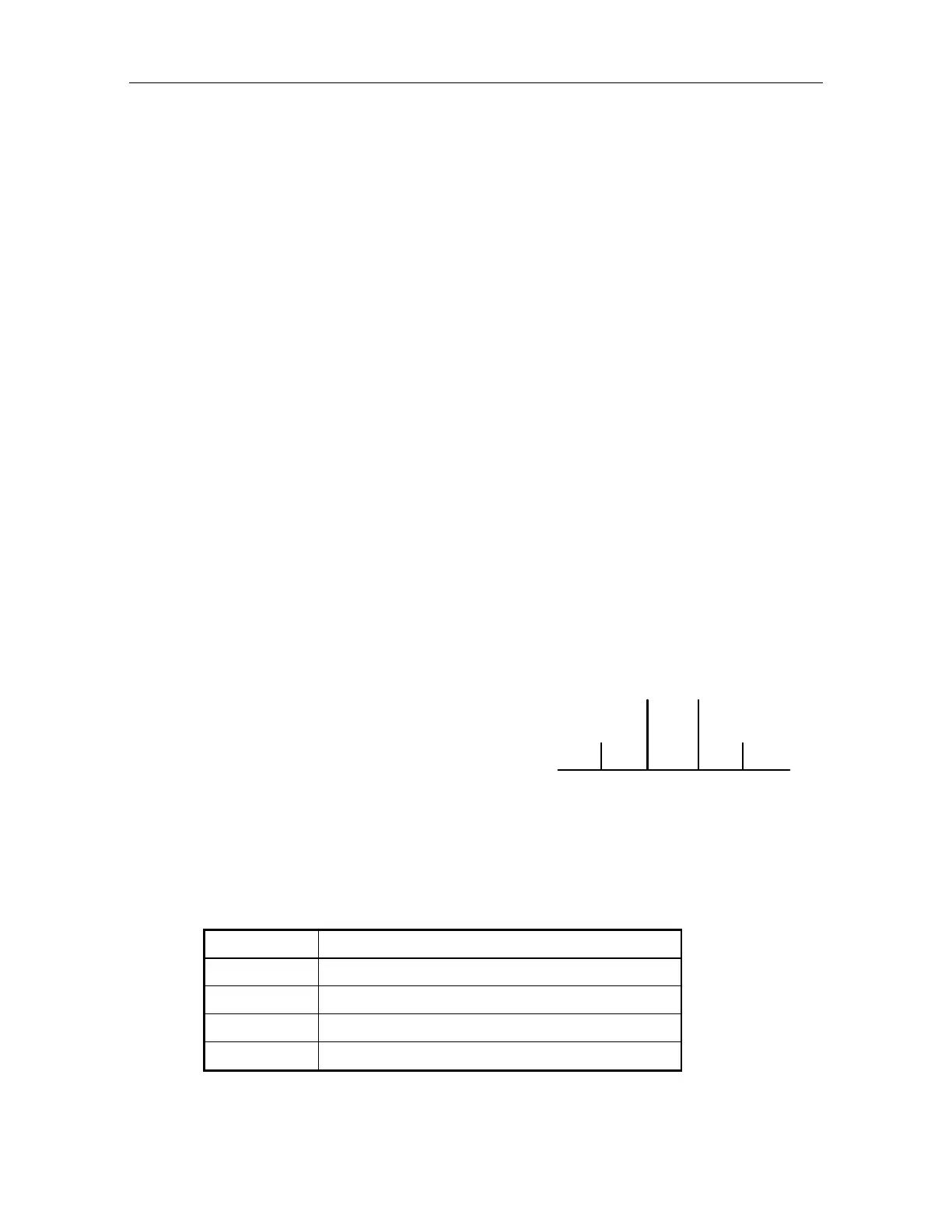
(For example) Transmitting in the same time at 15CH and 18CH
12CH and 21CH is equal to a
discrepancy produced by 15CH and
18CH frequencies.
So they shall get disturbance.
12 15 18 21 CH
Disturbance Transmission Transmission Disturbance
The following are good selecting sample for 3 to 6 sets. Of course this table is supposed radio
wave only in case of AP-L1A and WT-1A/1B used. If you are using other radio transmitter , it is
necessary to be considered in such frequencies.
Sets number Sample of available channel number
3 8, 21, 46
4 8, 14, 28, 46
5 8, 12, 18, 26, 46
6 8, 12, 18, 26, 33, 46



 To Next Page