Loading New Firmware
P/N 7010-0557 www.topconpositioning.com
4-29
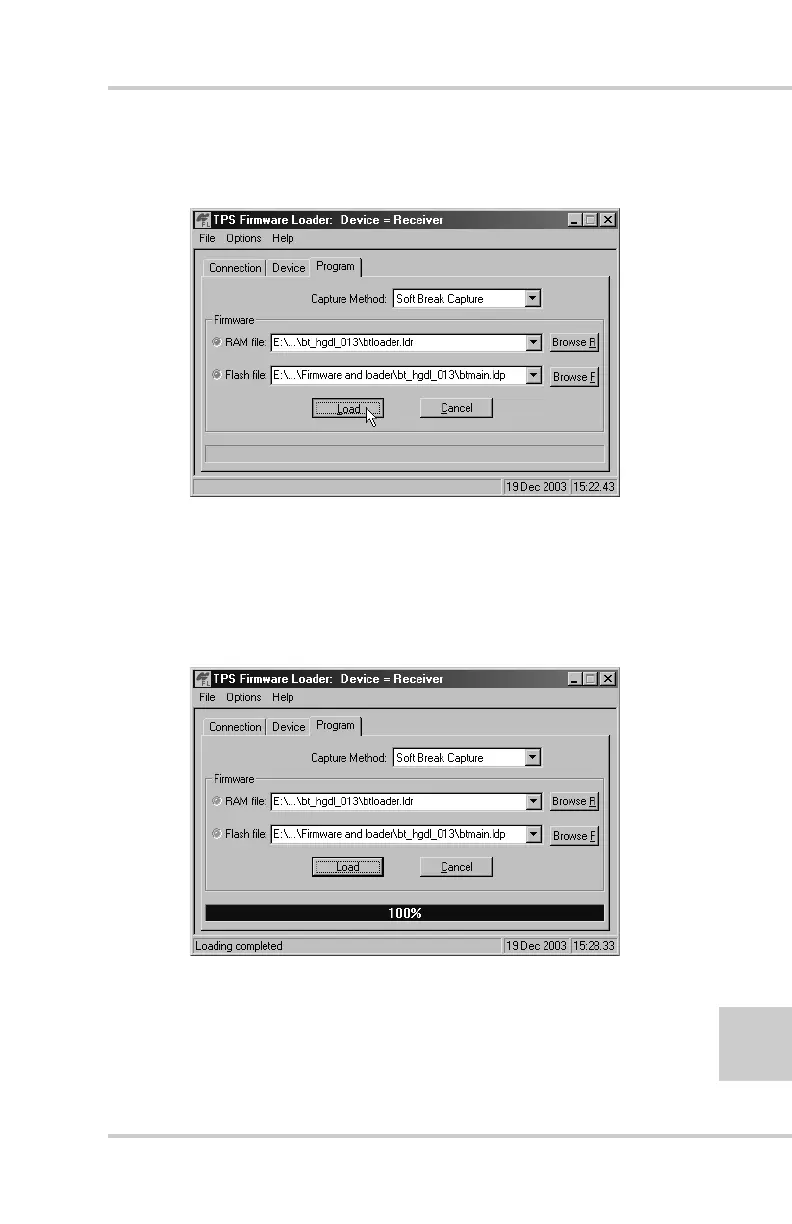
2. Select the Program tab and set the Capture Method to Soft
Break Capture (recommended) (Figure 4-23).
Figure 4-23. Program Tab Settings
3. Browse for and select the Bluetooth module’s RAM file
and Flash file (Figure 4-23).
4. Click Load and wait until 100% of the files load into your
receiver (Figure 4-24).
Figure 4-24. Bluetooth Firmware Load Complete



 To Next Page