37
PREPARATIONS
Image name
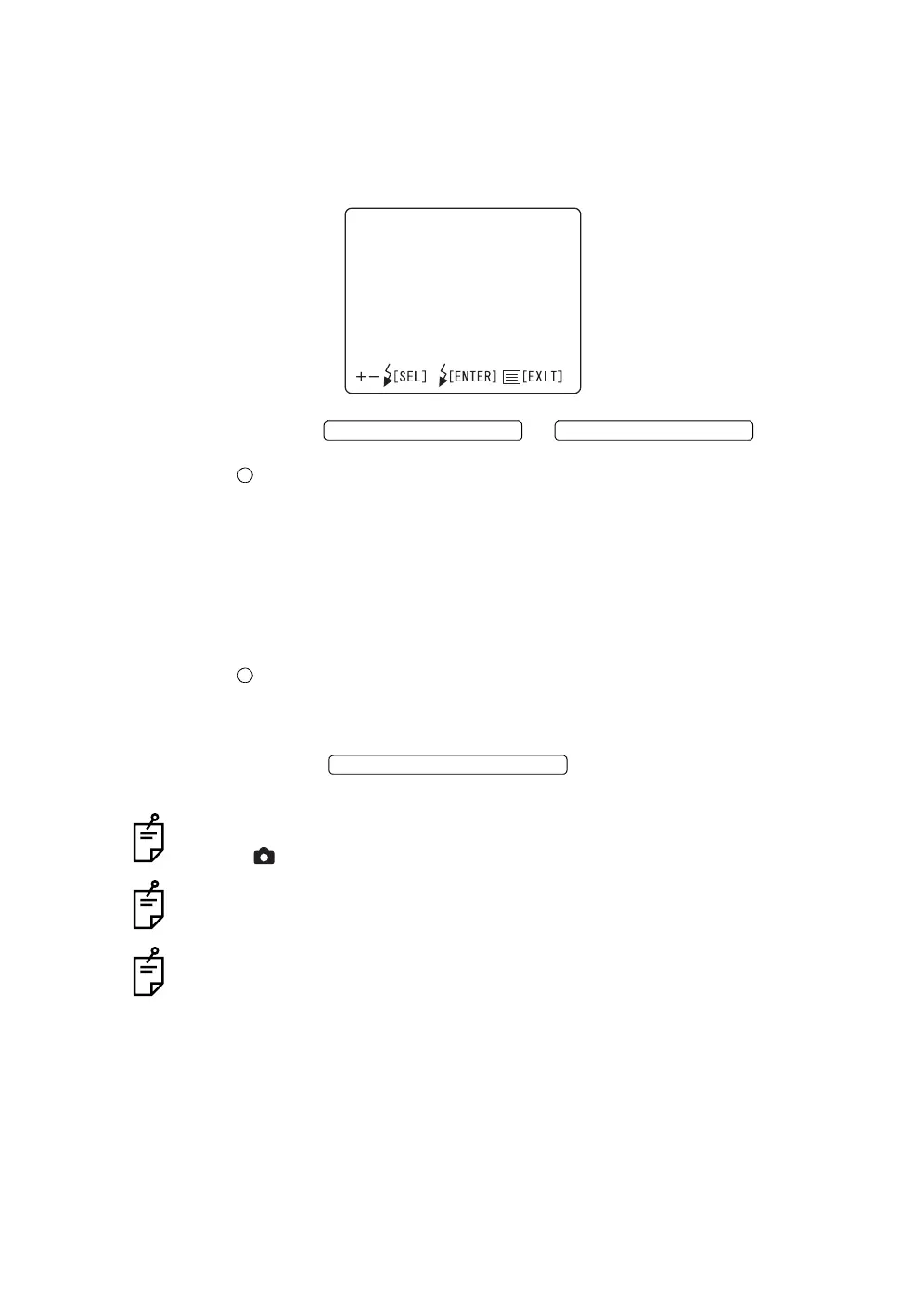
You can select the record number mode of the image file to be recorded.
1 Select "IMAGE NAME" on the "CAMERA" display. The "IMAGE NAME"
display appears.
2 Press the or and select
"MODE" or "NAME".
MODE.......The record number mode of a file can be selected.
NON-CONTINUATION: Normal mode
When the CompactFlash
®
card is replaced with another
or when a folder is changed, the file name begins with
"100-0001".
CONTINUATION: Continuous mode
Even if the CompactFlash
®
card is replaced with
another or when a folder name is changed, the file
name stored in the camera is the first.
NAME.......In the continuous mode, the record number can be set.
SET DATA: Setting is possible with optional data.
AUTO NUM: The usable lowest number is set.
3 Press the ; setting is done and the "CAM-
ERA" display appears again.
The above setting is possible only when the mode selector knob is set at "photog-
raphy" ( ).
Each time you take a picture, the final record number is updated. When this
number reaches "999-1000", it is reset to "100-0000".
The photography possible counter is limited not only by the capacity of media but
also by the blank numbers. For example, though there is a capacity enough in
media, the photography possible counter is "1" if the file number "999-0999"
exists.
IMAGENAME
MODE
NAME
FLASH LEVEL SWITCH (+)
FLASH LEVEL SWITCH (
)
FLASH LEVEL SWITCH (RESET



 To Next Page