2. SYSTEM MODE EO13-33002
2.3 Printer Parameter Fine Adjustment
2-38
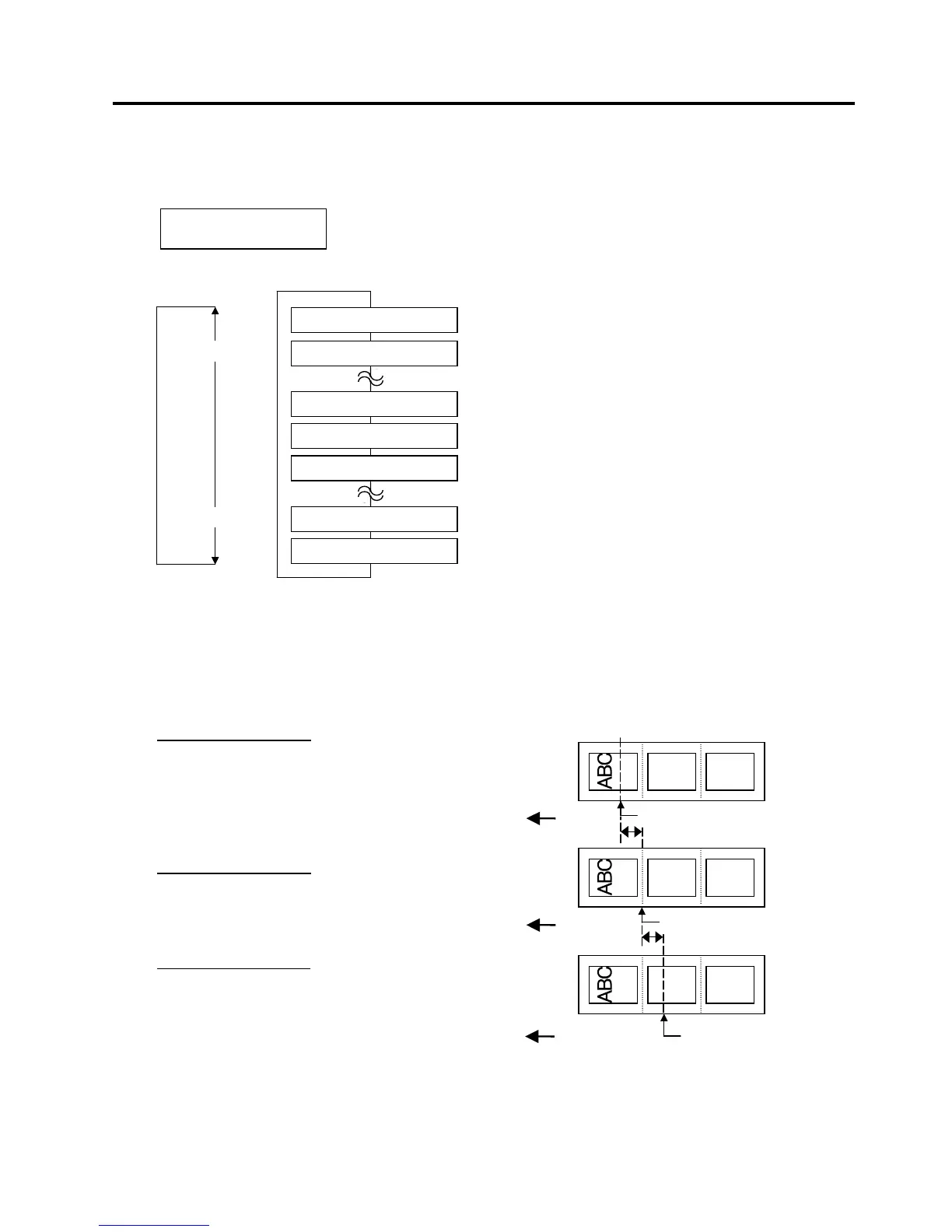
2.3.2 Cut/Strip Position Fine Adjustment
This parameter is to fine adjust a cut or strip position.
When “<3>ADJUST SET” appears, press the [PAUSE] key twice.
Use the [FEED] or [RESTART] key to select a desired option. (Range: -50.0 mm to +50.0 mm)
[FEED] key: Pressing the [FEED] key one time causes a –0.1 mm change, up to –50.0 mm.
[RESTART] key: Pressing the [RESTART] key one time causes a +0.1 mm change, up to +50.0 mm.
After completing the fine adjustment, press the [PAUSE] key.
• Example of Cut Position Fine Adjustment
When setting +3.0 mm
Compared with “+0.0 mm” position,
the cut position is shifted forward.
When setting +0.0 mm
When setting –3.0 mm
Compared with “+0.0 mm” position,
the cut position is shifted backward.
NOTES: 1. Cut issue is available only when the optional cutter unit (B-SX208-QM-R) is installed.
2. The fine adjustment value equals to the sum of the fine adjustment values set by the PC command
and this parameter.
The maximum cut position fine adjustment value is +50.0 mm. When the value reached the
maximum, the value remains unchanged even if the subsequent fine adjustment is performed.
<3>ADJUST SET
CUT ADJ. +0.0mm
[RESTART]
[FEED]
CUT ADJ.+50.0mm
CUT ADJ.+49.9mm
CUT ADJ.+0.0mm
CUT ADJ.-49.1mm
CUT ADJ.-50.0mm
CUT ADJ.+0.1mm
CUT ADJ.-0.1mm
Cut Position
Cut Position
Feed Direction



 To Next Page
 Loading...












