2. SYSTEM MODE EO13-33002
2.3 Printer Parameter Fine Adjustment
2-41
2.3.3 Reverse Feed Amount Fine Adjustment
This parameter is to fine adjust a reverse feed amount.
When “<3>ADJUST SET” appears, press the [PAUSE] key until the following display appears.
Use the [FEED] or [RESTART] key to select a desired option. (Range: -9.9 mm to +9.9 mm)
[FEED] key: Pressing the [FEED] key one time causes a –0.1 mm change, up to –9.9 mm.
[RESTART] key: Pressing the [RESTART] key one time causes a +0.1 mm change, up to +9.9 mm.
After completing the fine adjustment, press the [PAUSE] key.
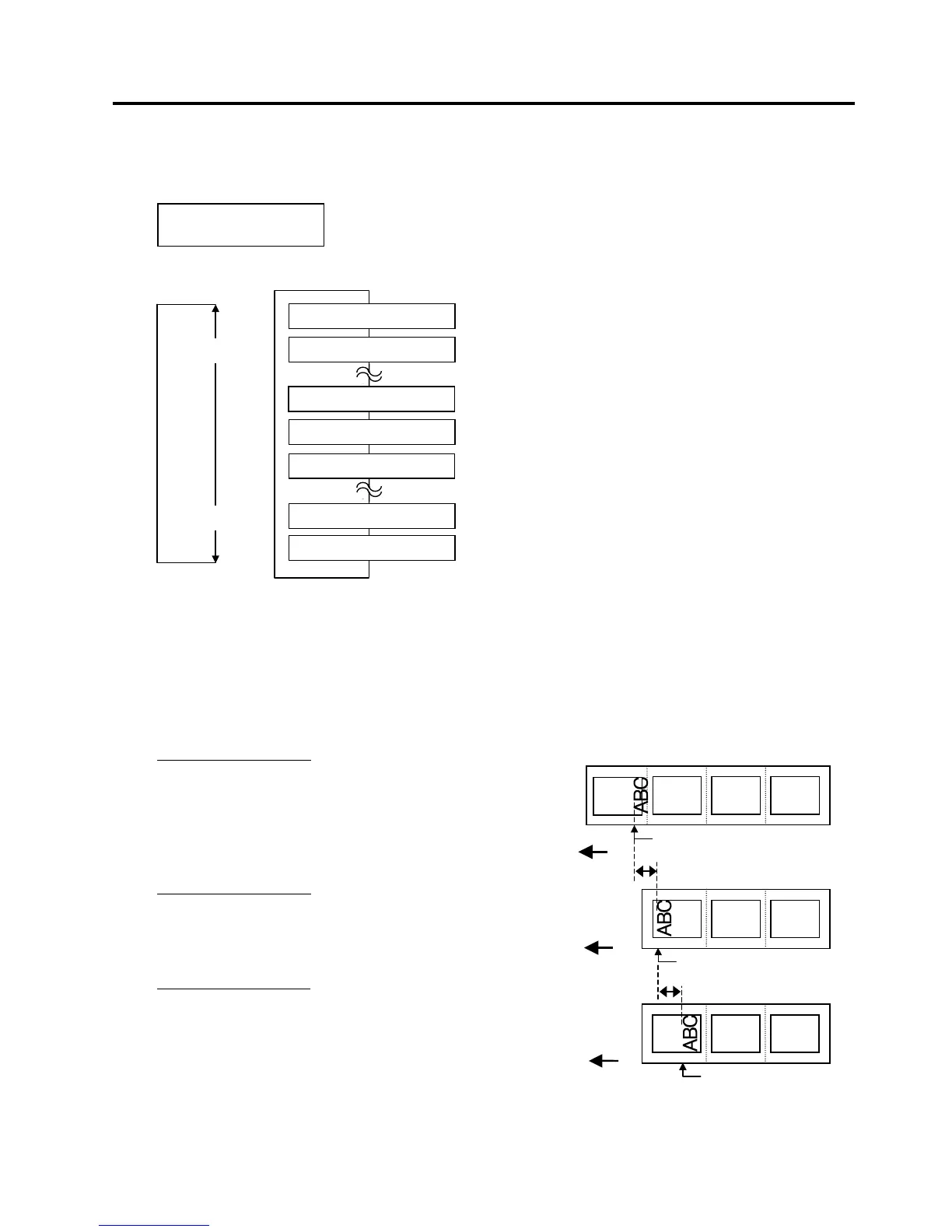
• Example of Reverse Feed Amount Fine Adjustment
When setting +3.0 mm
Compared with “+0.0mm” position, the stop
position after printing is shifted forward.
When setting +0.0 mm
When setting –3.0 mm
Compared with “+0.0mm” position, the stop
position after printing is shifted backward.
<3>ADJUST SET
BACK ADJ. +5.0mm
[RESTART]
[FEED]
BACK ADJ.+9.9mm
BACK ADJ.+9.8mm
BACK ADJ.+0.0mm
BACK ADJ.-9.8mm
BACK ADJ.-9.9mm
BACK ADJ.-0.1mm
BACK ADJ.+0.1mm
3mm
Print Start Position after a
reverse feed
Print Start Position after a
reverse feed
3mm
Feed Direction
Feed Direction
Print Start Position after a
reverse feed
Feed Direction



 To Next Page
 Loading...












