Appendix B: Frequently Asked Questions
Page 228 100-11672 - Rev D
Head Position Adjustment
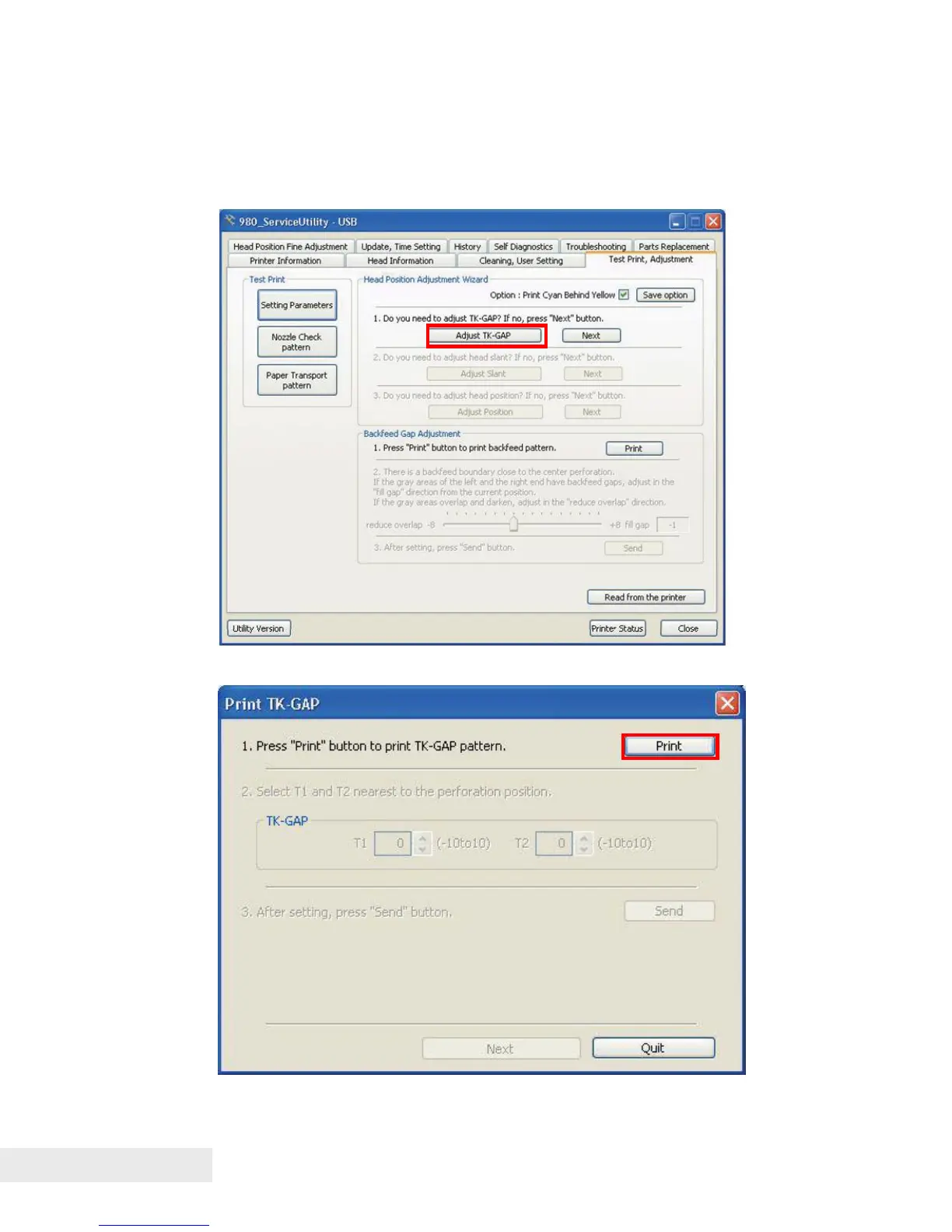
Printing TK-GAP Adjustment Pattern:
1) Open the [Test Print, Adjustment] tab and click [Adjust TK-GAP] to display
the [Print TK-GAP] dialog box.
2) Click [Print] to print the TK-GAP adjustment pattern.



 To Next Page