Appendix A: Ordering Genuine Ithaca Supplies
100-11672 - Rev D Page 263
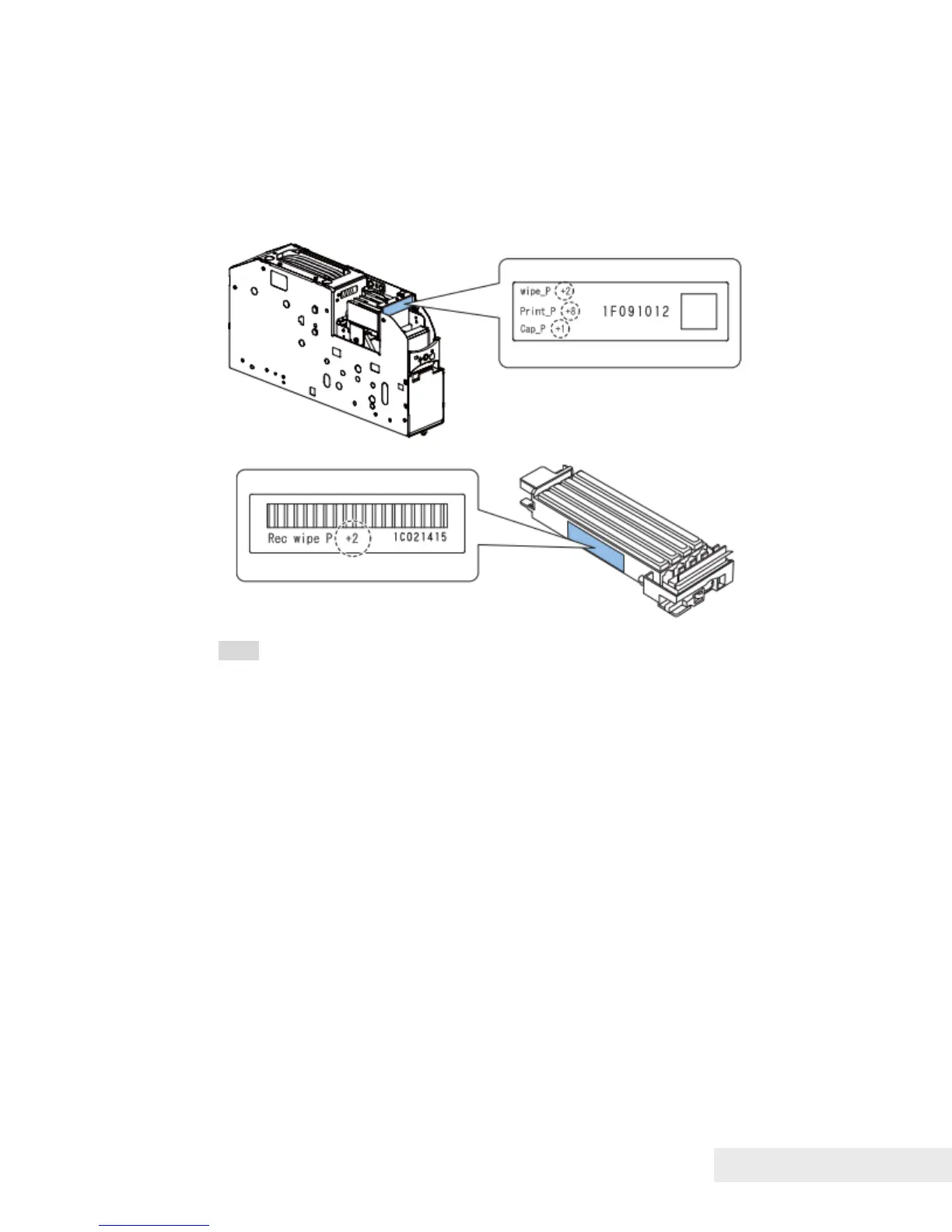
After Print Module and/or Purge Unit Replacement:
1) Open the [Parts Replacement] tab and click [Head Control Position
Adjustment] to display the [Head Control Position Adjustment] tab.
2) Enter the adjustment values in the entry boxes in the [Head Control
Position Adjustment] tab. Adjustment values were recorded before install Print
Module and/or Purge Unit.
Note:
• Enter value of "wipe_P " to "Head Wipe Position"
• Enter value of "Print_P " to "Head Print Position"
• Enter value of "Cap_P " to "Head Cap Position"
• Enter value of "Rec wipe P " to "Purge Unit Wipe Position"



 To Next Page