Appendix B: Frequently Asked Questions
Page 264 100-11672 - Rev D
DC Power Supply Unit Replacement Procedure
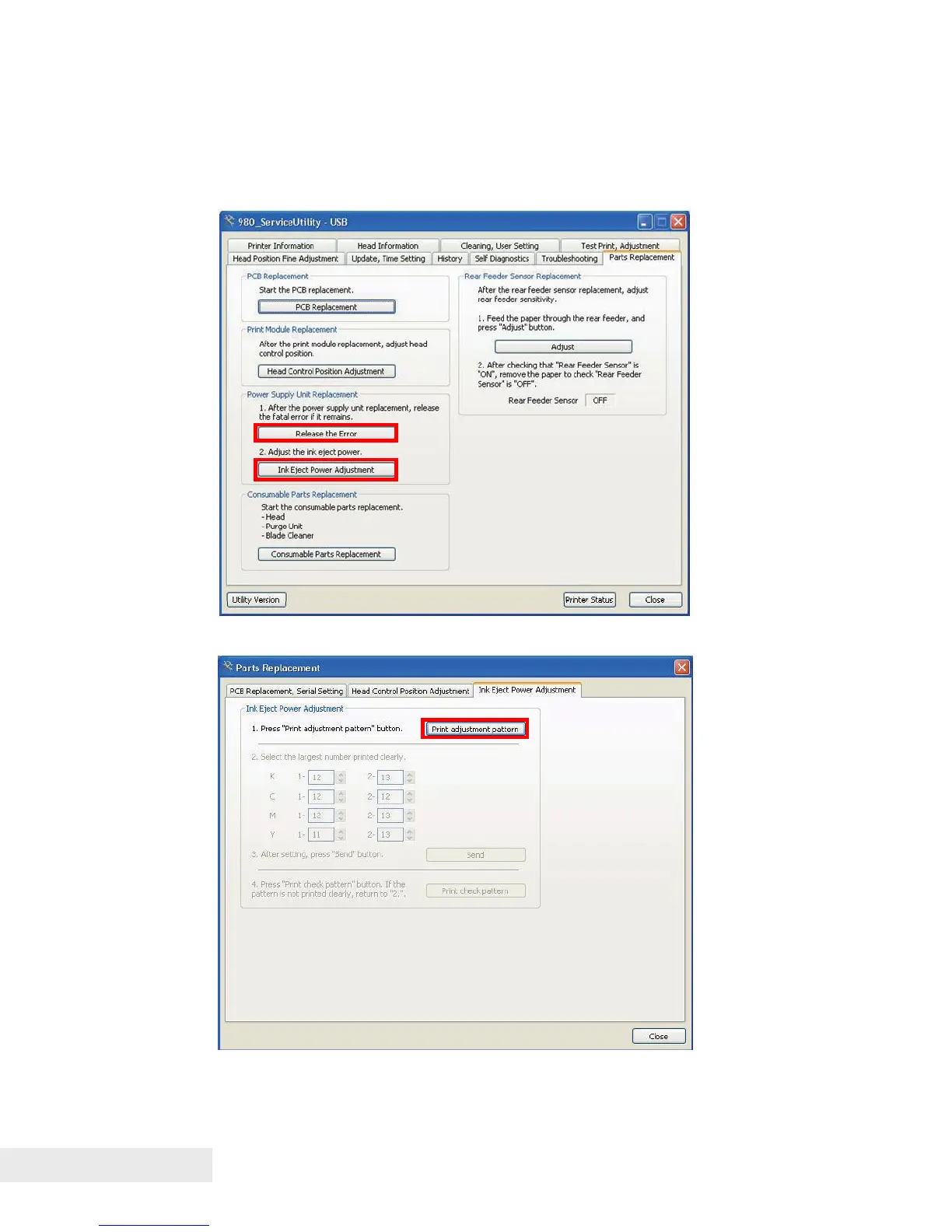
1) Open the [Parts Replacement] tab
2) Click [Release the Error] to release the error.
3) Click [Ink Eject Power Adjustment] to open the [Ink Ejection Power
Adjustment] tab.
4) Click [Print adjustment pattern] to print the adjustment pattern.



 To Next Page