8
3. NOMENCLATURE AND FUNCTIONS OF COMPONENTS
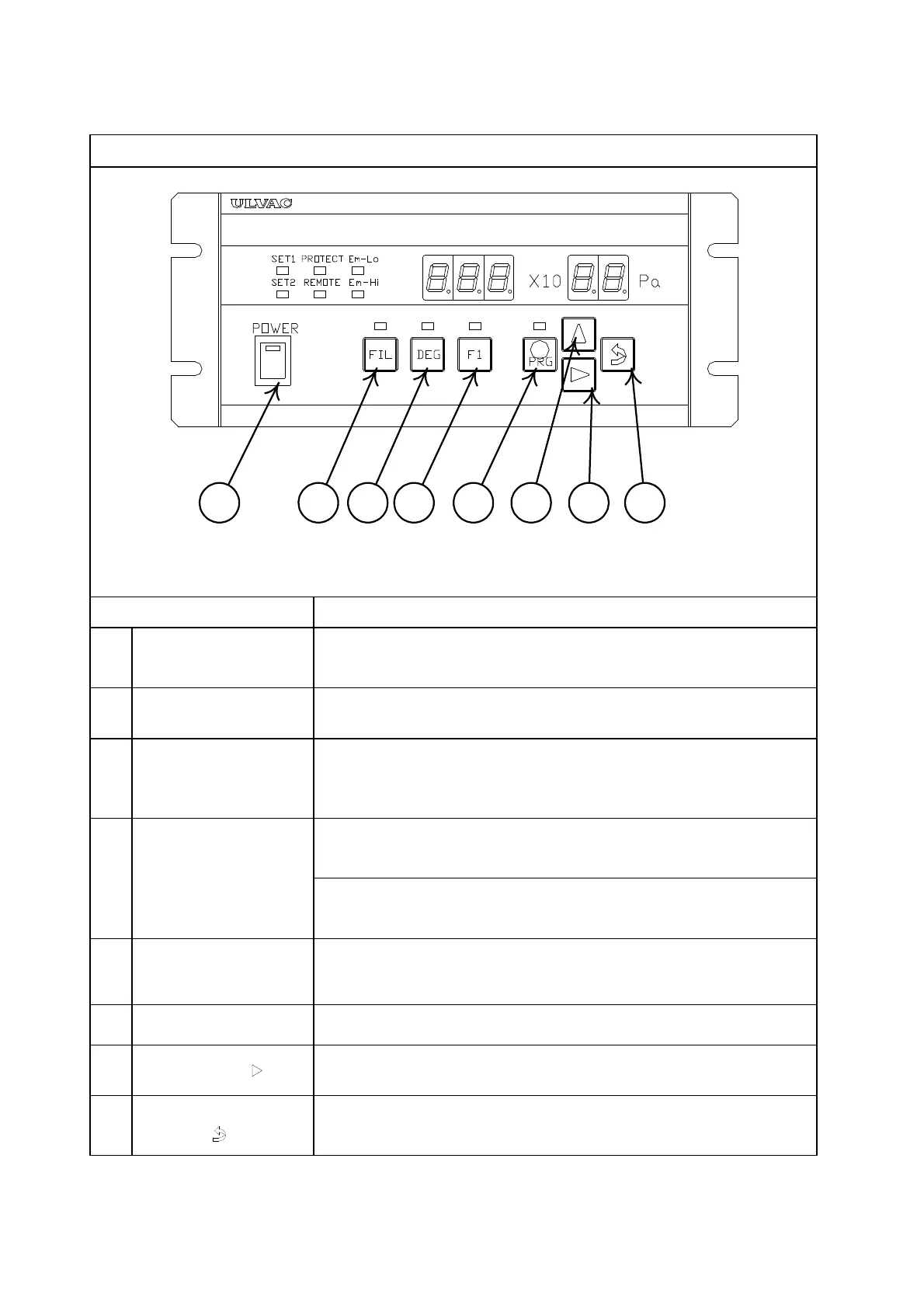
Fig. 3-1 Operation switch panel
①
Power switch
(POWER)
Pressing the top of the POWER switch turns on power and
pressing the bottom turns it off. When the power is on, the
LED in the switch is lit.
②
(FIL)
Used to turn on/off the filament. The first press on the key
turns on the filament and a second press turns it off.
③
Degas key(DEG)
Used to turn on/off degassing. The first press on the key turns
on degassing and a second press turns it off.
Degassing is automatically turned off after a preset time when
used in the auto OFF mode.
④
Functionkey (F1)
(GI-N8 Only)
Changes over the emission current 0.5/5 mA.
Set at 0.5 mA when measurement is started. Can be changed
×
-6
×
-6
Subtracts the ion current background by X-rays. Key in
continuously for 2 seconds or more. Activated at 2.0 × 10
-10
×
-10
⑤
Program key
(O PRG)
Switch to change over to the setting mode.
Holding down the switch for 2 seconds or more changes over the
measurement mode/setting mode.
⑥
UP switch(∆)
Each press on the switch increments a value by one.
⑦
SHIFT switch(
) Shifts a value to the right.
⑧
ENTER switch
(
)
Used to store a set value in memory.
A set value cannot be changed unless this switch is pressed
because it is not stored in EEPROM.



 To Next Page