24
7.4. X-Ray Function ON/OFF (GI-N8 Only)
→Refer to P.57
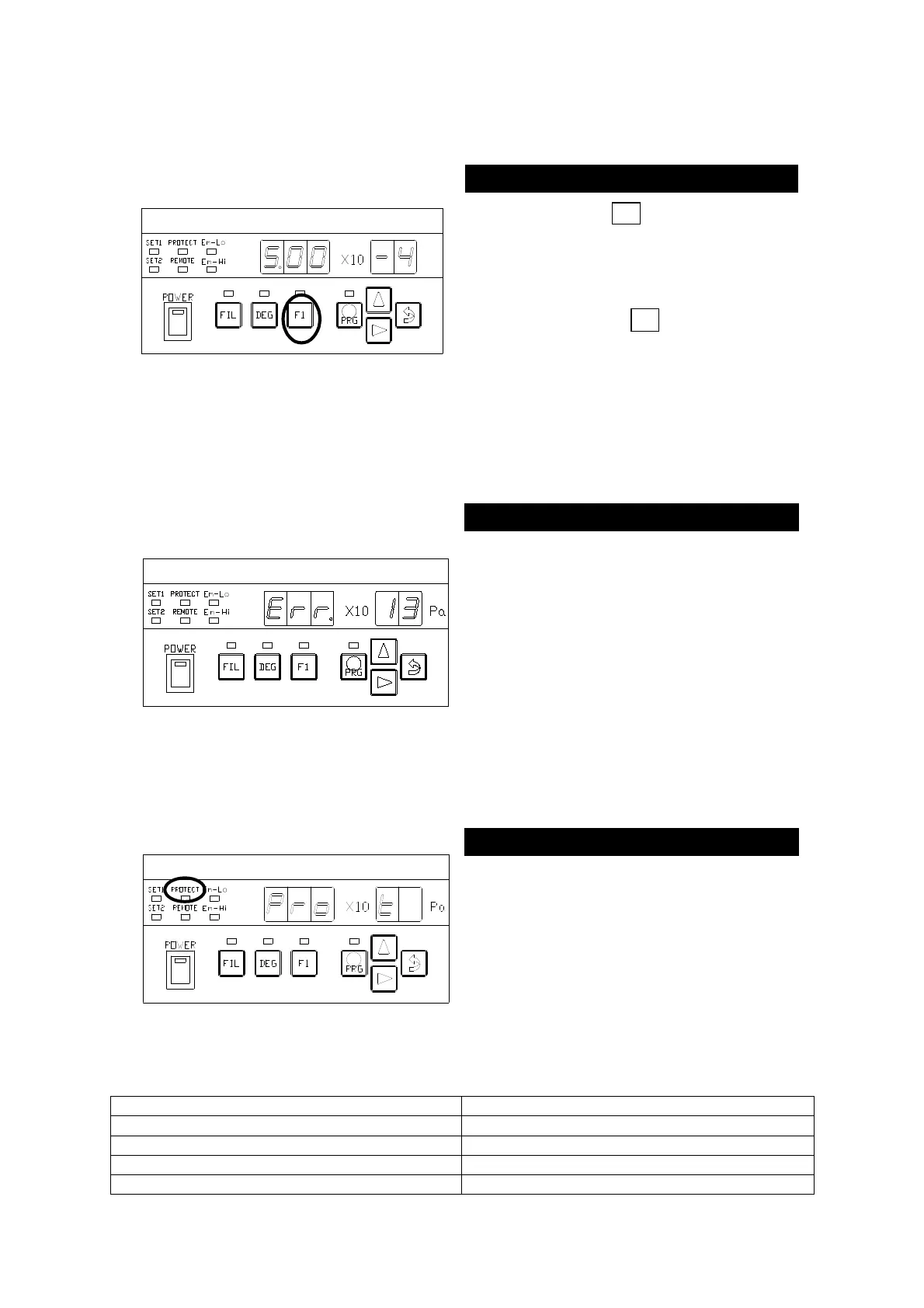
Holding down the F1 key for two seconds
turns on the X-
Ray action. A second
press on the key (for two seconds or more)
turns off the X-Ray action.
The lamp above the F1 key lights
when the X-Ray action is actuated.
Available under a pressure of 3.0 × 10
-
8
×
-10
7.5. When Pressure Protection Is Activated
If pressure protection is activated by
pressure rise during measurement and
the filament is turned off, [
]
will light on the segment indicator.
0 volt is outputted as measurement value.
To make measurement again, press the
ENT key to set up the (MESU-①
and check pressure by a Pirani gauge or
other and turn on the filament again.
Refer to STANDARD SPECIFICATION
(P.6) for more imformation.
7.6. When EXT-PROTECT Is Activated
If the EXT-PROTECT signal of external input
signal pin 18 is given, the LED marked with ○
in the left figure will light and [
]
will light on the segment indicator.
0 volt is outputted as measurement value.
To make measurement again, reset the
external input signal to set up the MESU-
①
7.7.Display when an error occurs
The setting value exceeds the setting range
Filament broken during DEGAS



 To Next Page