13
25B
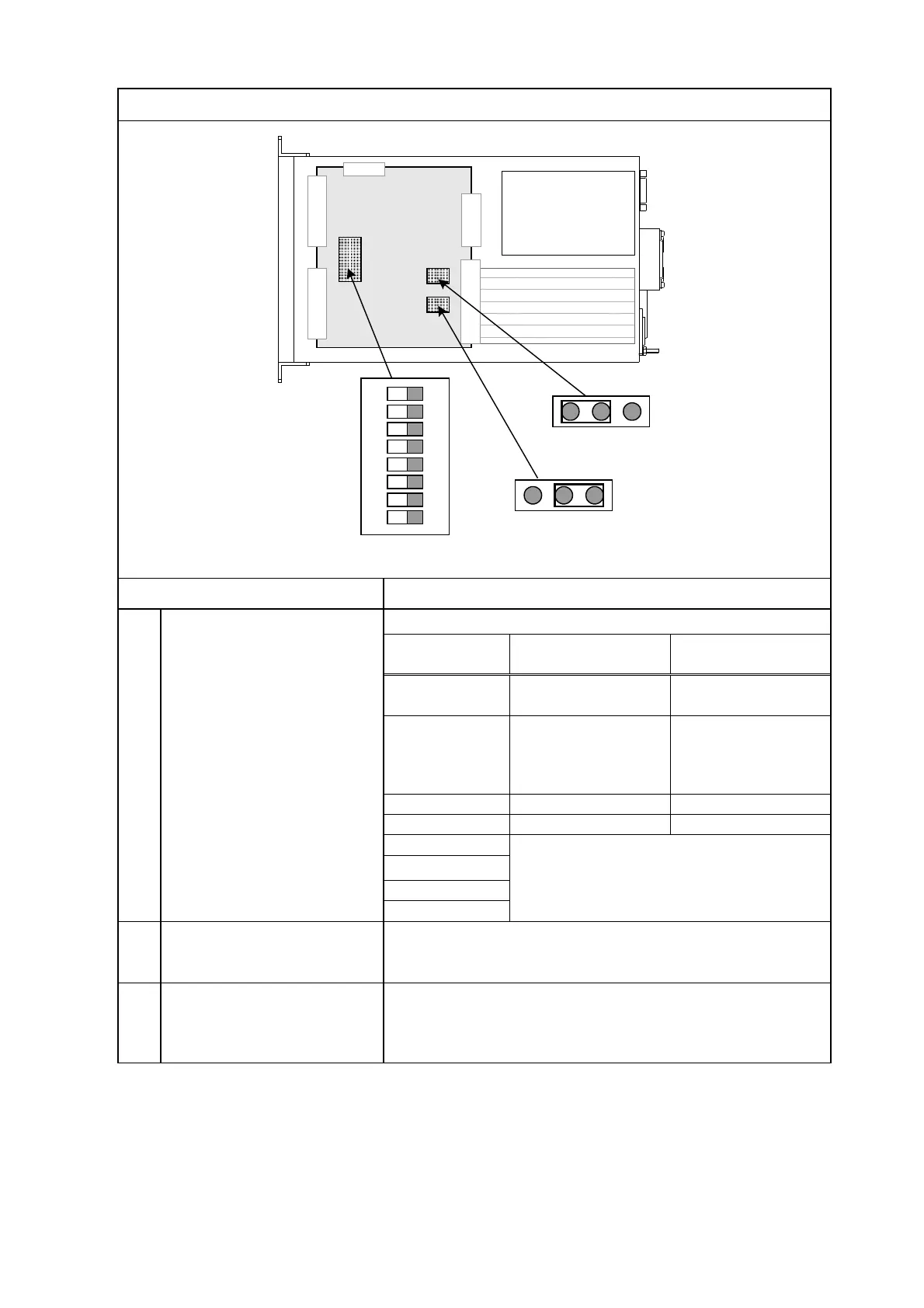
View when the Bottom Panel in Controller is opened
Fig. 3-6 View when bottom panel in controller is opened
①
Internal DIP switch
※2)
(DS1)
ON OFF
1
Mantissa part 2
digits display
Mantissa part 3
digits display
2
※1)
protection function
9.9E-3
Pa
×
-5
function
10 Pa
×
-2
Used in system setting.
The setting cannot be changed.
②
jumper
(HP3)
Jumper for selecting whether the internal power supply
(5 V) or the external power supply is to be used to pull
up the external input photocoupler. See P. 63
③
External output switching
jumper
(HP4)
Jumper for selecting whether the common line of the
external output open collector (emitter common) is to be
connected to pin 5 of the external I/O connector or to the
internal ground. See page 59
※1) Use it only in GI-M2. Turn it on at the time of tungsten filament use.
※2) When the factory shipment, it is set entirely by OFF.
Control boad
Front panel
Rear panel
1
ON
2
3 4 8
5 76
HP3
EXT
INT
HP4
ISOGND



 To Next Page