21
7.FRONT PANEL OPERATION
7.1. Filament ON/OFF
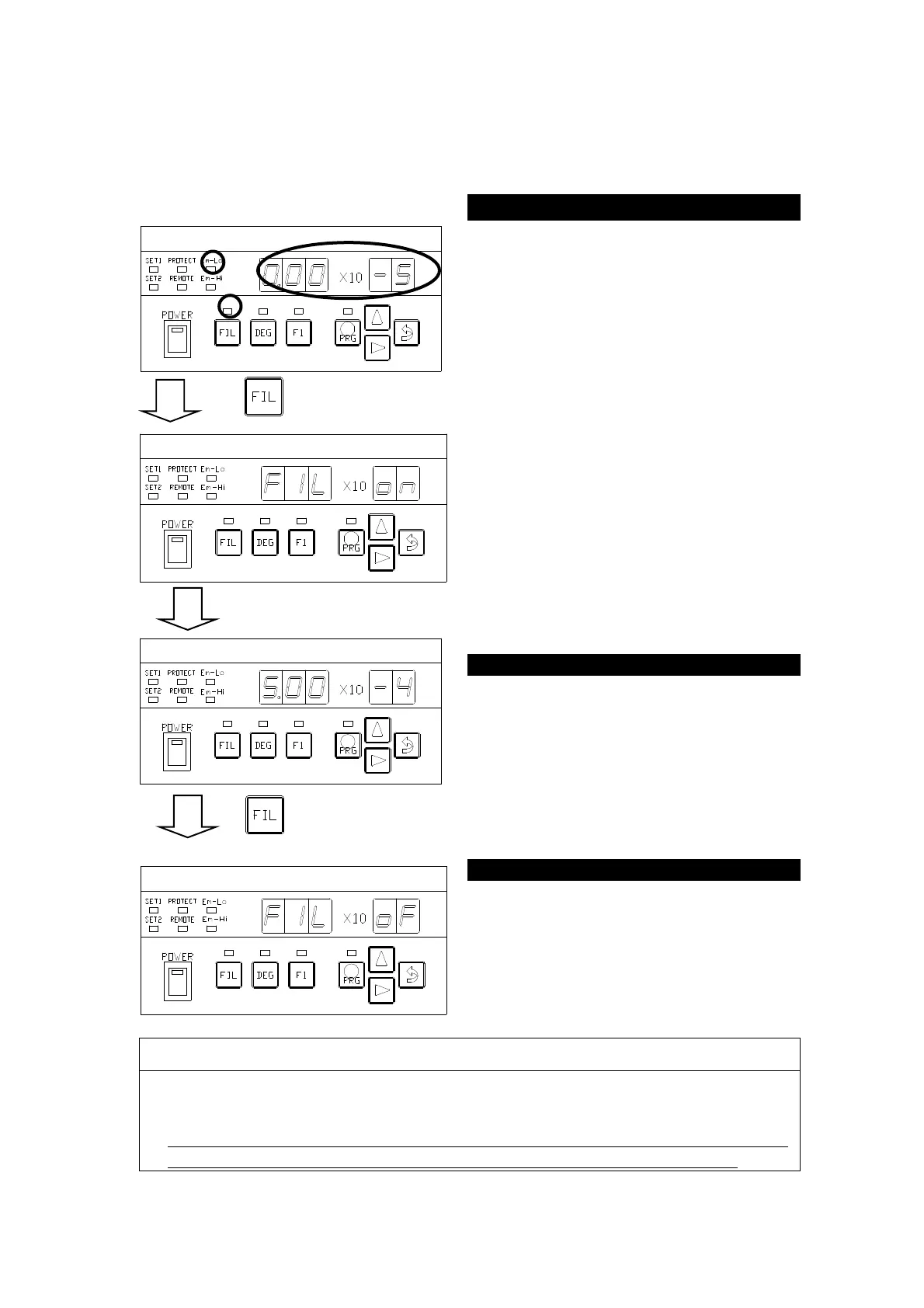
The first press on the FIL key turns on
the filament and a second press turns it
off.
When the filament is turned on, the
segment indicator displays [
]
and the (MESU-② status) is set up.
If the filament is on and the emission
current is flowing normally, the lamp
above the FIL key lights and
measurement starts (MESU-② status).
If the filament is on but emission
current is not flowing normally, the
lamp above the FIL key blinks.
Pressure is displayed on the segment
indicator when in the measurement
status.
(Example) Display in the left figure →
5.00 × 10
-4
Pa
Turning on the filament sets up the
MESU-① status after displaying [
].
CAUTION:
If the emission current value is not normal, refer to ″Troubleshooting″.
Before turning on the filament, make sure the pressure is in the measurable
pressure range using another vacuum gauge.
If pressure rises above the measurable pressure range, the filament will automatically
be turnedoff and
[
Err.13
] will be displayed on the segment indicator.



 To Next Page