30
8.7. Selection of Range Changeover Function
→ Refer to P.38
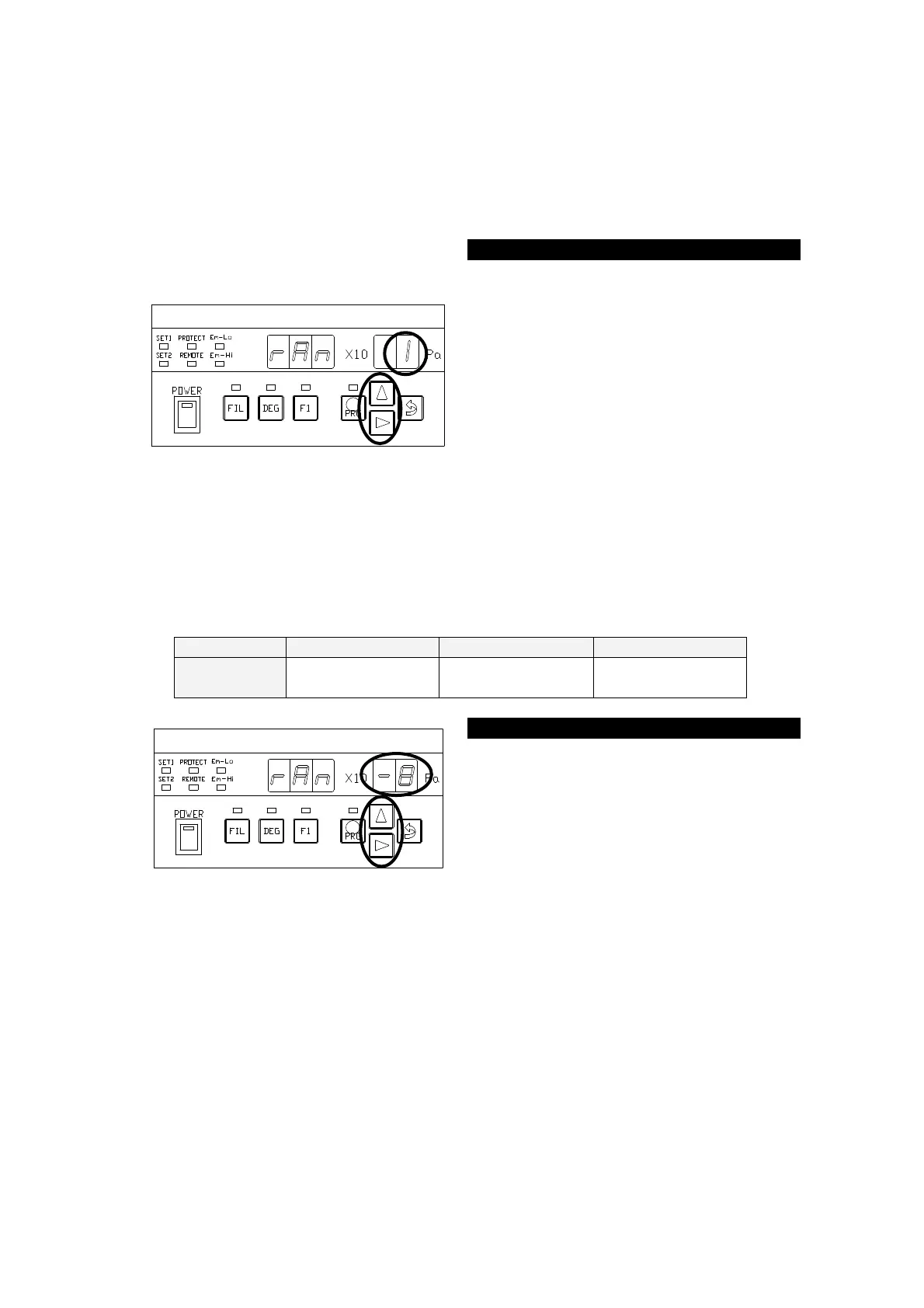
Setting of range changeover function.
rAn:1 ⇒ AUTO RANGE MODE
rAn:2 ⇒ RANGE HOLD MODE
The ○ portion in the left figure blinks
after the segment indicator displays [
] for about 1 second. Each
time the [∆] is pressed, the ○ portion in
the left figure displays [
] ⇔
[
] cyclically.
To use range AUTO(HOLD), press the
[⇒(ENTER)] key with[
] [
] selected, to transfer control to
①
8.8. Setting of Range HOLD
→ Refer to P.38
Setting of range HOLD. The set point as follows.
-0
~
-8
-1
~
-7
-1
~
-9
Each time the [∆] key is pressed, the
numeric value of the blinking portion
changes. When a desired numeric
value is displayed, press the [⇒
(ENTER)] key to transfer control to the
①



 To Next Page