22
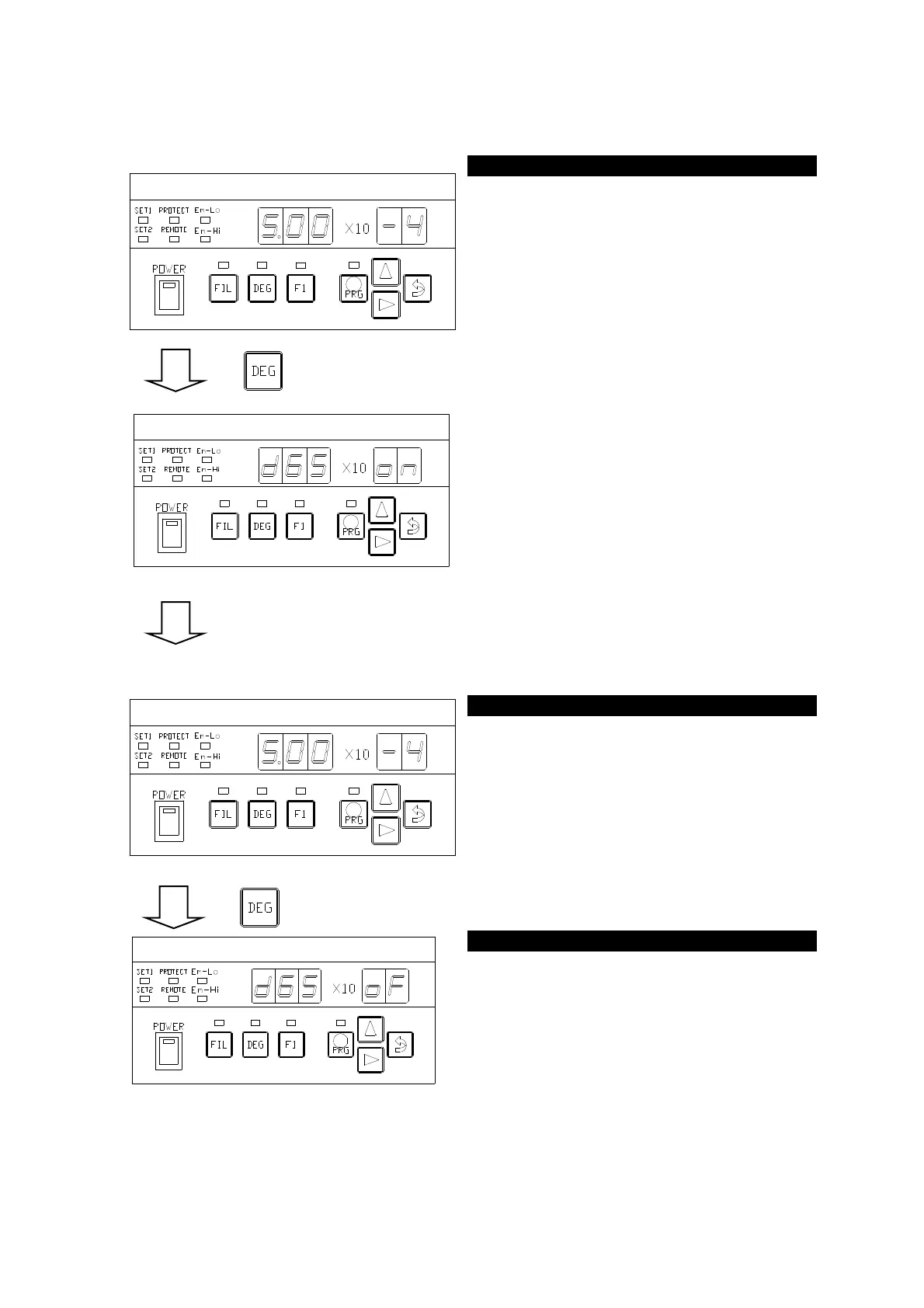
7.2. Degassing ON/OFF
→Refer to P.31
A single press on the DEGAS key when in
the MESU-② status (left figure) turns on
DEGAS. A second press on the key turns off
DEGAS.
Turning on DEGAS lights the LED marked
with
○ in the left figure and the DEG-② status
is set up after displaying [
segment indicator.
DEGAS can be operated only when the
filament is on.
If the FIL key is pressed during degassing,
degassing will be turned off simultaneously
with the filament.
Turning ON DEGAS lights the LED marked
with
○ in the left figure and the [DEG-②
status] is set up after displaying [
] on
the segment indicator.
DEGAS is automatically turned off when the
time set by the program has elapsed.
DEGAS can be turned off when in the auto
OFF mode or before the set time elapses. If
DEGAS is turned off in the midway, the set
time counts will be reset.
GI-M2 / GI-D7
Pressure is displayed on the segment
indicator during degassing, too
(Example) Display in the left figure →
5.00 × 10
-4
Pa
DEGAS movement does not perform a
Turning off DEGAS sets up the (MESU-
②
status) after displaying [
] on the
segment indicator.



 To Next Page