Security and Login Give us your thoughts:
Ver-Mac 2016 V-Touch Controller User Manual, V3.0 3
2.2 Authentication Screen
You must first select a security level:
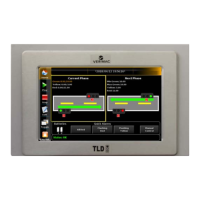
Figure 1 - Select Security Level window
1. Power ON the unit and wait as the start-up sequence completes. This is
indicated by a loading status bar.
2. Select your user profile (Viewer, Guest, Admin) from the security icons
indicated.
Guest users must also select their Username from the list before logging
in.
3. Enter your numerical password.
The factory default password for the Admin account is nine (9).
4. Confirm (green checkbox).
If you enter the wrong password, the error message «Invalid password» displays and
you return to the Authentication screen, where you start over.
Guests and Admin Users can change their password after logging in.
2.3 Community Names
Community name is a password used by NTCIP’s protocol. Just like the administrator password for V-
Touch login, you must change the community name to get the maximum security on your PCMS.
To change the community name:
1. In Parameters, choose Community Names.
2. In the Community Names page (see Figure 2), tap Edit beside Admin.


 To Next Page