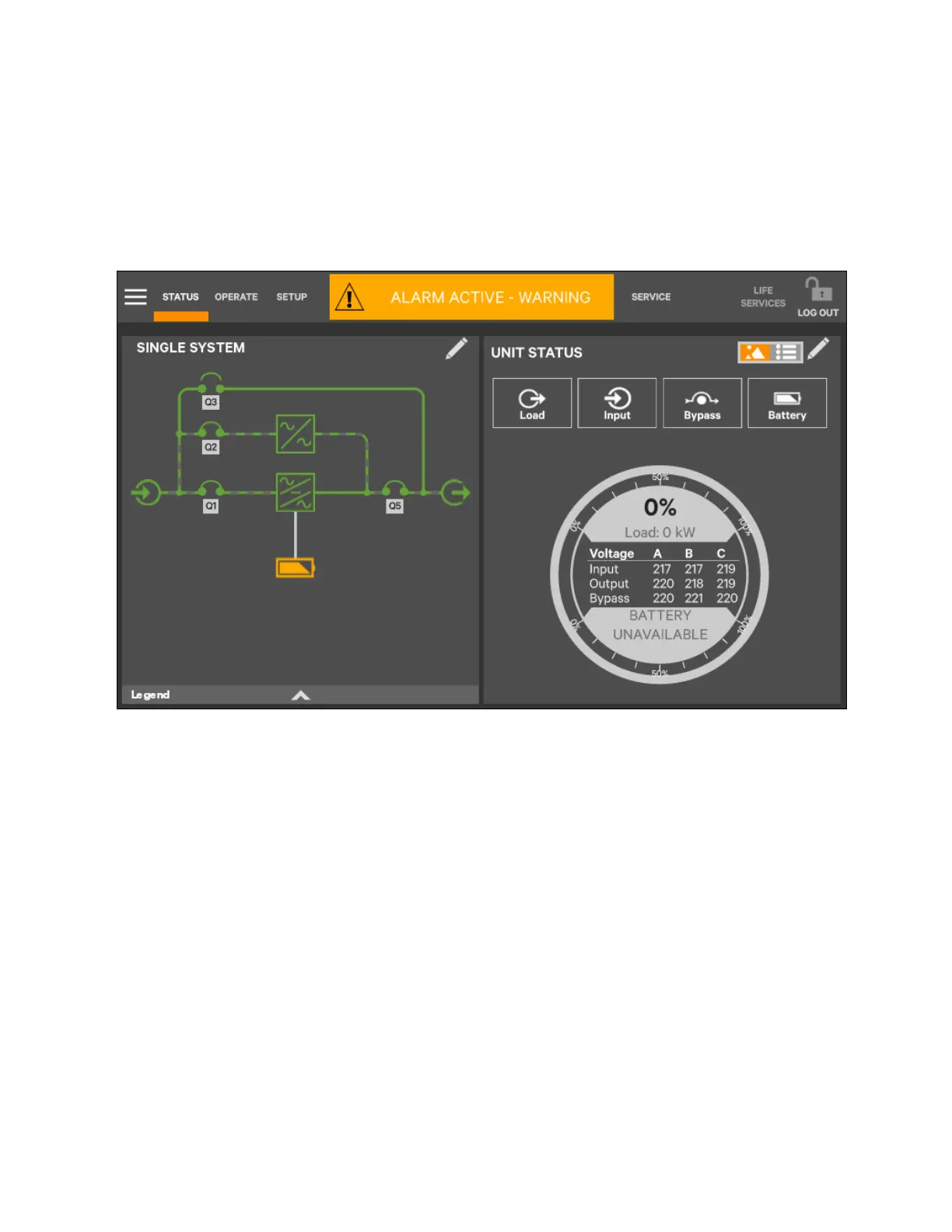
Touching any of the detail icons will show additional data about that selection in the opposite pane. The data pane is closed
by touching the Close radio button or by touching the same or another detail icon. The read only information is available to all
access levels (see Figure 5.7 on the next page).
NOTE: If the Status Gauge shows, not more than 4 detail icons will be visible at a time. Removing the Status Gauge
shows all 5 detail icons. The view is customized to show fewer than 4 icons.
Figure 5.6 Unit Status Panel Components Graphic Display
5 Operator Control and Display
Panel
Proprietary and Confidential ©2023 Vertiv Group Corp. 59
Vertiv™ Liebert® APM2 30 to 120 kVA Modular UPS User Manual















 To Next Page